How to Create Publication-Quality Images in Word
TL;DR
To create publication-quality images in Microsoft Word, use the 'Paste Special' option to paste images as enhanced metafiles for better alignment and quality. Alternatively, insert a table, merge cells, and add images for easy annotation and formatting. This method provides greater control and allows for easy replication across documents.
Transcript
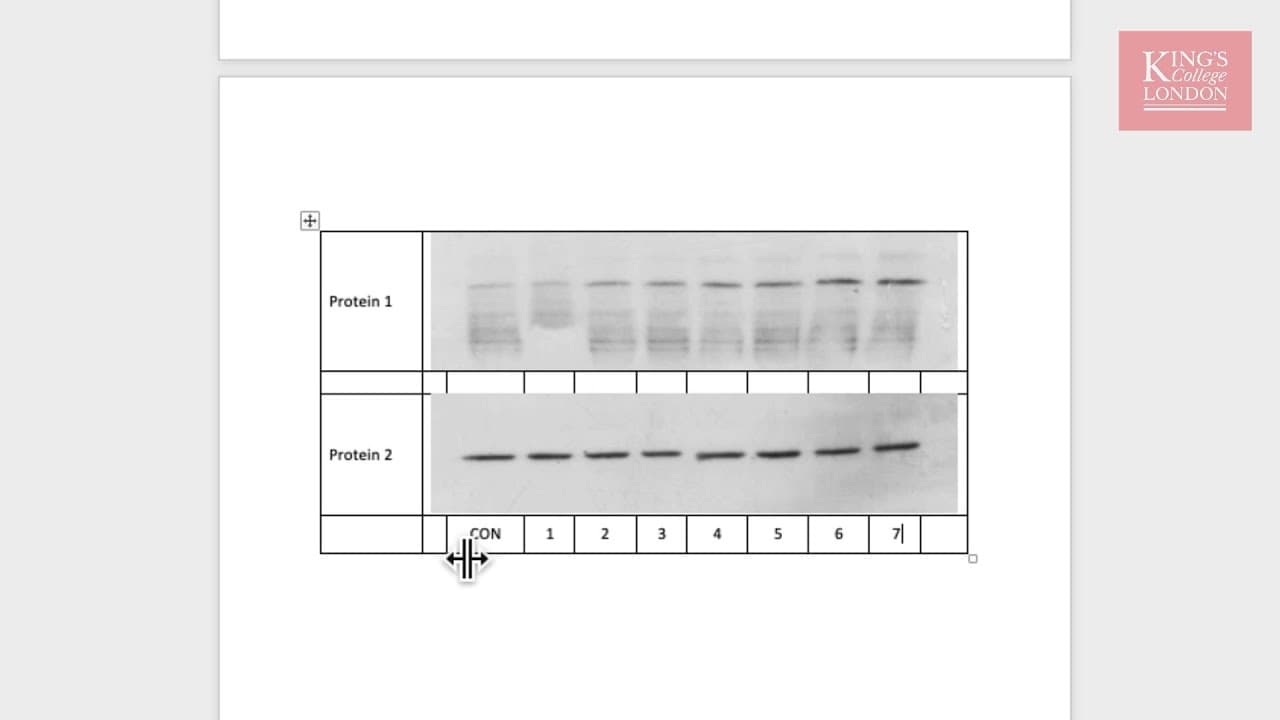
hello in this tutorial I'm going to show you a very easy way of creating images for use in publications from Western blots PCR southern blots etc in Microsoft Word traditionally we might use a program such as PowerPoint to produce our Western blot images and in fact on the screen in front of you you can seize two Western blots for protein 1 and pro... Read More
Key Insights
- 🍉 Traditionally, PowerPoint has been used for creating images for publications but has limitations in terms of image placement and formatting.
- 💁 Using the "Paste Special" option in Microsoft Word, images can be pasted in an alternative format (e.g., enhanced metafile) for better quality and flexibility.
- 🎮 Creating a table in Word, merging cells, and inserting images offers more control and flexibility in aligning and annotating images.
- 💁 The table format allows for easy replication of the image and the ability to change images while maintaining formatting.
- 🚰 Increasing the font size and removing table borders can enhance the presentation of the annotated Western blot images.
- 🧘 Keeping a copy of the PowerPoint file can be useful for making edits and re-pasting into the Word document.
- 🇪🇭 The provided method is applicable for Western blots, PCR, southern blots, and other experiments in Microsoft Word.
Install to Summarize YouTube Videos and Get Transcripts
Explore YouTube Video Summarizer or Get YouTube Transcript Extractor
Questions & Answers
Q: Why is pasting images from PowerPoint into Microsoft Word not a preferred method?
Pasting images directly from PowerPoint into Microsoft Word results in a floating image that is difficult to flow text around and place inside a table. It also lacks flexibility in terms of editing and formatting options.
Q: What is the benefit of using the "Paste Special" option in Microsoft Word?
When using "Paste Special" and selecting an alternative format like enhanced metafile, the image is pasted as a single object that can move inline with text. This provides better quality and more control over image placement.
Q: How can images be easily inserted and annotated in Microsoft Word using a table?
By creating a table in Word, merging cells, and inserting images, one can easily align and annotate Western blot images. The table allows for precise formatting of text and provides the ability to copy and reproduce the image throughout the document if needed.
Q: Can different images be used within the same table format?
Yes, once the table format is established, right-clicking on any of the Western blots allows changing the picture from a file on the computer while maintaining the same formatting for other images.
Summary & Key Takeaways
-
Traditionally, PowerPoint has been used to create images for publications, but it results in limitations such as difficulty in flowing text around the image and inability to place it inside a table.
-
By using the "Paste Special" option in Microsoft Word, one can paste images in an enhanced metafile format, which provides better quality and allows the image to move inline with text.
-
Another method is to create a table in Word, merge cells, and insert images, allowing for easy alignment and annotation. This method is preferred as it provides more control and flexibility.
Read in Other Languages (beta)
Share This Summary 📚
Summarize YouTube Videos and Get Video Transcripts with 1-Click
Try YouTube Summary with ChatGPT & Claude or YouTube Transcript Generator
Explore More Summaries from Dory Video 📚






Summarize YouTube Videos and Get Video Transcripts with 1-Click
Try YouTube Summary with ChatGPT & Claude or YouTube Transcript Generator