Lightroom 5 Raw Edit: Retouching Child Portraits Tutorial
TL;DR
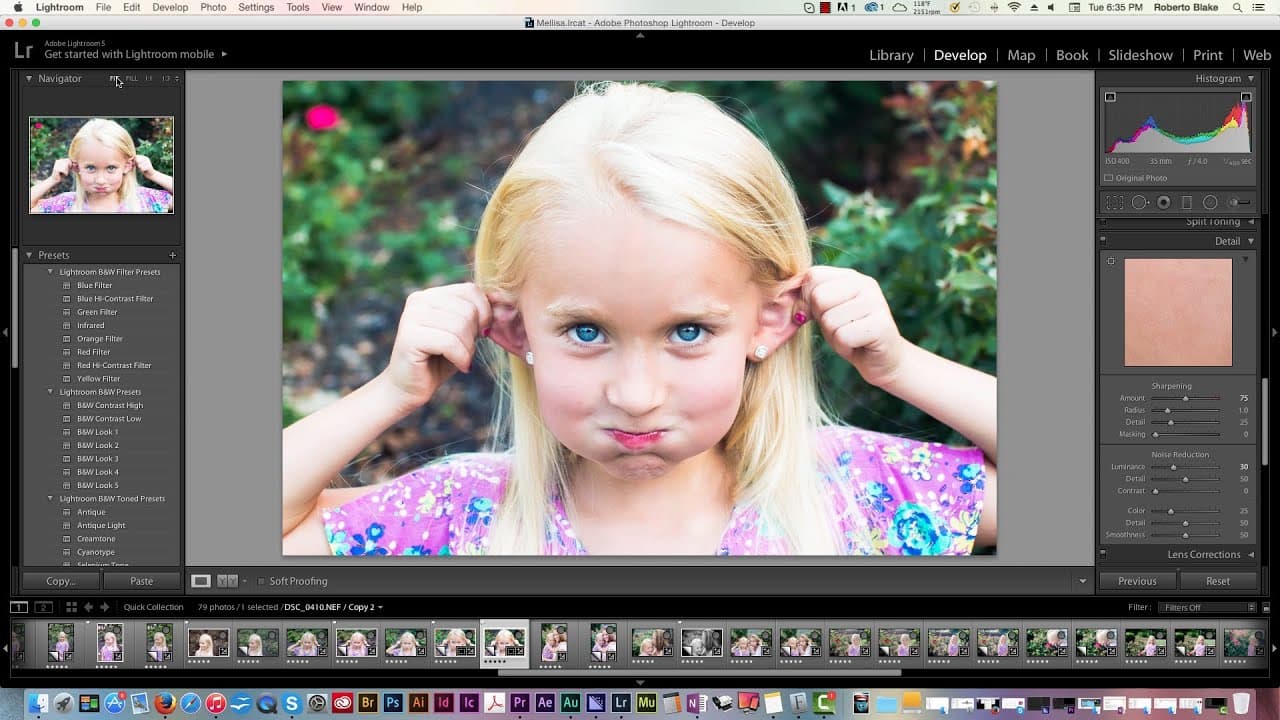
Demonstration of editing a child portrait in Lightroom with detailed adjustments and creative options.
Transcript
hey everybody this is roberto blake of robertoblake.com helping you create something awesome today so in today's video we're going to be doing a Photoshop Lightroom raw edit I know you guys have been enjoying these based on the comments and the feedback and today we're gonna look at how you edit or at least how I edit a child portrait so we're usin... Read More
Key Insights
- ❓ Importance of adjusting exposure, contrast, and tonal values to enhance portrait details.
- 👀 Use of creative tools like temperature adjustments and selective color enhancements for a unique look.
- 🌠 Technique of shooting loose to provide flexibility in editing and storytelling options.
- 🧘 Incorporating storytelling elements and considering context while editing portraits.
- 👀 Appreciating the impact of cropping, saturation adjustments, and clarity enhancements on the overall portrait look.
- 🖤 Exploring different editing directions like black and white, sepia tones, and high contrast to create varied visual styles.
- ⚖️ Balancing between visual accuracy and artistic interpretation to convey different moods and messages in portraits.
Install to Summarize YouTube Videos and Get Transcripts
Explore YouTube Video Summarizer or Get YouTube Transcript Extractor
Questions & Answers
Q: What are the key adjustments Roberto makes to enhance the child portrait in Lightroom?
Roberto focuses on cropping, exposure tweaks, contrast adjustments, and tonal enhancements to bring out the best in the portrait. He also demonstrates creative options like adjusting temperature and saturation.
Q: Why does Roberto prefer shooting loose instead of cropping in camera?
Shooting loose allows Roberto to have more options during editing. It gives him flexibility to crop or adjust the composition according to the context and intended use of the portrait.
Q: How does Roberto use selective color adjustments in Lightroom to enhance the portrait?
Roberto selectively enhances colors like the Blues in the eyes by adjusting saturation and luminance sliders, adding vibrancy and emphasizing key elements in the portrait.
Q: What storytelling elements does Roberto incorporate while editing the child portrait?
Roberto considers the relationship between mother and daughter, the emotions captured in the portrait, and the context of potential usage to create a narrative and convey a story through the edited image.
Summary & Key Takeaways
-
Roberto Blake demonstrates how to edit a child portrait in Lightroom RAW format.
-
He explains the importance of cropping, exposure tweaks, and tonal adjustments.
-
Different creative options like adjusting temperature, saturation, and clarity are explored to enhance the portrait.
Read in Other Languages (beta)
Share This Summary 📚
Summarize YouTube Videos and Get Video Transcripts with 1-Click
Try YouTube Summary with ChatGPT & Claude or YouTube Transcript Generator
Explore More Summaries from Roberto Blake 📚






Summarize YouTube Videos and Get Video Transcripts with 1-Click
Try YouTube Summary with ChatGPT & Claude or YouTube Transcript Generator