Products
Features
YouTube Video Summarizer
Summarize YouTube videos
Web & PDF Highlighter
Highlight web pages & PDFs
Chat with PDF
Ask any PDF questions with AI
Ask AI Clone
Chat with your highlights & memories
Audio Transcriber
Transcribe audio files to text
Glasp Reader
Read and highlight articles
Kindle Highlight Export
Export your Kindle highlights
Idea Hatch
Hatch ideas from your highlights
Integrations
Obsidian Plugin
Notion Integration
Pocket Integration
Instapaper Integration
Medium Integration
Readwise Integration
Snipd Integration
Hypothesis Integration
Apps & Extensions
Chrome Extension
Safari Extension
Edge Add-ons
Firefox Add-ons
iOS App
Android App
Discover
Discover
Ideas
Discover new ideas and insights
Articles
Curated articles and insights
Books
Book recommendations by great minds
Posts
Essays and notes from readers
Quotes
Inspiring quotes collection
Videos
Curated videos and summaries
Explore Glasp
Glasp Story
How we grew from 0 to 3 million users
Glasp Newsletter
Weekly insights and updates
Glasp Talk
Interview series with great minds
Glasp Blog
Latest news and articles
Glasp Use Cases
Learn how others use Glasp
Build & Support
Glasp API
Access Glasp's API for developers
MCP Connector
Connect Glasp to Claude & ChatGPT
Community
Glasp Reddit Community
Students
Student discount and benefits
FAQs
Frequently Asked Questions
AboutPricing
DashboardLog inSign up

Whoops! Errors in the p5.js Web Editor (1.5)
156.9K views
•
September 10, 2018
by
The Coding Train
YouTube video player
Whoops! Errors in the p5.js Web Editor (1.5)

TL;DR

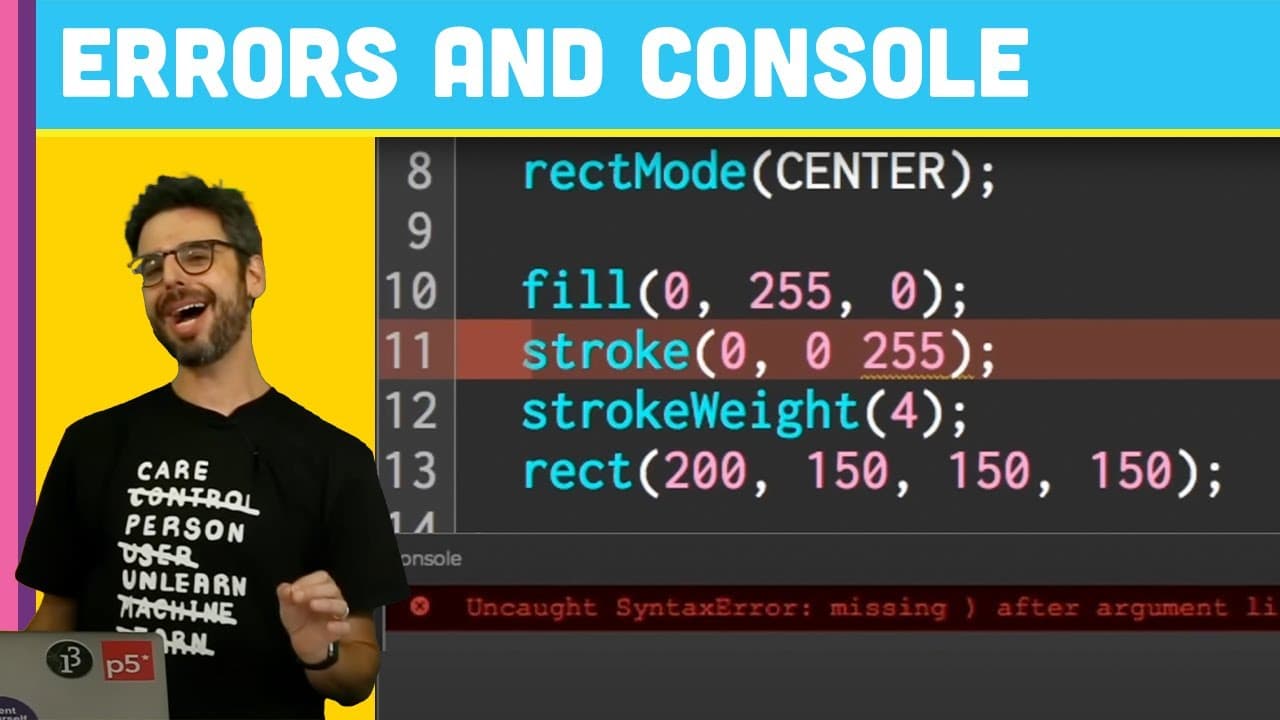
Learn how to navigate console errors while coding with p5.js web editor.

Transcript

[BELL RINGS] Hi. So I have so far made three videos in this series about learning to code from the very beginning with p5 and the p5 web editor. And I kind of have been avoiding showing you what happens when you make a mistake, which I really should not have done. That's the thing I really should be showing you right from the beginning, but I didn'... Read More

Key Insights

  • 👨‍💻 Console in p5.js web editor displays code-related messages, including errors and custom print statements.
  • 🎮 Script errors like misspelling functions or omitting semicolons can trigger error messages in the console.
  • 👨‍💻 Use of code comments can enhance the readability and maintainability of the code.
  • 👨‍💻 Developers should pay attention to syntax, spelling, and case sensitivity when writing code in p5.js.
  • 🫥 Semicolons in JavaScript serve as indicators for the end of code lines, improving script clarity and reducing interpretation errors.
  • 👨‍💻 Console messages are useful for monitoring script execution and identifying errors during coding.
  • 🎮 Understanding and addressing console errors is essential for proficient coding with p5.js.

Install to Summarize YouTube Videos and Get Transcripts

Explore YouTube Video Summarizer or Get YouTube Transcript Extractor

Questions & Answers

Q: What is the purpose of the console in the p5.js web editor?

The console displays messages related to code errors and custom messages, aiding developers in debugging and monitoring script execution.

Q: How can mistakes like misspelling functions lead to errors in the console?

Misspelling functions or using incorrect syntax can trigger error messages in the console, guiding developers to identify and address coding errors.

Q: Are semicolons mandatory in JavaScript coding?

Semicolons are not always necessary in JavaScript, but they serve as a safety net to explicitly mark the end of code lines, preventing ambiguity in script interpretation.

Q: Why are code comments important in programming?

Code comments provide explanations and context within the code, enhancing readability, collaboration, and maintainability of the script.

Summary & Key Takeaways

  • Videos on learning to code with p5.js lacked coverage of handling mistakes and using code comments.

  • The console in p5 web editor displays messages related to code errors or custom messages.

  • Mistakes like misspelling functions or omitting semicolons can lead to error messages in the console.


Read in Other Languages (beta)

English

Share This Summary 📚

Summarize YouTube Videos and Get Video Transcripts with 1-Click

Download browser extensions on:

Try YouTube Summary with ChatGPT & Claude or YouTube Transcript Generator

Explore More Summaries from The Coding Train 📚

Computer Mouse Conference Demos! (node.js + tensorflow.js) thumbnail
Computer Mouse Conference Demos! (node.js + tensorflow.js)
The Coding Train
How to Create Fractal Patterns with Toothpicks thumbnail
How to Create Fractal Patterns with Toothpicks
The Coding Train
ITP/IMA Winter Show 2018 thumbnail
ITP/IMA Winter Show 2018
The Coding Train
ITP/IMA Winter Show 2019 thumbnail
ITP/IMA Winter Show 2019
The Coding Train
Coding Challenge #116: Lissajous Curve Table thumbnail
Coding Challenge #116: Lissajous Curve Table
The Coding Train
Text Generation using Spell with Nabil Hassein thumbnail
Text Generation using Spell with Nabil Hassein
The Coding Train

Summarize YouTube Videos and Get Video Transcripts with 1-Click

Download browser extensions on:

Try YouTube Summary with ChatGPT & Claude or YouTube Transcript Generator

Apps & Extensions

  • Chrome Extension
  • Safari Extension
  • Edge Add-ons
  • Firefox Add-ons
  • iOS App
  • Android App

Key Features

  • YouTube Video Summarizer
  • Web & PDF Summarizer
  • Web & PDF Highlighter
  • Chat with PDF
  • Ask AI Clone
  • Audio Transcriber
  • Glasp Reader
  • Kindle Highlight Export
  • Idea Hatch

Integrations

  • Obsidian Plugin
  • Notion Integration
  • Pocket Integration
  • Instapaper Integration
  • Medium Integration
  • Readwise Integration
  • Snipd Integration
  • Hypothesis Integration

More Features

  • APIs
  • MCP Connector
  • Blog & Post
  • Embed Links
  • Image Highlight
  • Personality Test
  • Quote Shots
  • Open Graph Checker

Company

  • About us
  • Our Story
  • Blog
  • Community
  • FAQs
  • Job Board
  • Newsletter
  • Pricing
Terms

•

Privacy

•

Guidelines

© 2026 Glasp Inc. All rights reserved.




