Process Control Block - Process Management - Operating System
TL;DR
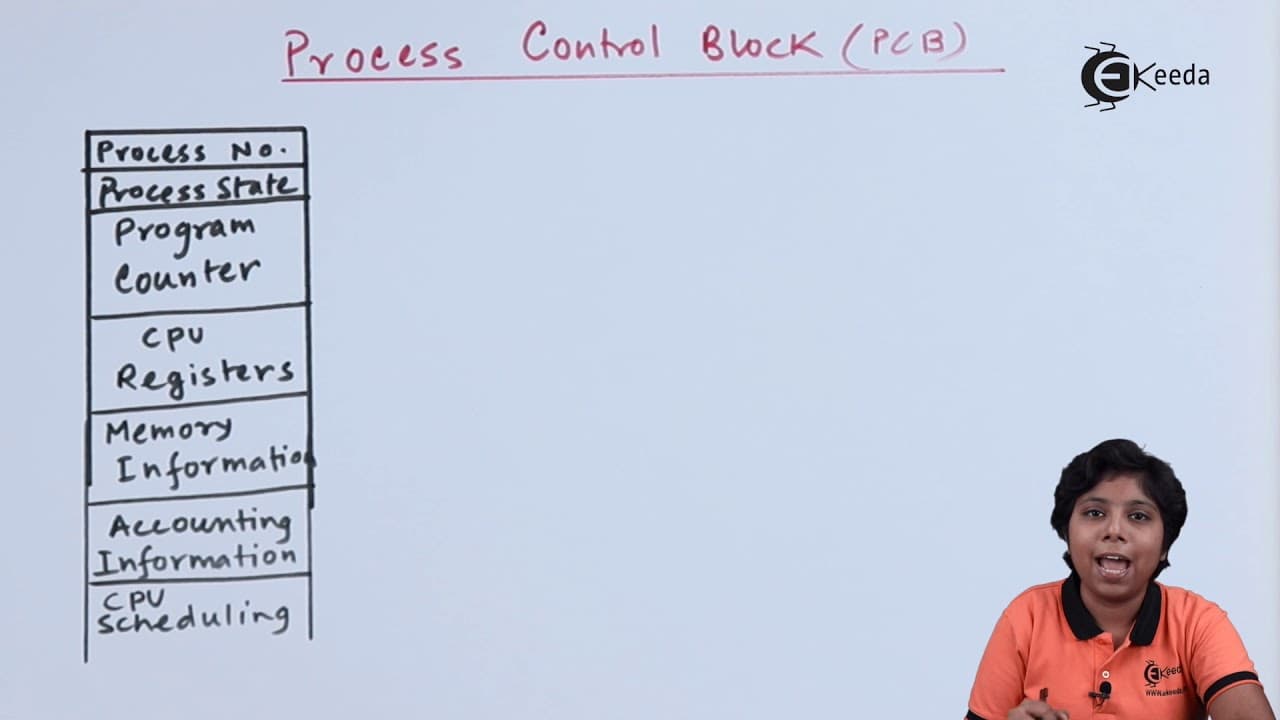
Process Control Blocks (PCBs) store important information about processes in an operating system, including the process number, state, program counter, CPU registers, memory management, accounting information, CPU scheduling, and IO device information.
Transcript
click the bell icon to get latest videos from equator hello friends today we are going to discuss about a process control block what are the information that is stored inside the process control block and how is condensed witching done on the process control block process control block or task control block can access the information about a specif... Read More
Key Insights
- 💁 PCBs store important information about processes, including the process number, state, program counter, CPU registers, memory management, accounting information, CPU scheduling, and IO device information.
- #️⃣ The process number in the PCB is used to address and identify a specific process in the main memory.
- 💾 Context switching involves saving the current PCB and loading the PCB of the next process to be executed, ensuring smooth switching between processes.
- 👻 PCBs act as a repository for specific information about processes, allowing for efficient scheduling and execution within an operating system.
- 💁 CPU scheduling information in the PCB helps determine the priority and scheduling parameters for processes.
- 🚰 Memory management information in the PCB includes details about the best register, limit register, page table, and segmentation table.
- #️⃣ PCBs also store accounting information, such as CPU and real-time usage, account number, and process/job number.
Install to Summarize YouTube Videos and Get Transcripts
Explore YouTube Video Summarizer or Get YouTube Transcript Extractor
Questions & Answers
Q: What is a Process Control Block and what information does it store?
A Process Control Block (PCB) is a data structure in an operating system that stores specific information about a process. It includes the process number, state, program counter, CPU registers, memory management, accounting information, CPU scheduling, and IO device information.
Q: What is the purpose of the process number in the PCB?
The process number in the PCB is used to address the process in the main memory. It helps in the design and identification of the process within the operating system.
Q: How does the PCB handle CPU scheduling information?
The PCB contains CPU scheduling information such as process priority and other scheduling parameters. This information is used by the scheduler to determine which processes to schedule into the job queue or the CPU's short-term scheduler.
Q: What role does the PCB play in context switching?
During context switching, the PCB of the currently executing process is saved, while the PCB of the process to be executed next is loaded. This allows for efficient switching between processes and ensures that the CPU resumes operation with the correct information.
Summary & Key Takeaways
-
Process Control Blocks (PCBs) are used to store specific information about processes in an operating system.
-
PCBs contain details such as the process number, state, program counter, CPU registers, memory management, accounting information, CPU scheduling, and IO device information.
-
PCBs act as a repository for processes, allowing for efficient context switching and resuming operation of the CPU with the correct information.
Read in Other Languages (beta)
Share This Summary 📚
Summarize YouTube Videos and Get Video Transcripts with 1-Click
Try YouTube Summary with ChatGPT & Claude or YouTube Transcript Generator
Explore More Summaries from Ekeeda 📚






Summarize YouTube Videos and Get Video Transcripts with 1-Click
Try YouTube Summary with ChatGPT & Claude or YouTube Transcript Generator