There Are Hidden Ad Settings For YouTube Videos!
TL;DR
Learn how to control the ads displayed on your YouTube videos, ensuring that they align with your content and values, and explore the options to block certain categories, sensitive content, and competitor ads.
Transcript
- Did you know that if you were in the YouTube Partner Program, that there are settings that you can use to dictate what ads show up on your YouTube videos? And did you know that you should be using these if you wanna make sure that whatever affiliate sales that you're sending are not being stepped on? Or you can use them to negotiate more with lon... Read More
Key Insights
- 🎮 YouTube Partner Program members have the option to control the ads displayed on their videos, allowing for strategic affiliate sales and sponsorship negotiation.
- 🫠 Blocking certain categories or sensitive content can help align ads with your values and content theme, but may also impact ad revenue.
- 🫠 The Advertiser URLs section is a valuable tool for blocking competitor ads and ads from companies you promote as an affiliate.
- 🫠 Careful consideration and strategic use of these ad control features can enhance monetization opportunities for YouTubers.
- 🫠 Blocking specific URLs of competitors and affiliate companies ensures that their ads won't appear on videos where you promote other products or services.
- 🫠 Maintaining control over ad content supports brand consistency and reputation management on YouTube.
- 🫠 It's important to strike a balance between blocking unwanted ads and potential loss of ad revenue.
Install to Summarize YouTube Videos and Get Transcripts
Explore YouTube Video Summarizer or Get YouTube Transcript Extractor
Questions & Answers
Q: How can I control which ads show up on my YouTube videos?
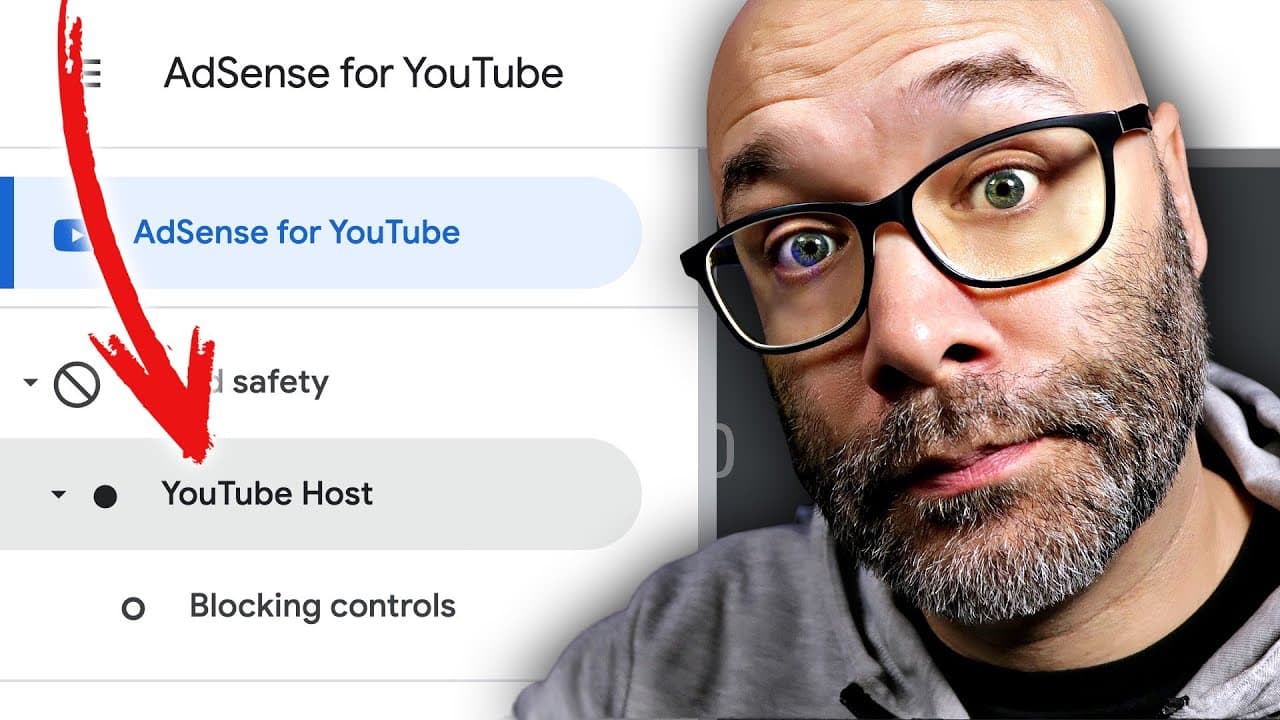
To control your ads, log into your Google AdSense account, go to the Brand Safety tab, and access the Blocking Controls. From there, you can manage general categories, block sensitive categories, and add competitor URLs to prevent their ads from appearing.
Q: Will blocking certain categories affect my ad revenue?
Yes, blocking categories or topics can impact your ad revenue, as it restricts the number of companies that can advertise on your videos. Consider using this feature strategically or if you strongly believe in avoiding certain advertisements.
Q: Can I block specific competitor ads as an affiliate marketer?
Yes, the Advertiser URLs section allows you to block competitor ads and ads from companies you promote as an affiliate. This ensures that their ads don't appear on your videos, preventing potential sales from being captured by competing ads.
Q: How can I avoid political or religious ads on my channel?
In the sensitive categories section, you can block political, religious, or any other sensitive content ads from being displayed on your videos. This feature helps you maintain control over the type of content associated with your channel.
Summary & Key Takeaways
-
You can use settings in your YouTube Partner Program account to dictate the ads that appear on your videos, ensuring that your affiliate sales are not affected or disrupted.
-
Blocking certain topics or categories can help you maintain control over what is advertised on your videos, but keep in mind that it can impact your ad revenue.
-
The Advertiser URLs section allows you to block competitor ads and ads from companies you affiliate with, preventing them from appearing on videos where you promote other products or services.
Read in Other Languages (beta)
Share This Summary 📚
Summarize YouTube Videos and Get Video Transcripts with 1-Click
Try YouTube Summary with ChatGPT & Claude or YouTube Transcript Generator
Explore More Summaries from Nick Nimmin 📚




Summarize YouTube Videos and Get Video Transcripts with 1-Click
Try YouTube Summary with ChatGPT & Claude or YouTube Transcript Generator