Products
Features
YouTube Video Summarizer
Summarize YouTube videos
Web & PDF Highlighter
Highlight web pages & PDFs
Chat with PDF
Ask any PDF questions with AI
Ask AI Clone
Chat with your highlights & memories
Audio Transcriber
Transcribe audio files to text
Glasp Reader
Read and highlight articles
Kindle Highlight Export
Export your Kindle highlights
Idea Hatch
Hatch ideas from your highlights
Integrations
Obsidian Plugin
Notion Integration
Pocket Integration
Instapaper Integration
Medium Integration
Readwise Integration
Snipd Integration
Hypothesis Integration
Apps & Extensions
Chrome Extension
Safari Extension
Edge Add-ons
Firefox Add-ons
iOS App
Android App
Discover
Discover
Ideas
Discover new ideas and insights
Articles
Curated articles and insights
Books
Book recommendations by great minds
Posts
Essays and notes from readers
Quotes
Inspiring quotes collection
Videos
Curated videos and summaries
Explore Glasp
Glasp Newsletter
Weekly insights and updates
Glasp Talk
Interview series with great minds
Glasp Blog
Latest news and articles
Glasp Use Cases
Learn how others use Glasp
Build & Support
Glasp API
Access Glasp's API for developers
MCP Connector
Connect Glasp to Claude & ChatGPT
Community
Glasp Reddit Community
Students
Student discount and benefits
FAQs
Frequently Asked Questions
AboutPricing
DashboardLog inSign up

YouTube Thumbnail Tutorial Photoshop
7.8K views
•
December 4, 2014
by
Nick Nimmin
YouTube video player
YouTube Thumbnail Tutorial Photoshop

TL;DR

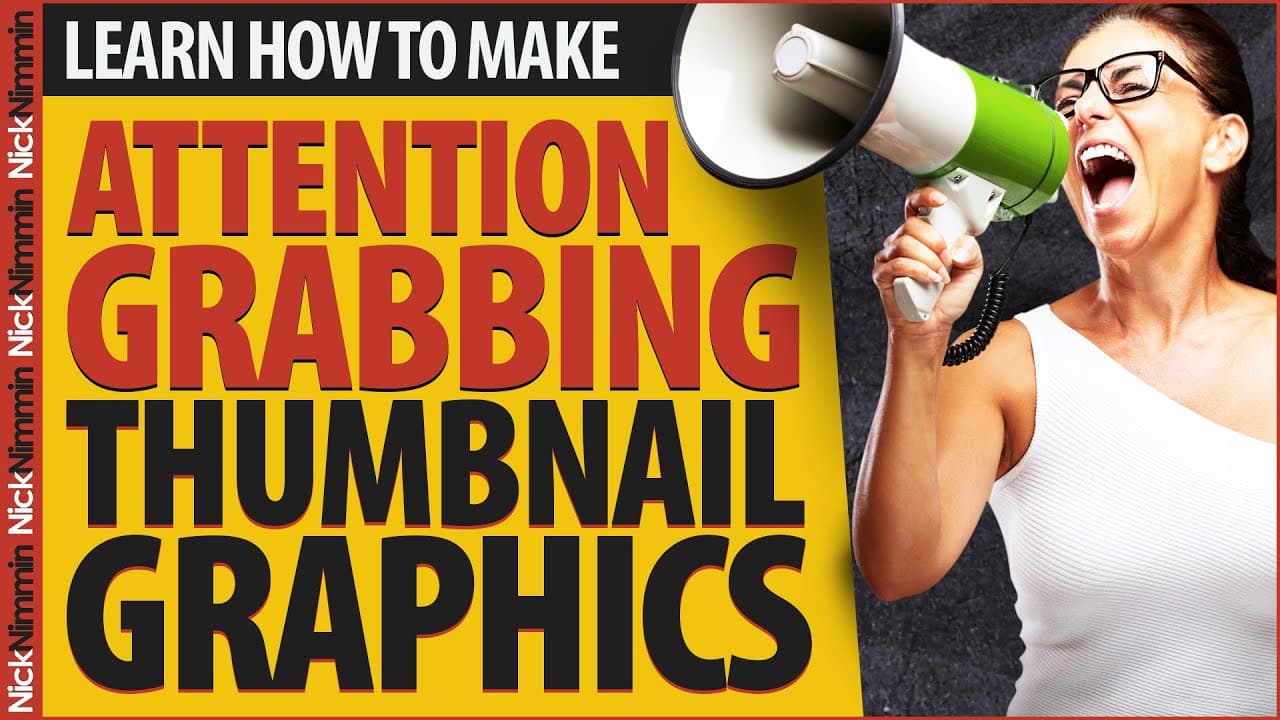
Learn how to create attention-grabbing thumbnails for YouTube videos that will help increase views and engagement.

Transcript

In this video I'm gonna show you how to make attention-grabbing thumbnail so more people will click on your videos... and we're starting right now I was just helping a friend of mine polish up his youtube channel and one the first things I noticed was that he wasn't using YouTubes custom thumbnail feature. And as you might have noticed even YouTube... Read More

Key Insights

  • 🫵 Custom thumbnails are a powerful tool for increasing views and engagement on YouTube.
  • 🫵 Large and easily readable text is crucial for grabbing viewers' attention.
  • 👋 The graphic should look good in both small and large sizes to ensure visibility.
  • 👯 Colors can make the thumbnail more appealing and draw people's attention.
  • 🖼️ Adding branding elements or your picture can help create a recognizable and unique thumbnail.
  • 🎮 Custom thumbnails can be changed anytime, even for existing videos, through YouTube's video manager.
  • ⌛ Using a template for thumbnail creation can save time and maintain consistency.

Install to Summarize YouTube Videos and Get Transcripts

Explore YouTube Video Summarizer or Get YouTube Transcript Extractor

Questions & Answers

Q: Why is using custom thumbnails important for YouTube videos?

Custom thumbnails are important because they help attract more attention to your videos, increasing the likelihood of people clicking on them and watching.

Q: What should be the main focus when creating a thumbnail?

The main focus should be on making the text big and easy to read, using fonts that are clear and avoiding small or hard-to-read fonts.

Q: How can adding color to a thumbnail help attract more viewers?

Using color in a thumbnail can make it more visually appealing and eye-catching, drawing people's attention and making them more likely to click on it.

Q: Can I add branding elements or my picture to a thumbnail?

Yes, adding branding elements or your picture can help make your videos easily identifiable and stand out from others, which may result in more views and engagement.

Summary & Key Takeaways

  • YouTube's custom thumbnail feature is an effective way to get people to look at your videos.

  • Use big, easily readable text and make sure the graphic looks good in both small and large sizes.

  • Incorporate colors to make your thumbnail more visually appealing and consider adding branding elements or your picture.


Read in Other Languages (beta)

English

Share This Summary 📚

Summarize YouTube Videos and Get Video Transcripts with 1-Click

Download browser extensions on:

Try YouTube Summary with ChatGPT & Claude or YouTube Transcript Generator

Explore More Summaries from Nick Nimmin 📚

New YouTubers Should Focus On These Things In 2024 thumbnail
New YouTubers Should Focus On These Things In 2024
Nick Nimmin
THIS Is YouTube's NEW Thumbnail Testing Feature thumbnail
THIS Is YouTube's NEW Thumbnail Testing Feature
Nick Nimmin
How Often Should You Upload YouTube Videos thumbnail
How Often Should You Upload YouTube Videos
Nick Nimmin
Learn How To Grow YOUR YouTube Channel - Free Advice thumbnail
Learn How To Grow YOUR YouTube Channel - Free Advice
Nimmin Live - Learn How To Grow On YouTube
How To Grow YOUR YouTube Channel NOW And Into The Future thumbnail
How To Grow YOUR YouTube Channel NOW And Into The Future
Nick Nimmin
How To Make Cool DIY YouTube Backdrop thumbnail
How To Make Cool DIY YouTube Backdrop
Nick Nimmin

Summarize YouTube Videos and Get Video Transcripts with 1-Click

Download browser extensions on:

Try YouTube Summary with ChatGPT & Claude or YouTube Transcript Generator

Apps & Extensions

  • Chrome Extension
  • Safari Extension
  • Edge Add-ons
  • Firefox Add-ons
  • iOS App
  • Android App

Key Features

  • YouTube Video Summarizer
  • Web & PDF Summarizer
  • Web & PDF Highlighter
  • Chat with PDF
  • Ask AI Clone
  • Audio Transcriber
  • Glasp Reader
  • Kindle Highlight Export
  • Idea Hatch

Integrations

  • Obsidian Plugin
  • Notion Integration
  • Pocket Integration
  • Instapaper Integration
  • Medium Integration
  • Readwise Integration
  • Snipd Integration
  • Hypothesis Integration

More Features

  • APIs
  • MCP Connector
  • Blog & Post
  • Embed Links
  • Image Highlight
  • Personality Test
  • Quote Shots

Company

  • About us
  • Blog
  • Community
  • FAQs
  • Job Board
  • Newsletter
  • Pricing
Terms

•

Privacy

•

Guidelines

© 2026 Glasp Inc. All rights reserved.