Products
Features
YouTube Video Summarizer
Summarize YouTube videos
Web & PDF Highlighter
Highlight web pages & PDFs
Chat with PDF
Ask any PDF questions with AI
Ask AI Clone
Chat with your highlights & memories
Audio Transcriber
Transcribe audio files to text
Glasp Reader
Read and highlight articles
Kindle Highlight Export
Export your Kindle highlights
Idea Hatch
Hatch ideas from your highlights
Integrations
Obsidian Plugin
Notion Integration
Pocket Integration
Instapaper Integration
Medium Integration
Readwise Integration
Snipd Integration
Hypothesis Integration
Apps & Extensions
Chrome Extension
Safari Extension
Edge Add-ons
Firefox Add-ons
iOS App
Android App
Discover
Discover
Ideas
Discover new ideas and insights
Articles
Curated articles and insights
Books
Book recommendations by great minds
Posts
Essays and notes from readers
Quotes
Inspiring quotes collection
Videos
Curated videos and summaries
Explore Glasp
Glasp Newsletter
Weekly insights and updates
Glasp Talk
Interview series with great minds
Glasp Blog
Latest news and articles
Glasp Use Cases
Learn how others use Glasp
Build & Support
Glasp API
Access Glasp's API for developers
MCP Connector
Connect Glasp to Claude & ChatGPT
Community
Glasp Reddit Community
Students
Student discount and benefits
FAQs
Frequently Asked Questions
AboutPricing
DashboardLog inSign up

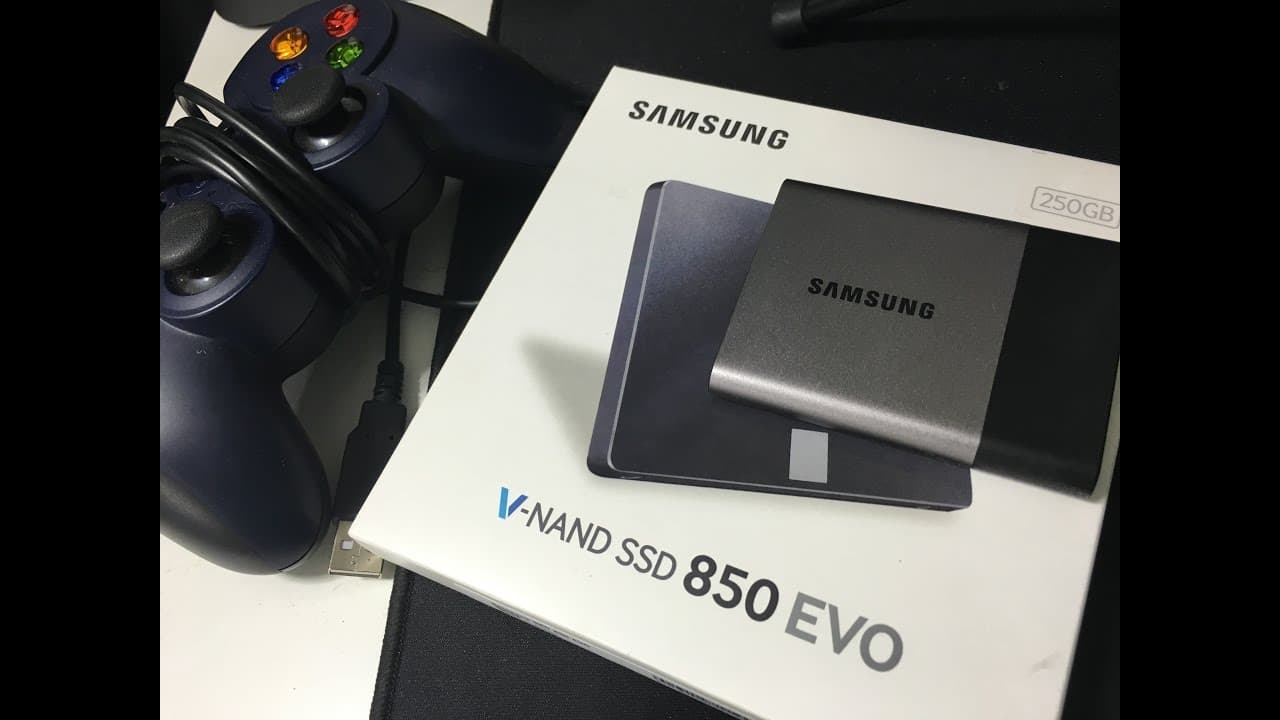
Why I Use SSD vs HDD for Faster Video Editing | Samsung T3 SSD and 850 EVO
28.9K views
•
October 5, 2016
by
Roberto Blake
YouTube video player
Why I Use SSD vs HDD for Faster Video Editing | Samsung T3 SSD and 850 EVO

TL;DR

Samsung SSDs are essential for fast video editing with their high speed and durability.

Transcript

  • I've got a need, the need for speed. Bonus points in the comments section if you know that 90s reference. Hey everybody, this is Roberto Blake of robertoblake.com, and today I'm geeking out with you guys over some awesome gear. Today we're gonna be geeking out over some Samsung solid-state drives. Try saying that five times fast, I dare you. So, ... Read More

Key Insights

  • 💨 SSDs are crucial for video editing due to their fast speeds and large capacity.
  • 🍵 The Samsung T3 SSD offers speeds up to 450 megabits per second, ideal for handling 4K video files.
  • 🐎 Using multiple SSDs in a desktop setup can enhance video editing efficiency and speed.
  • ✋ Samsung SSDs are known for their reliability, durability, and high performance.
  • 👻 SSDs allow for quick file transfers, rendering, and editing without lag.
  • 🌥️ Investing in larger capacity SSDs is beneficial for video editing workflows.
  • 🎮 Dedicated SSDs for different tasks like temporary storage and exporting final videos can improve editing efficiency.

Install to Summarize YouTube Videos and Get Transcripts

Explore YouTube Video Summarizer or Get YouTube Transcript Extractor

Questions & Answers

Q: Why are SSDs important for video editing?

SSDs are crucial for video editing due to their high speed and capacity, allowing for quick file transfers and rendering without lag.

Q: What makes the Samsung T3 SSD stand out?

The Samsung T3 SSD offers speeds of up to 450 megabits per second, making it one of the fastest portable drives for video editing.

Q: How does using multiple SSDs benefit a video editing workflow?

Using multiple SSDs allows for dedicated storage for various tasks like temporary files, media caching, and exporting final video files, reducing bottlenecks in the editing process.

Q: Why did the content creator choose Samsung SSDs for video editing?

The content creator chose Samsung SSDs for their video editing workflow due to their reliability, speed, and durability, making them ideal for handling high-quality video files.

Summary & Key Takeaways

  • Samsung SSDs are crucial for video editing due to their fast speed and large capacity, especially for 4K video files.

  • The Samsung T3 SSD drive offers speeds up to 450 megabits per second, significantly faster than other SSD drives.

  • Using multiple SSDs in a desktop setup enhances video editing efficiency and speed.


Read in Other Languages (beta)

English

Share This Summary 📚

Summarize YouTube Videos and Get Video Transcripts with 1-Click

Download browser extensions on:

Try YouTube Summary with ChatGPT & Claude or YouTube Transcript Generator

Explore More Summaries from Roberto Blake 📚

How to Become a Full-Time Content Creator Successfully thumbnail
How to Become a Full-Time Content Creator Successfully
The Creator Economy Insider - Hosted By Roberto Blake
Best Entry Level Nikon DSLR Cameras 2014 thumbnail
Best Entry Level Nikon DSLR Cameras 2014
Roberto Blake
HOW SMALL YOUTUBERS CAN GET MORE VIEWS ON YOUTUBE (WITH PROOF!) thumbnail
HOW SMALL YOUTUBERS CAN GET MORE VIEWS ON YOUTUBE (WITH PROOF!)
Roberto Blake
Why Coding is Not Web Design! thumbnail
Why Coding is Not Web Design!
Roberto Blake
Using the iMac For Graphic Design Work thumbnail
Using the iMac For Graphic Design Work
Roberto Blake
Photoshop Refine Edge Masking Tutorial | Photoshop CC thumbnail
Photoshop Refine Edge Masking Tutorial | Photoshop CC
Roberto Blake

Summarize YouTube Videos and Get Video Transcripts with 1-Click

Download browser extensions on:

Try YouTube Summary with ChatGPT & Claude or YouTube Transcript Generator

Apps & Extensions

  • Chrome Extension
  • Safari Extension
  • Edge Add-ons
  • Firefox Add-ons
  • iOS App
  • Android App

Key Features

  • YouTube Video Summarizer
  • Web & PDF Summarizer
  • Web & PDF Highlighter
  • Chat with PDF
  • Ask AI Clone
  • Audio Transcriber
  • Glasp Reader
  • Kindle Highlight Export
  • Idea Hatch

Integrations

  • Obsidian Plugin
  • Notion Integration
  • Pocket Integration
  • Instapaper Integration
  • Medium Integration
  • Readwise Integration
  • Snipd Integration
  • Hypothesis Integration

More Features

  • APIs
  • MCP Connector
  • Blog & Post
  • Embed Links
  • Image Highlight
  • Personality Test
  • Quote Shots

Company

  • About us
  • Blog
  • Community
  • FAQs
  • Job Board
  • Newsletter
  • Pricing
Terms

•

Privacy

•

Guidelines

© 2026 Glasp Inc. All rights reserved.




