What extensions do I use in VSCode?
TL;DR
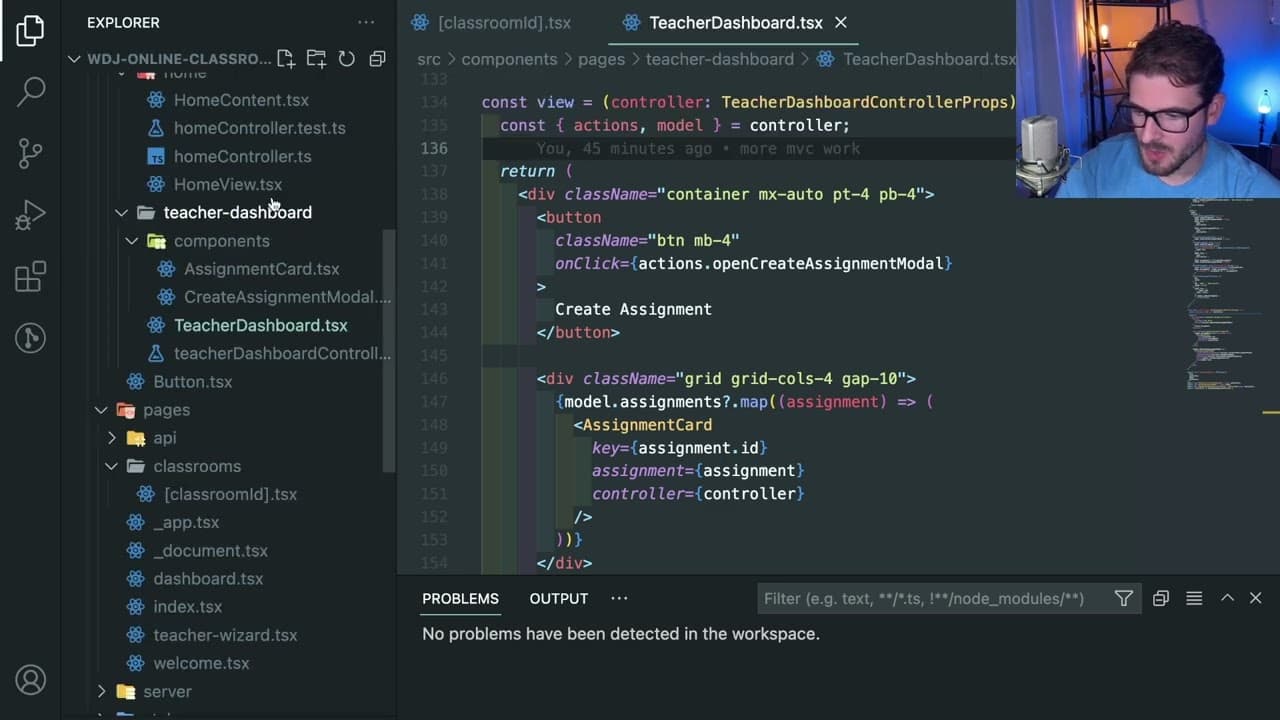
The video reviews essential VS Code extensions and themes for effective coding.
Transcript
all right how's it going y'all so people keep asking me about like my extensions and what i use so what i'm going to do is make a video of me basically showing you my extensions i don't use that many to be honest and then i'll probably just put this in the description of all my videos because people ask me the same questions over and over again but... Read More
Key Insights
- ✋ The Community Material theme enhances the visual experience in VS Code with high contrast options for improved readability.
- 👨💻 Error Lens is crucial for developers who want immediate feedback on coding errors, increasing efficiency and reducing debugging time.
- 👨💻 Collaboration in code is made easier with Git Lens, which tracks file changes and provides crucial context about modifications.
- 👨💻 Robust coding practices are supported by ESLint, ensuring that code quality is maintained through automatic error detection and formatting.
- 👨💻 Indent Rainbow helps with code organization by visually indicating indentation levels, enhancing clarity in complex code.
- 🕸️ The Tailwind IntelliSense extension simplifies styling in web development by providing relevant CSS class suggestions directly in the editor.
- 🆘 The Prisma extension offers valuable support for database schema management, automatically helping configure relationships within models.
Install to Summarize YouTube Videos and Get Transcripts
Explore YouTube Video Summarizer or Get YouTube Transcript Extractor
Questions & Answers
Q: What is the Community Material theme in VS Code?
The Community Material theme is a popular extension that allows users to customize the appearance of their VS Code environment with various aesthetic themes. The creator prefers this theme for its high contrast, which enhances visibility, especially as their eyesight has begun to diminish with age.
Q: How does the Error Lens extension improve coding efficiency?
The Error Lens extension enhances the visibility of coding errors by displaying them in bright red text directly in the code editor. This immediate feedback allows developers to correct spelling mistakes and coding errors promptly, improving productivity and reducing frustration when attempting to spot issues later.
Q: What function does the ESLint extension serve in VS Code?
The ESLint extension automatically checks your JavaScript code for stylistic errors and potential bugs based on predefined rules. It helps maintain code quality by automatically formatting your code and alerting you to mistakes as you type, which streamlines the development process.
Q: Why is the Git Lens extension recommended for collaborative coding?
Git Lens provides detailed information about code changes, including who modified a file and the associated commit message. This feature is particularly useful in team environments where tracking code history and understanding changes made by team members is essential for collaboration and debugging.
Q: Can you explain the function of the Indent Rainbow extension?
The Indent Rainbow extension visually enhances code readability by adding color-coded highlights to each indentation level. This feature helps developers quickly understand structure and nested elements, making it easier to manage long functions or deeply nested code blocks.
Q: What does the Tailwind IntelliSense extension do?
The Tailwind IntelliSense extension offers autocomplete suggestions for Tailwind CSS classes, making styling faster and more efficient. As you type, it provides a dropdown list of available classes based on your input, helping you build layouts and designs without needing to memorize class names.
Q: What does the Prisma extension do in VS Code?
The Prisma extension aids developers working with the Prisma ORM by providing features like automatic relationship generation and syntax highlighting. This functionality allows for smoother database model definitions, enabling developers to create complex data relationships effortlessly and with accurate Intellisense support.
Q: What concerns does the creator express about installing new extensions?
The creator mentions cautiousness when installing new extensions due to past experiences where installing extensions caused issues with their VS Code setup. They have encountered problems that required reinstallation or restarting VS Code, making them hesitant to try untested extensions despite the potential for added functionality.
Summary & Key Takeaways
-
The creator shares their preferred extensions for Visual Studio Code, including themes and tools that improve coding efficiency and aesthetics.
-
Important extensions discussed include Error Lens, which highlights errors prominently, and Git Lens, which aids in tracking file changes.
-
The video encourages viewers to share their own favorite extensions and offers tips for improving the coding experience in VS Code.
Read in Other Languages (beta)
Share This Summary 📚
Summarize YouTube Videos and Get Video Transcripts with 1-Click
Try YouTube Summary with ChatGPT & Claude or YouTube Transcript Generator
Explore More Summaries from Web Dev Cody 📚





Summarize YouTube Videos and Get Video Transcripts with 1-Click
Try YouTube Summary with ChatGPT & Claude or YouTube Transcript Generator