Taking AI animation to the NEXT level
TL;DR
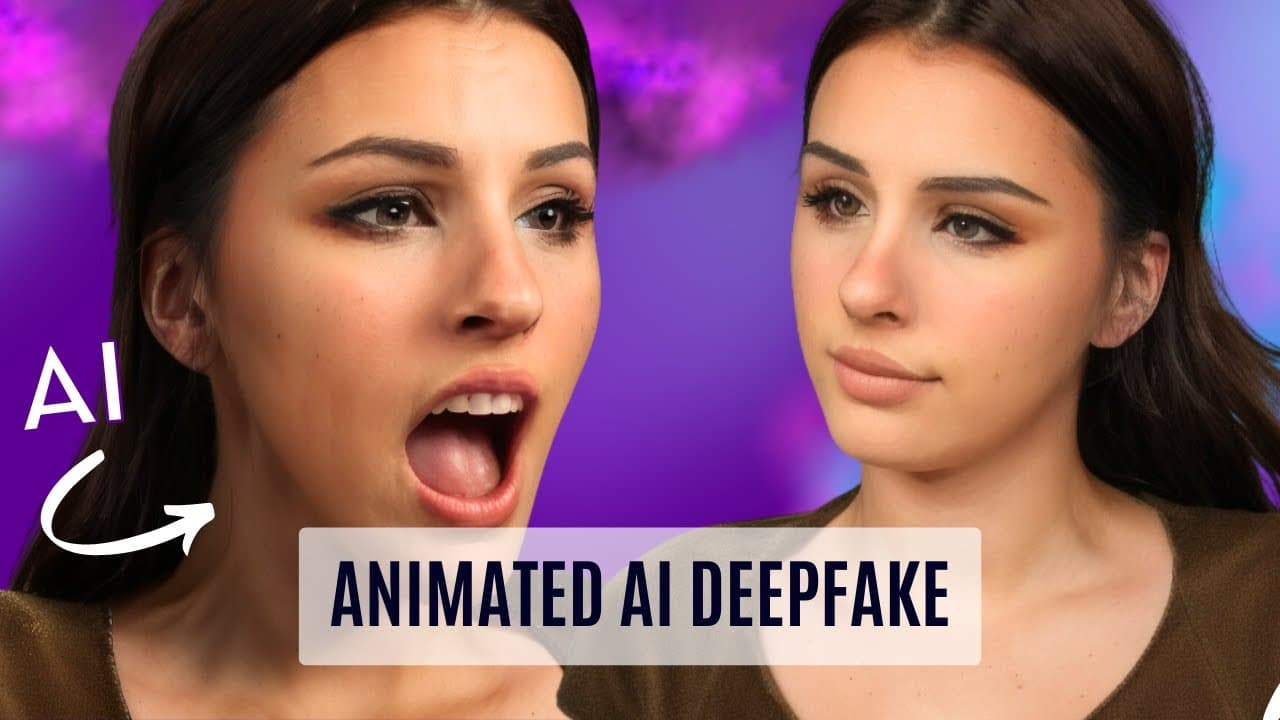
This tutorial demonstrates how to create a realistic, fully animated AI character without the need for acting or resembling the actor, using a simple software and training data set.
Transcript
hello and welcome back to another prompt news tutorial today I'm going to be showing you how to create a fully animated AI character the beauty of this technique is that you don't have to act out the scenes before in fact you don't need to look like your actor or your actress this method could potentially be used in the movie industry if ... Read More
Key Insights
- 📱 Using AI technology to create a fully animated AI character without needing to act out scenes or resemble the actor/actress. This technique can be used in the movie industry or for concept artwork. (+)
- 💻 Character Creator software makes it easy to create a 3D character by using sliders and dragging and dropping assets onto the character. No prior knowledge of 3D required. (+)
- 💾 The ability to switch out data sets from one character to another makes the workflow efficient and allows for easy customization. (+)
- 📷 Preparing training images involves gathering various images of oneself, including different angles, hairstyles, outfits, and backgrounds. It is recommended to avoid using too many headshots. (+)
- 🔍 Using the Koa Laura platform for training images, connecting to Google Drive, and mounting the drive for downloading dependencies. (+)
- 🔧 Configuring settings for the training data set, annotation, model, and optimization. It is important to experiment with these settings to achieve the desired results. (+)
- 🎮 Creating a puppet involves using a 3D model generated from the AI, adding features such as hair and exporting it to animation software like iClone. Facial animation can be done using motion-capture technology. (+)
- 🎥 Rendering the animation frames and using post-processing techniques in software like After Effects or DaVinci Resolve to enhance the final result. The workflow allows for switching between different rendering styles with ease. (+)
Install to Summarize YouTube Videos and Get Transcripts
Explore YouTube Video Summarizer or Get YouTube Transcript Extractor
Questions & Answers
Q: What is the advantage of using the Character Creator software in this workflow?
Character Creator is a user-friendly software that simplifies the process of creating 3D characters by using sliders and drag-and-drop assets. This makes it easier and more efficient to switch between different characters using the same data set. Other software options, such as Blender or MetaHuman, have a steeper learning curve.
Summary & Key Takeaways
-
The tutorial shows how to prepare training images that include various angles, backgrounds, and outfits to ensure accurate AI character generation.
-
Using the Koya Laura software, the training data set is processed to create a realistic AI character.
-
The AI character is then exported to Character Creator and further customized before importing it into animation software like iClone and adding facial animation using motion capture.
Read in Other Languages (beta)
Share This Summary 📚
Summarize YouTube Videos and Get Video Transcripts with 1-Click
Try YouTube Summary with ChatGPT & Claude or YouTube Transcript Generator
Explore More Summaries from Prompt Muse 📚
Summarize YouTube Videos and Get Video Transcripts with 1-Click
Try YouTube Summary with ChatGPT & Claude or YouTube Transcript Generator