Landsat 8 Image Classification using QGIS
TL;DR
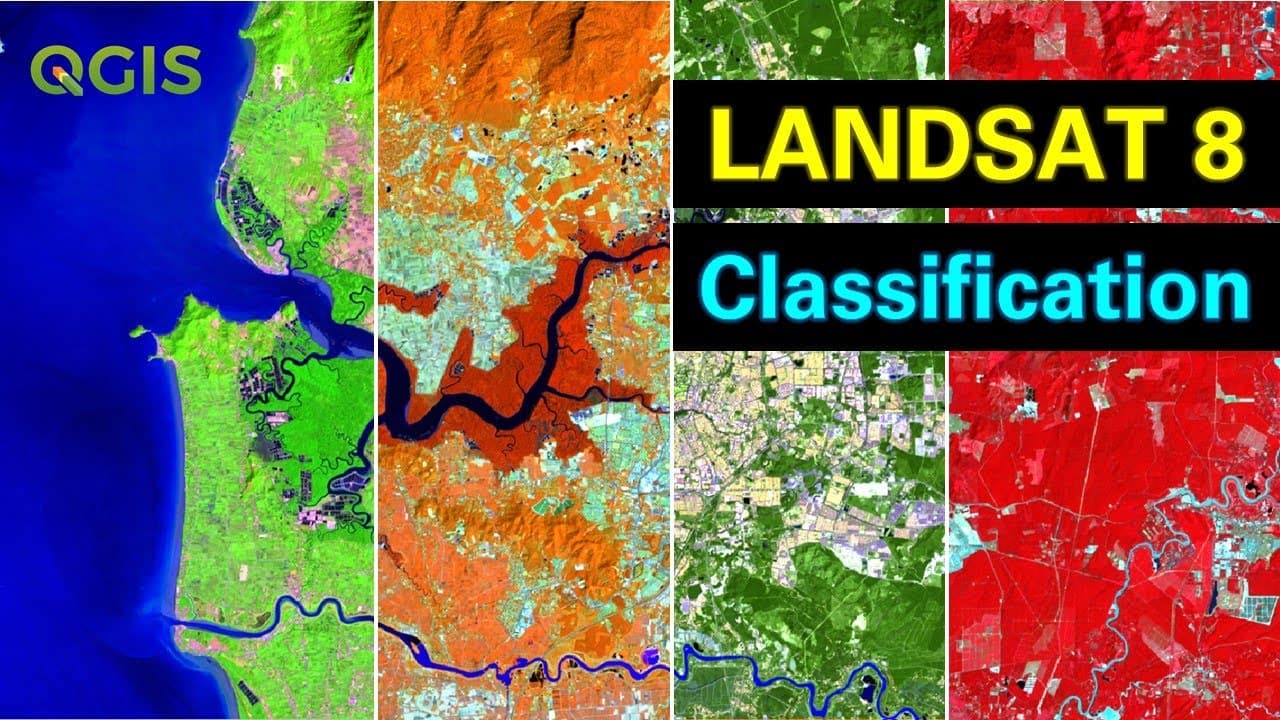
This tutorial demonstrates how to use QGIS and Landsat 8 satellite images to create your own land cover maps.
Transcript
hello guys welcome to another tutorial in this tutorial i'm going to show you how to create your own land cover maps using qgis by making use of the freely available landsat 8 products now there are different ways of downloading landsat 8 satellite images there are certain plugins in qgis itself which would actually enable you to download landsat 8... Read More
Key Insights
- 🌍 Land Cover Maps: QGIS allows users to create their own land cover maps using freely available Landsat 8 products. There are multiple ways to download Landsat 8 images, including plugins in QGIS or using the earthexplorer.usgs.gov web portal.
- 🔍 Selecting and Downloading Images: Users can mark their area of interest on the earthexplorer.usgs.gov portal and specify additional criteria such as scene cloud cover and land cloud cover. Once the desired image is found, users can download it after logging in.
- 🖥️ Using QGIS: The tutorial recommends using the Semi-Automatic Classification Plugin (SAP) in QGIS for land cover classification. The plugin can be easily installed by searching for "semi-automatic" in the QGIS Plugin Manager.
- 📁 Adding Landsat Images: Landsat images, consisting of multiple bands, can be added by dragging and dropping the corresponding files into QGIS. In this tutorial, bands 1-7 are used.
- 🔝 Pre-processing: Users can perform pre-processing tasks such as cropping the image to the area of interest, converting the bands to reflectance, and applying atmospheric correction using the SAP plugin.
- 🎨 Band Combinations: Different band combinations can be used to display images in various colors. Natural color images combine red, green, and blue bands, while false color images can be created by combining other bands such as near infrared.
- 🌿 Training Input: Users can create training input by selecting different classes and assigning training samples. Macro classes represent overall land cover categories, while classes are subclasses within these macro classes.
- 📊 Classification and Export: The tutorial demonstrates land cover classification using the maximum likelihood algorithm. Users can preview and modify the classification before finalizing it. The resulting land cover raster can be exported as a TIFF file.
- 🔍 Improvement and Analysis: The classification can be further improved by refining training input and adjusting classification settings. Once in vector format, users can calculate the total area of specific land cover types for analysis.
Install to Summarize YouTube Videos and Get Transcripts
Explore YouTube Video Summarizer or Get YouTube Transcript Extractor
Questions & Answers
Q: How can you download Landsat 8 satellite images using QGIS?
To download Landsat 8 satellite images, you can use plugins in QGIS or directly search for the desired image on the earthexplorer.usgs.gov web portal. This tutorial demonstrates the process of downloading images using the web portal.
Q: What is the benefit of using different band combinations in land cover classification?
Different band combinations allow you to highlight specific characteristics of land cover. For example, using the 5-4-3 band combination can help identify vegetation areas, while the 4-3-2 combination produces a natural color image. This tutorial explains how to select and use different band combinations for accurate classification.
Q: How can you create training samples for land cover classification?
The tutorial explains how to label training samples using the SCP plugin in QGIS. By selecting areas of interest on the satellite image, you can create polygons that represent different land cover classes, such as water bodies, agricultural areas, forested areas, etc.
Q: Which algorithm is used for land cover classification in this tutorial?
The tutorial utilizes the maximum likelihood algorithm for land cover classification. It explains how to select the algorithm and activate the classification preview pointer to view the initial classification results.
Q: How can you export the land cover classification results into raster format?
Once the classification is finalized, you can export the land cover map as a raster file. The tutorial demonstrates how to generate a TIFF file containing the land cover information. It also mentions the possibility of converting the raster into a vector format for further analysis and calculations.
Summary & Key Takeaways
-
The tutorial explains how to download Landsat 8 satellite images using the earthexplorer.usgs.gov web portal.
-
It shows how to use the Semi-Automatic Classification Plugin (SCP) in QGIS to perform image classification using different band combinations.
-
The tutorial covers the process of labeling training samples and running the maximum likelihood algorithm to generate a land cover raster.
Read in Other Languages (beta)
Share This Summary 📚
Summarize YouTube Videos and Get Video Transcripts with 1-Click
Try YouTube Summary with ChatGPT & Claude or YouTube Transcript Generator
Explore More Summaries from GeoDelta Labs 📚
Summarize YouTube Videos and Get Video Transcripts with 1-Click
Try YouTube Summary with ChatGPT & Claude or YouTube Transcript Generator