How to Use Next.js App Router with Server Components
TL;DR
To effectively use Next.js App Router with React Server Components, create structured directories to manage routing and layout nesting. Use dynamic routes to integrate API data based on URL parameters, enhancing project organization and performance. The transition to this system allows for cleaner code by enabling data fetching on the server side and utilizing client components for interactivity.
Transcript
so as you all probably know I've been using the pages router for my side projects with nextgs for a long time now and slowly I've been trying to transition to learn more about the app router just to kind of get a better feel for it and see if I even like the approaches of it so far I kind of like a lot um so what I'm going to do is I'm going to try... Read More
Key Insights
- 😀 Understanding the app router in Next.js allows for improved project structures and routing organization, greatly enhancing flexibility.
- 👨🦱 Dynamic routing with parameterized files provides seamless integration for handling API data based on URL specifications.
- 👻 Nested layouts enable developers to maintain consistency in design while allowing for modularity within React applications.
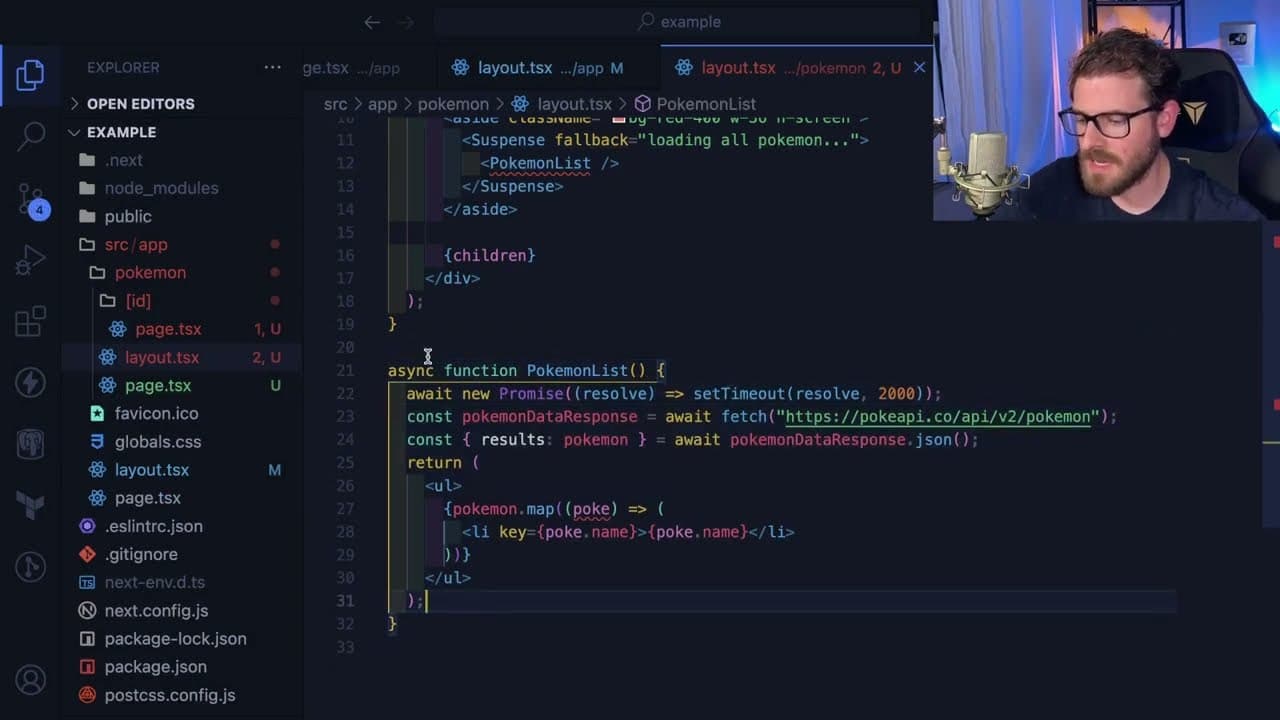
- 🛟 React server components streamline data fetching by executing operations server-side, resulting in simpler code and decreased reliance on client-side hooks.
- 🛟 Client components utilize React’s typical interactivity features, facilitating a familiar development experience even within a server-rendered context.
- 🛟 Emerging tools like server actions in Next.js promise to simplify backend operations, enabling extensive data interactions without extensive client-side overhead.
- 🔇 The speaker’s approach reflects the significance of community in the learning process, emphasizing support and knowledge sharing among developers.
Install to Summarize YouTube Videos and Get Transcripts
Explore YouTube Video Summarizer or Get YouTube Transcript Extractor
Questions & Answers
Q: What is the primary purpose of transitioning from the pages router to the app router in Next.js?
The transition aims to explore new approaches provided by the app router, enhancing both development flexibility and performance. The speaker expresses an interest in understanding how the app router organizes projects differently, particularly with features like routing and server components, using practical examples to illustrate its benefits.
Q: How does the app router handle dynamic routing, and can you give an example?
Dynamic routing in the app router is managed through parameterized routes, utilizing brackets in the filename for variables. For example, creating a file called [id].tsx allows for dynamic fetching of data based on the ':id' in the URL, providing a customizable routing experience in Next.js applications.
Q: What role do React server components play in data fetching within the app router?
React server components facilitate data fetching directly within the component itself without the need for useEffect hooks or additional state management. The data fetch operations occur on the server side during page load, resulting in cleaner code and improved performance by directly passing fetched data as props to the components.
Q: How can nested layouts be structured in the app router, and what benefits do they provide?
Nested layouts can be structured by creating layout files within directories, allowing for hierarchical component rendering. This organization enables shared UI elements like headers or side navigation bars between routes, which enhances reusability and maintains a consistent layout across nested pages.
Q: What challenges did the speaker face while using TypeScript within the tutorial, and how did they address it?
The speaker encountered difficulties with typing functions for parameters in TypeScript. Despite not finding a straightforward solution, they encouraged viewers to leave comments with helpful insights, indicating a community-focused approach to overcoming learning hurdles.
Q: Can you explain how to handle client-side interactions in a component governed by the app router?
Client-side interactions can be managed by explicitly defining components as "use client," enabling traditional React state management features. By installing a state management library (like Jotai), the speaker demonstrated how to share state across components within the client environment seamlessly, thereby preserving interactivity without compromising server-side rendering performance.
Q: What are server actions in Next.js, and how do they enhance the functionality of the app router?
Server actions allow developers to define backend logic within the application structure, enabling operations like data insertion or updates directly from the frontend. By combining this with revalidation capabilities, server actions help refresh data automatically across components, creating a dynamic and responsive user experience.
Q: What feedback does the speaker provide about their video presentation and community engagement?
The speaker acknowledges the somewhat scattered nature of the video but expresses hope that viewers find valuable insights. They encourage community interaction by inviting comments on their explanations and promoting engagement in their Discord channel for further developer discussions and assistance.
Summary & Key Takeaways
-
The speaker discusses transitioning from Next.js pages router to app router, specifically focusing on routing concepts and server components via the Pokemon API.
-
Through practical coding, key features like dynamic routes, layout nesting, and handling parameters are demonstrated, showcasing how the app router organizes components effectively.
-
The tutorial highlights the benefits of using React server components for data fetching, optimizing performance, and maintaining cleaner code in web applications.
Read in Other Languages (beta)
Share This Summary 📚
Summarize YouTube Videos and Get Video Transcripts with 1-Click
Try YouTube Summary with ChatGPT & Claude or YouTube Transcript Generator
Explore More Summaries from Web Dev Cody 📚





Summarize YouTube Videos and Get Video Transcripts with 1-Click
Try YouTube Summary with ChatGPT & Claude or YouTube Transcript Generator