Products
Features
YouTube Video Summarizer
Summarize YouTube videos
Web & PDF Highlighter
Highlight web pages & PDFs
Chat with PDF
Ask any PDF questions with AI
Ask AI Clone
Chat with your highlights & memories
Audio Transcriber
Transcribe audio files to text
Glasp Reader
Read and highlight articles
Kindle Highlight Export
Export your Kindle highlights
Idea Hatch
Hatch ideas from your highlights
Integrations
Obsidian Plugin
Notion Integration
Pocket Integration
Instapaper Integration
Medium Integration
Readwise Integration
Snipd Integration
Hypothesis Integration
Apps & Extensions
Chrome Extension
Safari Extension
Edge Add-ons
Firefox Add-ons
iOS App
Android App
Discover
Discover
Ideas
Discover new ideas and insights
Articles
Curated articles and insights
Books
Book recommendations by great minds
Posts
Essays and notes from readers
Quotes
Inspiring quotes collection
Videos
Curated videos and summaries
Explore Glasp
Glasp Newsletter
Weekly insights and updates
Glasp Talk
Interview series with great minds
Glasp Blog
Latest news and articles
Glasp Use Cases
Learn how others use Glasp
Build & Support
Glasp API
Access Glasp's API for developers
MCP Connector
Connect Glasp to Claude & ChatGPT
Community
Glasp Reddit Community
Students
Student discount and benefits
FAQs
Frequently Asked Questions
AboutPricing
DashboardLog inSign up

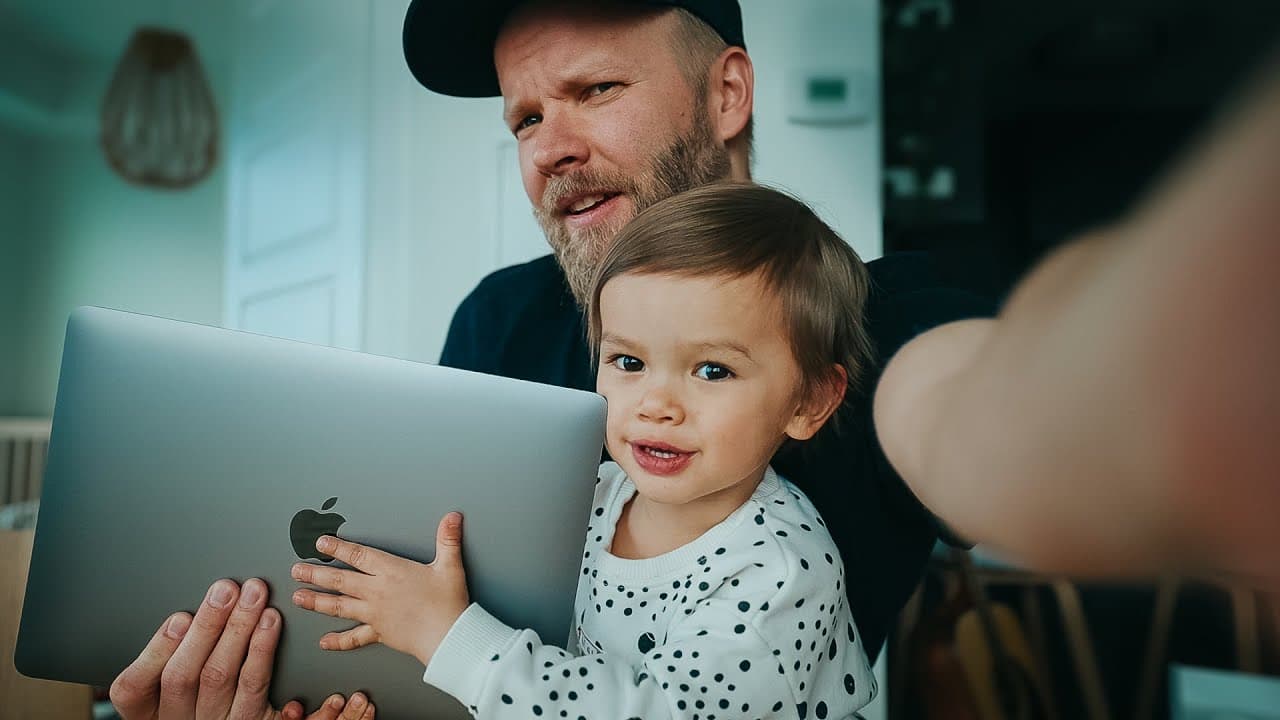
Unboxing 2020 MACBOOK AIR with KAI
60.5K views
•
March 20, 2020
by
Matti Haapoja
YouTube video player
Unboxing 2020 MACBOOK AIR with KAI

TL;DR

YouTuber unboxes the new MacBook Air with the help of his 2-year-old son and tests its editing capabilities.

Transcript

you guys saw the vlog from a couple days ago that's probably a good thing that's a close call this is nice I said it before but one positive right now at least is getting outside a lot more cuz normally I would just go to the gym got a cold this is way nicer giant brand new home smaller homes doesn't really matter right now it does it I didn't have... Read More

Key Insights

  • 👏 The new MacBook Air is praised for its compact size and improved keyboard.
  • 🍵 Despite being considered less powerful than other MacBook models, the MacBook Air can handle basic video editing tasks satisfactorily.
  • 🖐️ Enabling the three-finger drag option on the trackpad can greatly improve editing workflow.
  • 🧓 The YouTuber's 2-year-old son actively participates in the unboxing, adding an element of cuteness to the video.
  • 💦 The video highlights the challenge of working from home with a toddler during isolation.
  • 🫵 The YouTuber discusses his favorite TV shows and invites viewers to share their recommendations.
  • 🛩️ The MacBook Air's small charger block is noted as impressive.

Install to Summarize YouTube Videos and Get Transcripts

Explore YouTube Video Summarizer or Get YouTube Transcript Extractor

Questions & Answers

Q: How does the YouTuber involve his 2-year-old son in the unboxing of the MacBook Air?

The YouTuber asks his son to help him open the box and shows him the new MacBook Air, involving him in the unboxing process.

Q: What are the new features of the MacBook Air mentioned in the video?

The video mentions that the new MacBook Air has a better keyboard and the ability to connect to 6k XDR monitors.

Q: Can the new MacBook Air handle video editing?

The YouTuber attempts to edit a vlog on the MacBook Air and finds it suitable for basic video editing tasks, although more intensive tasks may pose some issues.

Q: What trackpad tip does the YouTuber share?

The YouTuber recommends enabling the three-finger drag option on the trackpad for faster and smoother editing workflow.

Summary & Key Takeaways

  • The YouTuber unboxes the new MacBook Air and showcases its compact size and new features, including a better keyboard.

  • He tests the MacBook Air's editing capabilities by attempting to edit a vlog on it.

  • The YouTuber also shares a trackpad tip and discusses the suitability of the MacBook Air for video editing.


Read in Other Languages (beta)

English

Share This Summary 📚

Summarize YouTube Videos and Get Video Transcripts with 1-Click

Download browser extensions on:

Try YouTube Summary with ChatGPT & Claude or YouTube Transcript Generator

Explore More Summaries from Matti Haapoja 📚

Make FAKE Sets With This AI Tool For VIDEO thumbnail
Make FAKE Sets With This AI Tool For VIDEO
Matti Haapoja
When to put the camera down thumbnail
When to put the camera down
Matti Haapoja
TESLA HYPE - Real or Fake? thumbnail
TESLA HYPE - Real or Fake?
Matti Haapoja
GoPro Hero 10 Review // Huge Camera Update With Insane Slow Motion thumbnail
GoPro Hero 10 Review // Huge Camera Update With Insane Slow Motion
Matti Haapoja
I ruined his career with 3 words thumbnail
I ruined his career with 3 words
Matti Haapoja
How To Light Your Videos (without expensive lights) thumbnail
How To Light Your Videos (without expensive lights)
Matti Haapoja

Summarize YouTube Videos and Get Video Transcripts with 1-Click

Download browser extensions on:

Try YouTube Summary with ChatGPT & Claude or YouTube Transcript Generator

Apps & Extensions

  • Chrome Extension
  • Safari Extension
  • Edge Add-ons
  • Firefox Add-ons
  • iOS App
  • Android App

Key Features

  • YouTube Video Summarizer
  • Web & PDF Summarizer
  • Web & PDF Highlighter
  • Chat with PDF
  • Ask AI Clone
  • Audio Transcriber
  • Glasp Reader
  • Kindle Highlight Export
  • Idea Hatch

Integrations

  • Obsidian Plugin
  • Notion Integration
  • Pocket Integration
  • Instapaper Integration
  • Medium Integration
  • Readwise Integration
  • Snipd Integration
  • Hypothesis Integration

More Features

  • APIs
  • MCP Connector
  • Blog & Post
  • Embed Links
  • Image Highlight
  • Personality Test
  • Quote Shots

Company

  • About us
  • Blog
  • Community
  • FAQs
  • Job Board
  • Newsletter
  • Pricing
Terms

•

Privacy

•

Guidelines

© 2026 Glasp Inc. All rights reserved.