Photoshop CC Tutorial: Using Adjustment Layers to Make Photos Pop
TL;DR
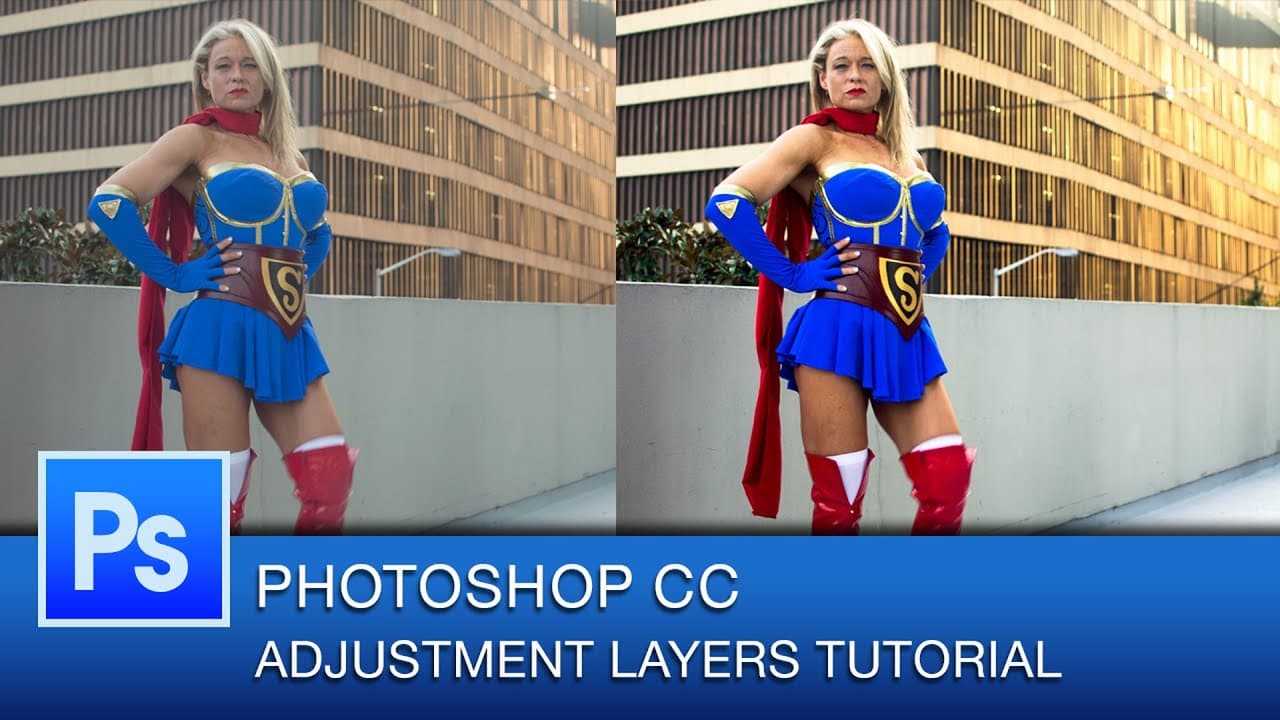
Learn to enhance images in Photoshop for a striking look with easy techniques and adjustment layers.
Transcript
hey everybody this is Roberto Blake and in today's Photoshop tutorial I'm going to show you some quick and easy ways to really just make uh images pop in Photoshop um using some really simple and straightforward techniques this shot is one that I got um at Dragon Con this year so I'm going to show you what I'm going to do to an image like this um w... Read More
Key Insights
- 🎚️ Utilize adjustment layers like curves, levels, and brightness/contrast for incremental image enhancements.
- 👻 Non-destructive editing in Photoshop allows for reversible adjustments and targeted modifications.
- 👀 Gradient maps and hue/saturation adjustments can create different looks and enhance the overall appearance of images.
- 📷 Detailed adjustments like masking and tonality improvements can greatly impact the quality of photos.
- ❓ Understanding how adjustments affect shadows, highlights, contrast, and tonality is crucial for image enhancement.
- 🥺 Experimenting with different adjustment layers can lead to unique and visually appealing results in Photoshop.
- 👥 Grouping adjustment layers helps organize changes and compare the before and after effects of image enhancements.
Install to Summarize YouTube Videos and Get Transcripts
Explore YouTube Video Summarizer or Get YouTube Transcript Extractor
Questions & Answers
Q: What are some key techniques Roberto Blake uses to enhance images in Photoshop?
Roberto utilizes adjustment layers like curves, levels, brightness/contrast, gradient maps, and hue/saturation adjustments to enhance image quality incrementally.
Q: How does non-destructive editing play a role in enhancing images in Photoshop?
Non-destructive editing allows for adjustments to be made with adjustment layers, enabling modifications, masking, and fine-tuning without permanently altering the original image.
Q: How can adjustment layers like curves and levels impact the contrast and tonality of an image?
Adjustment layers like curves and levels can make shadows darker, highlights lighter, and improve overall tonality by increasing contrast, resulting in a more visually striking image.
Q: Why is it beneficial to use Photoshop for image enhancement over Lightroom or Camera Raw?
Photoshop offers more advanced and versatile tools for image enhancement, non-destructive editing capabilities, and precise adjustments using adjustment layers.
Summary & Key Takeaways
-
Roberto Blake demonstrates easy ways to enhance images in Photoshop, focusing on curves, levels, brightness, contrast, gradient maps, and hue/saturation adjustments.
-
The tutorial emphasizes non-destructive editing techniques using adjustment layers to improve image quality incrementally.
-
By adjusting curves, levels, contrast, and tonality, the tutorial showcases how small changes can significantly enhance photos in Photoshop.
Read in Other Languages (beta)
Share This Summary 📚
Summarize YouTube Videos and Get Video Transcripts with 1-Click
Try YouTube Summary with ChatGPT & Claude or YouTube Transcript Generator
Explore More Summaries from Roberto Blake 📚






Summarize YouTube Videos and Get Video Transcripts with 1-Click
Try YouTube Summary with ChatGPT & Claude or YouTube Transcript Generator