Public transit app search - UI/UX audit and redesign tutorial
TL;DR
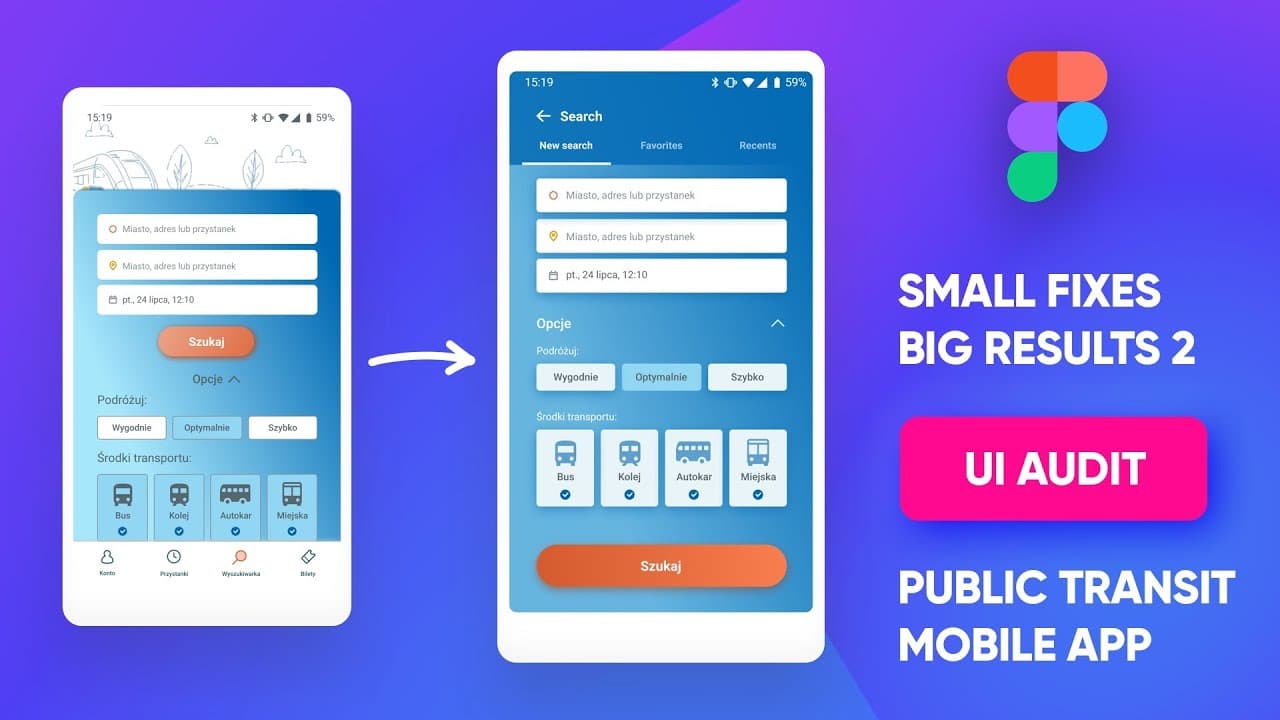
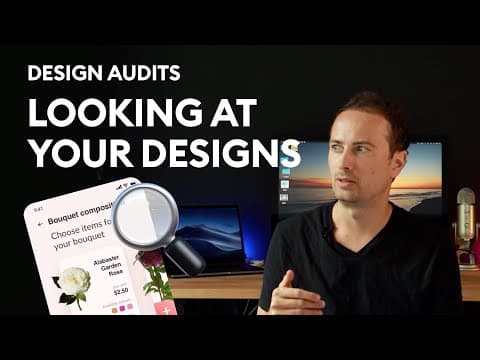
In this design audit, the presenter suggests several improvements to a Polish public transport app, including modifying shadows, increasing button size, aligning elements, and reorganizing screens.
Transcript
hey everyone and we're back with another design audit this time we're gonna be looking at an app by tomasz and it's gonna be in polish but that shouldn't really stop us because the ui is pretty self-explanatory it's a way of searching for public transport and i picked only one screen because it's gonna be a little bit easier to show a couple of the... Read More
Key Insights
- ❓ Shadows should be modified for a more natural and visually pleasing appearance.
- 🔄 Increasing the size of main buttons can improve usability and visibility.
- 👀 Attention to alignment and precision in UI design is important for a polished look.
- 🍱 Creating bounding boxes for icons can enhance their positioning and overall visual appeal.
Install to Summarize YouTube Videos and Get Transcripts
Explore YouTube Video Summarizer or Get YouTube Transcript Extractor
Questions & Answers
Q: What modifications does the presenter suggest for the shadow design?
The presenter recommends adjusting the shadow by decreasing the x-value to zero, increasing blur, and setting y-value to zero for a soft and natural-looking shadow.
Q: How does the presenter propose improving the main button's design?
The presenter suggests making the main button the same width as the input boxes, increasing its height to 50, and aligning the text to the center for better accessibility and usability.
Q: What changes does the presenter suggest for aligning icons and labels?
The presenter proposes creating a 32x32 bounding box for icons, aligning them based on the box's edges. They also recommend checking the vertical alignment of labels to ensure proper visual alignment.
Q: How does the presenter suggest improving the app's structure?
The presenter suggests removing the tab bar and making the search screen a standalone, full-screen experience. They recommend placing the search button at the bottom for easier access and organizing optional filters beneath the main input fields.
Summary & Key Takeaways
-
The presenter highlights the awkward shadow design and suggests modifying it for a more natural look.
-
They propose increasing the size of the main button to improve usability.
-
The alignment and precision of elements, such as the input boxes and labels, are praised.
-
The presenter suggests creating a bounding box for icons and aligning them for a more streamlined appearance.
-
The structure of the app is reconsidered, with the presenter recommending removing the tab bar and making the search screen a standalone, full-screen experience.
Read in Other Languages (beta)
Share This Summary 📚
Summarize YouTube Videos and Get Video Transcripts with 1-Click
Try YouTube Summary with ChatGPT & Claude or YouTube Transcript Generator
Explore More Summaries from Malewicz 📚
Summarize YouTube Videos and Get Video Transcripts with 1-Click
Try YouTube Summary with ChatGPT & Claude or YouTube Transcript Generator