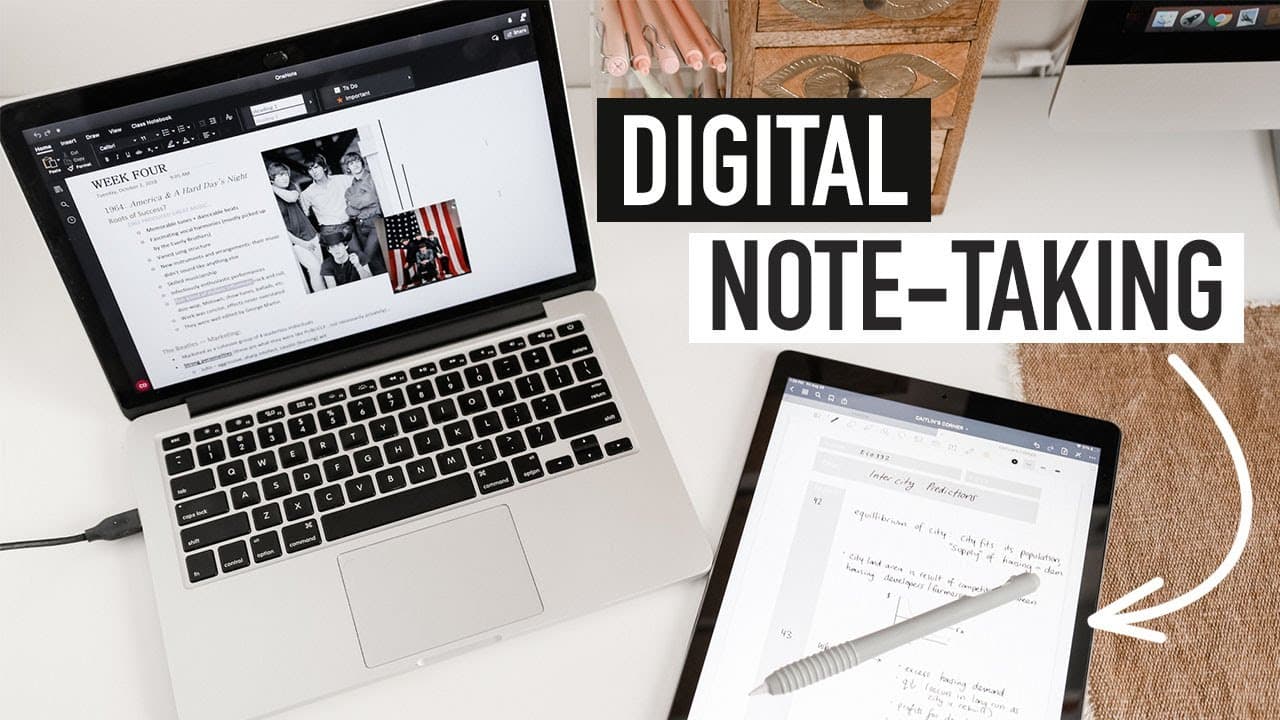
DIGITAL NOTE TAKING | best apps (OneNote, Goodnotes), tips, and extensions
TL;DR
This content discusses the best digital note-taking apps, extensions, and tips for effective and organized note-taking.
Transcript
with so many people taking online classes and or working remotely curiosity about digital notetaking seems to be higher than ever so today i'll be walking through my favorite digital note-taking apps extensions and tips make sure you're subscribed so you don't miss future note-taking and tech focus videos and stay tuned to hear me talk more about s... Read More
Key Insights
- 😀 Onenote is a versatile note-taking app suitable for various needs and is accessible across different devices.
- 👤 Goodnotes provides a seamless digital handwriting experience, especially for iPad users.
- 💦 Millinote offers browser accessibility and is ideal for creative work and outlining assignments.
- ❓ Microsoft Word is reliable for structured and formatted assignments, while Google Docs is great for collaborative editing.
- 👣 Google Calendar helps keep track of deadlines and tasks.
- ❓ Grammarly and MyBib are useful plugins for catching errors and managing citations.
- 👨🔬 The Focus To-Do extension and text highlighting extension are beneficial for time management and research purposes.
Install to Summarize YouTube Videos and Get Transcripts
Explore YouTube Video Summarizer or Get YouTube Transcript Extractor
Questions & Answers
Q: Is a tablet and stylus better than a laptop for digital note-taking?
While both have their advantages, a tablet with a stylus is ideal for comfortable digital handwriting. However, a laptop can still produce interesting-looking notes with customization options and templates.
Q: Can I still make interesting-looking notes with just a laptop?
Absolutely! You can experiment with fonts, colors, images, and videos in note-taking apps. Customizing templates and using formatting techniques like headings, dividers, and bold highlights can make your notes visually appealing.
Q: What are some principle formatting tips for digital note-taking?
Group similar ideas together, use spacing to enhance readability, highlight and bold important keywords, play with different font sizes, use divider lines to separate sections, and leverage colors to add visual impact or clarify concepts.
Q: How can I make my digital note-taking environment more enjoyable?
Customize your screensavers, add a digital clock, and listen to study music to create a pleasant working atmosphere that helps you get into the study zone.
Summary & Key Takeaways
-
Onenote is a versatile app that allows users to type, handwrite, import slides, and organize notes effectively. It is accessible on various devices.
-
Goodnotes is recommended for iPad users who prefer seamless digital handwriting. It offers features like zoom in writing window and quick search.
-
Millinote is a great option for creative work and outlining assignments with its built-in templates and browser accessibility.
-
Microsoft Word is recommended for structured and formatted assignments, while Google Docs is great for collaborative editing.
-
Google Calendar is a useful tool for managing due dates and deadlines.
Read in Other Languages (beta)
Share This Summary 📚
Summarize YouTube Videos and Get Video Transcripts with 1-Click
Try YouTube Summary with ChatGPT & Claude or YouTube Transcript Generator
Explore More Summaries from Caitlin's Corner 📚




Summarize YouTube Videos and Get Video Transcripts with 1-Click
Try YouTube Summary with ChatGPT & Claude or YouTube Transcript Generator