This AI Mac App Gives You Perfect Memory
TL;DR
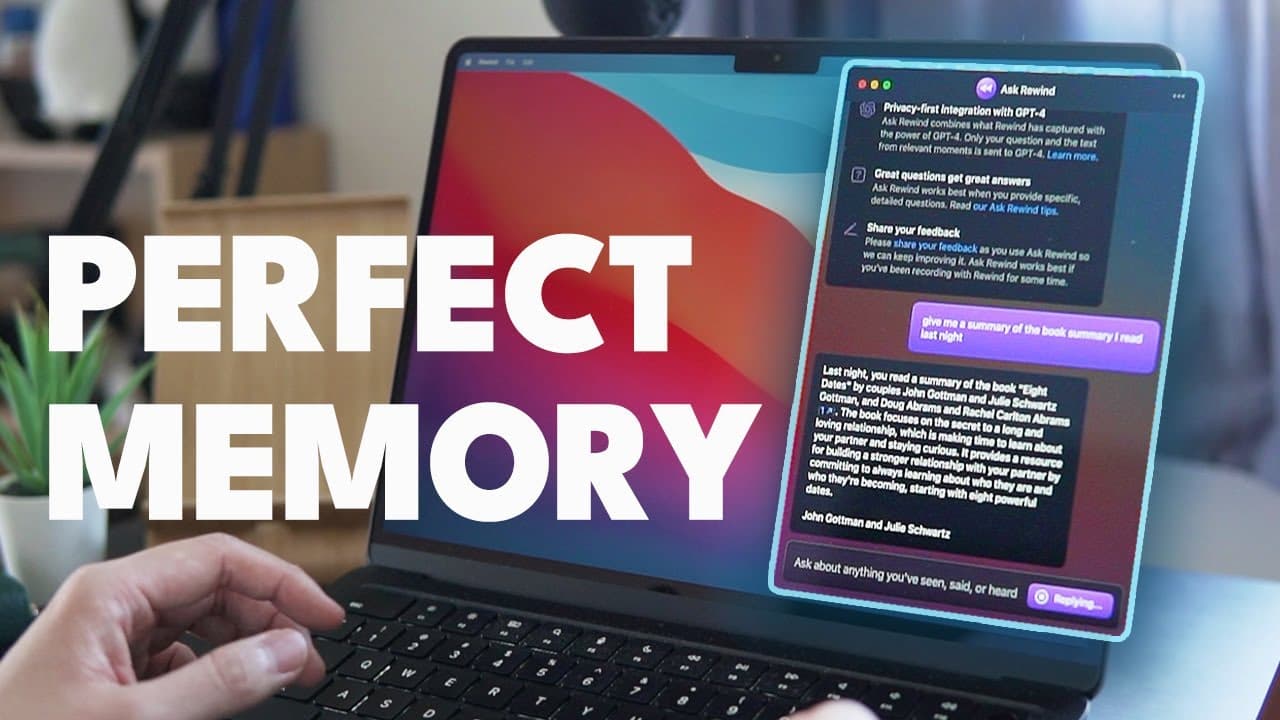
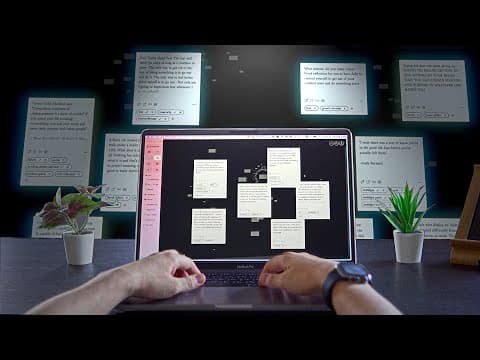
Ask Rewind is an app that records and transcribes everything you do on your computer, making it easily searchable and allowing you to find information quickly.
Transcript
one of my favorite mock-ups has just got a huge update with gpd4 and now it lets you turn your computer into your personal AI assistant who remembers everything for you it looks really good so let's see what it can do so the app I wanted to talk about is rewind if you watched my previous videos you might know it already ianacho it's an app that rec... Read More
Key Insights
- 🔍 Rewind app with GPD4 update allows users to turn their computer into a personal AI assistant, recording everything and making it searchable, eliminating the worry of forgetting important information.
- 💡 Ask Rewind feature uses AI to search and find specific information even if you don't remember the title or keywords, enhancing the usability and convenience of the app.
- 📚 Rewind can summarize articles, answer questions, explain concepts, and even generate blog posts based on readings, making it a valuable tool for researchers and students.
- 📧 Users can ask Rewind to summarize emails and messages, providing a quick summary of important information and even writing emails for them based on previous conversations.
- 👔 Rewind is beneficial for professionals, as it can summarize meetings, provide action items and decisions, and help users review their day's productivity or areas of improvement.
- 🔎 Conversational history is not retained in Rewind, prompting users to ask the same question repeatedly; a save conversation option and copy feature would enhance user experience.
- 💾 Storage is a concern as Rewind consumes a significant amount of computer storage, potentially exceeding 100 GB in one year, requiring users to manage storage space accordingly.
- 🔒 Privacy remains a significant concern as Rewind records everything, although Open AI assures that data stays locally stored and allows users to customize which apps and websites can be recorded.
Install to Summarize YouTube Videos and Get Transcripts
Explore YouTube Video Summarizer or Get YouTube Transcript Extractor
Questions & Answers
Q: How does Ask Rewind work?
Ask Rewind is an app that records and transcribes everything you do on your computer, making it searchable using specific keywords or phrases. With the new update, it also includes an AI-powered function that allows users to ask questions and have the AI find the relevant information.
Q: What are some practical uses of Ask Rewind?
Ask Rewind can be used for various purposes, such as conducting research and summarizing articles, creating quizzes to prepare for exams, reviewing emails and messages, analyzing productivity, and even reviewing meeting summaries. It essentially acts as a personal AI assistant for remembering everything.
Q: Is privacy a concern when using Ask Rewind?
Privacy is a concern when using Ask Rewind since it records everything you do on your computer. However, the data is stored locally and never leaves your device. Only when using the Ask Rewind function, your data may be sent to OpenAI for processing. Sensitive information like credit card numbers and social security numbers are not recorded or shared.
Q: How much storage does Ask Rewind typically consume?
According to the content, Ask Rewind uses an average of 14 gigabytes per month. If you want to keep recordings for an extended period, it could easily take up more than 100 gigabytes of storage.
Q: Can Ask Rewind be used by students?
Yes, Ask Rewind can be highly useful for students. They can read academic articles and get summaries, create quizzes based on the materials they have seen, and even have Ask Rewind generate flashcards to help with memorization.
Q: What are the limitations of Ask Rewind?
While Ask Rewind is a useful app, it does have some limitations. Conversational history cannot be viewed once closed, there is no copy option after having the AI write an email or summary, and the app consumes a significant amount of computer storage. Privacy concerns are also a factor to consider, especially for those handling sensitive customer information.
Q: Can Ask Rewind help with productivity?
Yes, Ask Rewind can help with productivity by allowing users to review their day or week to see their activities and identify any areas of improvement. It can provide insights into how productive or procrastinating one has been, helping users be more mindful of their work habits.
Summary & Key Takeaways
-
Ask Rewind is an app that records everything you do on your computer and makes it searchable, allowing you to go back in time and find specific actions or information.
-
The app now features an AI-powered function called Ask Rewind, which allows users to ask specific questions and have the AI find the relevant information.
-
Ask Rewind can be used for research, summarizing articles, creating quizzes, reviewing emails and messages, and even analyzing productivity.
Read in Other Languages (beta)
Share This Summary 📚
Summarize YouTube Videos and Get Video Transcripts with 1-Click
Try YouTube Summary with ChatGPT & Claude or YouTube Transcript Generator
Explore More Summaries from Shu Omi 📚

Summarize YouTube Videos and Get Video Transcripts with 1-Click
Try YouTube Summary with ChatGPT & Claude or YouTube Transcript Generator