How to Use YNAB Reports for Better Budgeting
TL;DR
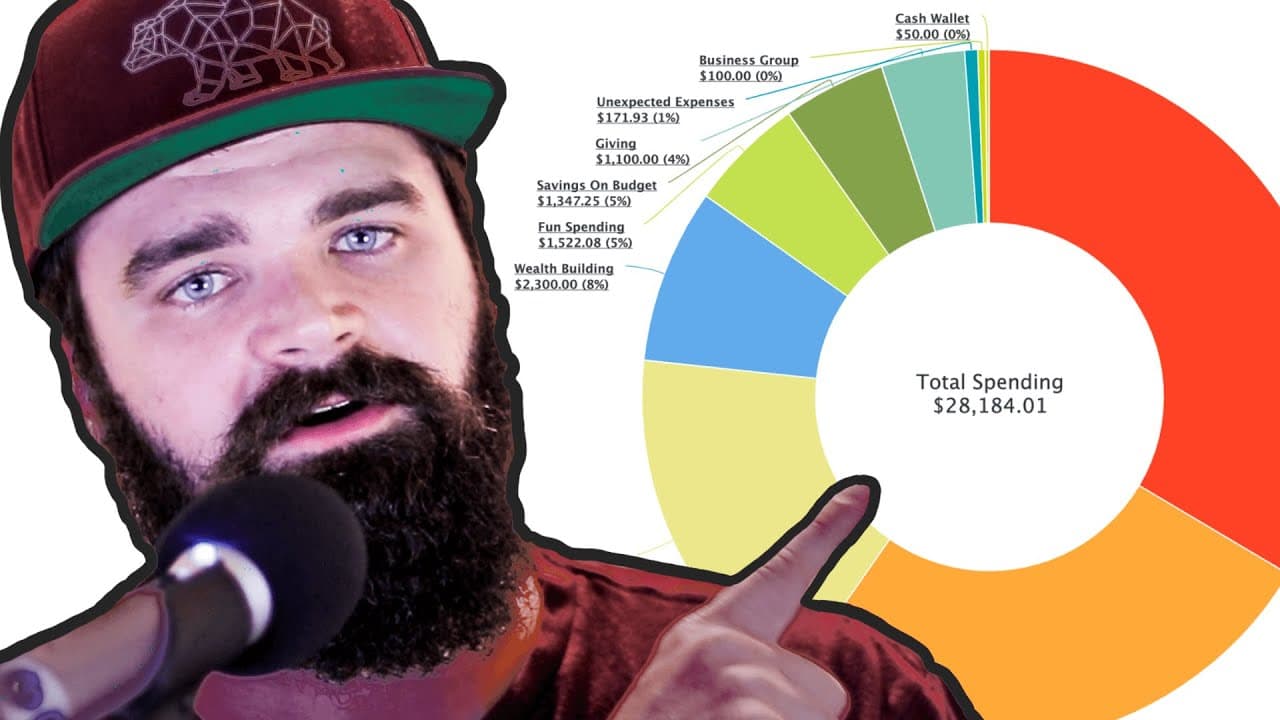
To budget effectively with YNAB, leverage reports like Spending Trends to analyze your spending habits over time and make necessary adjustments. Utilize the Income vs. Expense report to track your budget categories against your goals, ensuring your financial choices align with your long-term vision. Regularly reviewing these reports helps optimize your strategy and achieve your financial objectives.
Transcript
ynab reports are simultaneously the best part of wine app and the most underutilized from everything that i see in the online communities and if you're not regularly looking at your reports and diving into them you're missing out on a huge opportunity to find ways to save money and hit your goals much faster so let me jump in and show you how you c... Read More
Key Insights
- 👤 YNAB reports provide valuable insights into spending patterns and help users track progress towards financial goals.
- 🈷️ The "Trends" section in the spending report allows users to assess their spending habits month-to-month and make adjustments accordingly.
- 😫 Comparing average spending to set goals helps users determine whether their spending aligns with their vision and if any adjustments are needed.
- 🫥 Integrating vision and goals into YNAB reports ensures that financial decisions are purposeful and in line with long-term objectives.
- ⌛ YNAB reports can be customized and filtered to focus on specific categories and exclude one-time or skewed expenses.
- ❓ Regularly reviewing and analyzing YNAB reports is essential for optimizing budgeting strategies and maximizing savings.
- 👻 The income versus expense report provides a comprehensive overview of spending categories and allows users to assess their financial progress in detail.
Install to Summarize YouTube Videos and Get Transcripts
Explore YouTube Video Summarizer or Get YouTube Transcript Extractor
Questions & Answers
Q: How can YNAB reports help with saving money and achieving goals?
YNAB reports give users insights into their spending habits, allowing them to identify areas where they can cut back and allocate funds towards their goals more efficiently. By regularly reviewing reports and comparing them to their vision and goals, users can make informed decisions about their finances.
Q: How can the "Trends" section in the spending report be used effectively?
The "Trends" section shows spending trends over time and allows users to analyze their total spending and individual category spending. By hovering over data points, users can see specific amounts spent in different categories each month. Filtering options help users identify normal spending patterns and exclude one-time or skewed expenses.
Q: How does the income versus expense report help with tracking financial progress?
Similar to the spending report, the income versus expense report provides a comprehensive view of spending categories. It displays the actual numbers rather than visuals, making it suitable for those who prefer a more numerical approach. Users can adjust filtering options to focus on specific categories and compare their average spending to their goals.
Q: How does integrating the vision and goals into YNAB reports enhance financial planning?
By first setting a vision and defining goals for different timeframes, users can assess their spending habits and progress towards those goals using YNAB reports. This approach allows users to align their budgeting decisions with their long-term objectives, ensuring their spending choices reflect their priorities.
Summary & Key Takeaways
-
YNAB reports, including spending, net worth, and income versus expense, are underutilized but offer significant opportunities for saving money and reaching goals.
-
The "Trends" section in the spending report allows users to track and analyze their spending over time, filter out specific expenses, and compare categories.
-
The income versus expense report provides a detailed overview of spending categories and allows for filtering and analysis of expenditure trends.
Read in Other Languages (beta)
Share This Summary 📚
Summarize YouTube Videos and Get Video Transcripts with 1-Click
Try YouTube Summary with ChatGPT & Claude or YouTube Transcript Generator
Explore More Summaries from Nick True - MappedOutMoney 📚



Summarize YouTube Videos and Get Video Transcripts with 1-Click
Try YouTube Summary with ChatGPT & Claude or YouTube Transcript Generator