How to Write E2E Tests for a Registration Page Using Cypress
TL;DR
To write end-to-end tests for a registration page using Cypress, set up Cypress with npm install cypress and create a spec file. Use descriptive selectors, perform actions like filling out forms and clicking buttons, and verify expected outcomes such as showing validation errors or redirecting to a success page.
Transcript
all right how's it going everyone so one of my discord users asked me if i could kind of talk a little bit about cypress so that is what i'm going to try doing today in this video so cyprus is a tool you can use to do into in testing i believe they also support component testing now but it might be in beta but we are going to try to just kind of sh... Read More
Key Insights
- ❤️🩹 Cypress is an effective tool for automated end-to-end testing, particularly for JavaScript applications.
- ❤️🩹 Utilizing the testing pyramid concept, Cypress encourages a higher ratio of unit tests to end-to-end tests to promote efficiency.
- 🛟 Data attributes serve as reliable selectors in tests, minimizing fragility associated with UI changes.
- 👻 The Cypress dashboard provides valuable visual insights into test execution and allows for easy debugging.
- 🏆 Writing clear, descriptive tests and maintaining organized test code enhances maintainability and readability.
- ⌛ Cypress's real-time feedback and testing capabilities integrate well with the CI/CD process.
- 👤 The tool supports both user interaction simulation and direct DOM manipulation, enhancing testing flexibility.
Install to Summarize YouTube Videos and Get Transcripts
Explore YouTube Video Summarizer or Get YouTube Transcript Extractor
Questions & Answers
Q: What is Cypress and what types of testing does it support?
Cypress is an open-source testing framework that primarily supports end-to-end testing and integration testing for web applications. It enables developers to write automated tests that verify the functionality of web apps, simulating real user interactions effectively. It also supports component testing, which is currently in beta, allowing for more granular verification of individual components in isolation.
Q: How does Cypress compare with other testing methods regarding performance and maintenance?
Cypress tests, especially end-to-end tests, can become brittle and expensive to maintain because they require a full application context and user interaction simulation. In contrast, unit tests are cheaper to run and maintain, allowing for faster execution. Ideally, a good testing strategy follows a pyramid model, emphasizing more unit tests at the base, fewer integration tests in the middle, and the least number of end-to-end tests at the top.
Q: What is the process of setting up Cypress for a project?
To set up Cypress, you typically run the command 'npm install --save-dev cypress'. This installs Cypress and sets up the necessary folder structure in your project. You can then start the Cypress dashboard using 'npx cypress open', allowing you to configure and run your tests in various browsers.
Q: Can you explain the importance of using data attributes when selecting elements in Cypress tests?
Using data attributes as selectors in Cypress tests is crucial for building resilient tests. It reduces the likelihood of tests breaking due to changes in styling or class names. Data attributes provide a stable way to identify elements, ensuring that tests continue to function correctly even if other aspects of the application are modified.
Q: What should you do if an end-to-end test fails in Cypress?
If an end-to-end test fails in Cypress, the first step is to inspect the test results in the Cypress dashboard, which visualizes the test run. You can utilize its rewind feature to view previous states and debug issues effectively. It’s also a good practice to add more descriptive assertions or clean the test to make it clearer.
Q: How can Cypress be used to improve the development workflow?
Cypress enhances the development workflow by enabling quick feedback on UI changes through real-time testing, allowing developers to spot and fix issues early. Its dashboard also facilitates debugging, as it allows easy inspection of application state at various points in the test, ensuring smoother integration into CI/CD pipelines.
Q: What are some best practices for writing tests in Cypress?
Best practices for writing Cypress tests include maintaining clear and descriptive test cases, using data attributes for selectors, structuring tests logically for readability, and cleaning the code by abstracting common functionality. It's also essential to keep a balance between end-to-end tests and lower-level tests to maintain performance in the build process.
Q: What are the advantages of Cypress's rewind functionality?
The rewind functionality in Cypress allows developers to go back in time during test execution to observe the application state at various points, providing an exceptional debugging tool. This feature helps in understanding what went wrong in a test run, making it easier to identify issues and refine tests effectively without needing to rerun them multiple times.
Summary & Key Takeaways
-
Cypress is introduced as a versatile tool for end-to-end and component testing, especially in JavaScript applications. The video demonstrates how to set up Cypress and use it effectively.
-
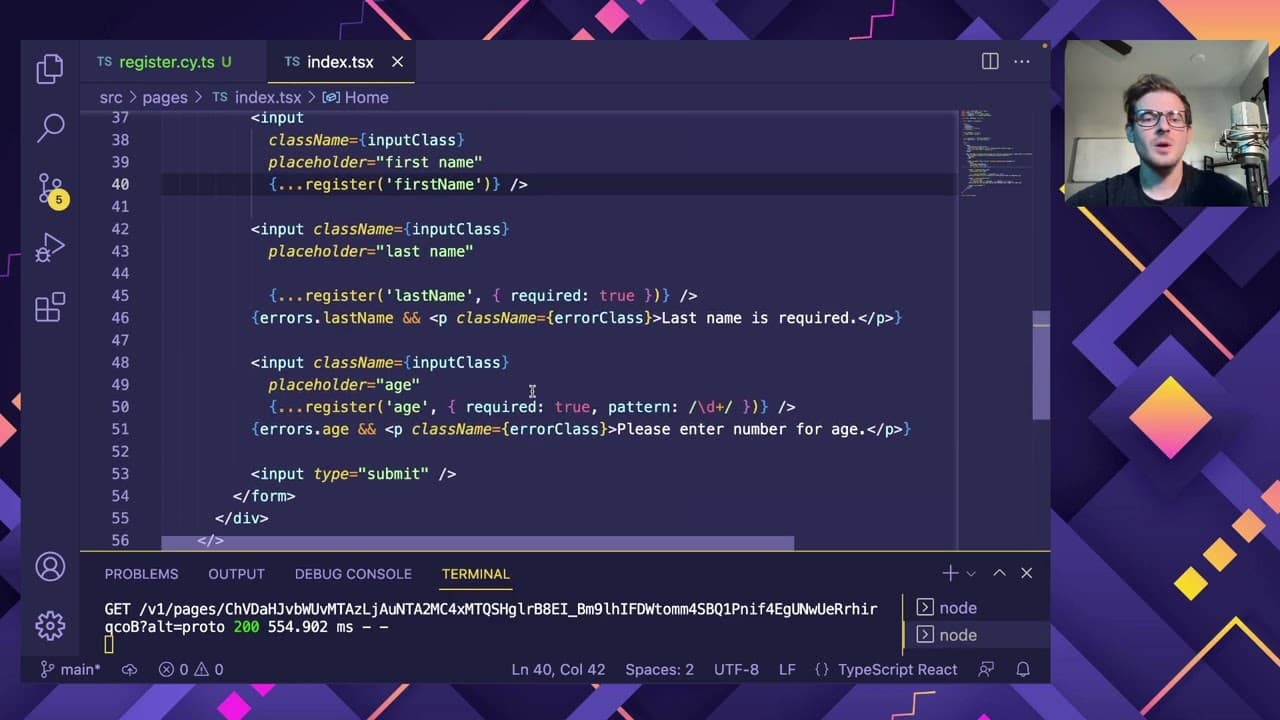
The speaker showcases a Next.js application, emphasizing creating a test for a registration page that checks error messages and successful submissions.
-
Key considerations are highlighted regarding testing strategies, particularly the balance between end-to-end and unit tests to avoid performance costs in CI/CD pipelines.
Read in Other Languages (beta)
Share This Summary 📚
Summarize YouTube Videos and Get Video Transcripts with 1-Click
Try YouTube Summary with ChatGPT & Claude or YouTube Transcript Generator
Explore More Summaries from Web Dev Cody 📚





Summarize YouTube Videos and Get Video Transcripts with 1-Click
Try YouTube Summary with ChatGPT & Claude or YouTube Transcript Generator