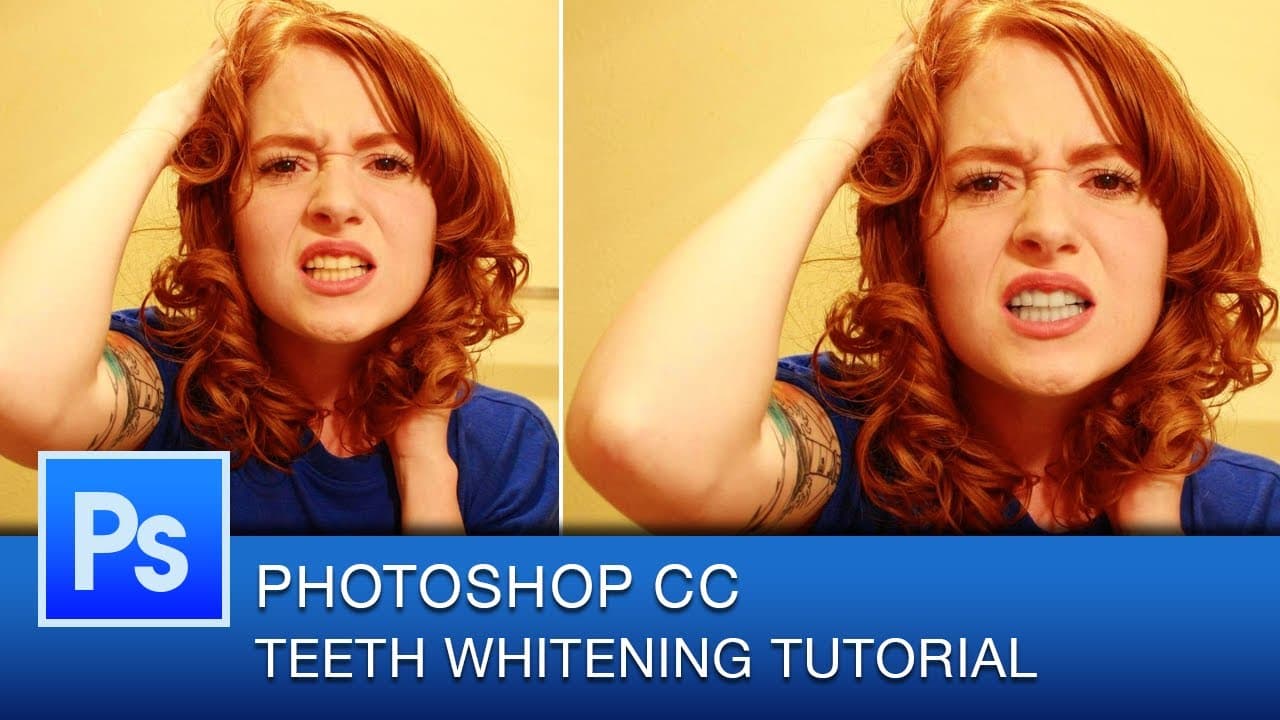
Photoshop CC Tutorial How to Whiten Teeth | Photoshop Tutorial
TL;DR
Learn how to whiten teeth quickly and non-destructively using the pen tool and adjustment layers in Photoshop CC.
Transcript
hello youtube this is graphic designer roberto blake with another thursday photoshop cc tutorial now in this tutorial we're actually going to be doing teeth whitening if you've seen my previous tutorial on changing eye color or changing hair color then this will be another tutorial that takes advantage of the adjustment layers tool today we're actu... Read More
Key Insights
- 🤗 A combination of the pen tool and adjustment layers can be used for non-destructive teeth whitening in Photoshop CC.
- 🤗 The pen tool is useful for creating precise selections, especially for complex shapes like teeth.
- 💛 Adjusting the saturation using the hue and saturation adjustment layer can effectively remove the yellow color from teeth.
- 💦 It is important to work non-destructively in Photoshop to maintain the flexibility of editing and preserving the original image.
- 🦷 This tutorial provides a quick and easy method for whitening teeth, but the techniques can be adapted for different images or preferences.
- 💁 Roberto Blake offers regular Photoshop tutorial videos on his channel, providing valuable insights and tips for graphic designers.
- 👻 Viewers can suggest topics for future tutorials, allowing Roberto to cater to their specific needs and interests.
Install to Summarize YouTube Videos and Get Transcripts
Explore YouTube Video Summarizer or Get YouTube Transcript Extractor
Questions & Answers
Q: Can you explain how to use the pen tool to select teeth in Photoshop CC?
To use the pen tool for teeth selection, make sure it is set to "paths" and plot points on the teeth image to create a path. Adjust the curve handles on the points to create a clean selection.
Q: How can I convert the pen tool path into a selection?
After creating the path with the pen tool, go to the menu panel and click on "Make Selection." A dialog will appear, where you can choose the options you need for the selection. Click OK to convert the path into a selection.
Q: What adjustment layer is used for teeth whitening?
The hue and saturation adjustment layer is used for teeth whitening. By reducing the saturation, the yellow color in the teeth is removed, resulting in a whitened effect.
Q: Is teeth whitening done destructively or non-destructively in this tutorial?
Teeth whitening is done non-destructively in this tutorial. This means that the original image remains unchanged, and the whitening effect can be toggled on and off using the adjustment layers tool.
Summary & Key Takeaways
-
In this tutorial, graphic designer Roberto Blake demonstrates how to whiten teeth using the pen tool and adjustment layers in Photoshop CC.
-
The pen tool is used to select the teeth by creating paths, which can later be converted into selections.
-
Once the teeth are selected, the hue and saturation adjustment layer is used to reduce the saturation and remove the yellow color from the teeth, resulting in a whitened effect.
Read in Other Languages (beta)
Share This Summary 📚
Summarize YouTube Videos and Get Video Transcripts with 1-Click
Try YouTube Summary with ChatGPT & Claude or YouTube Transcript Generator
Explore More Summaries from Roberto Blake 📚






Summarize YouTube Videos and Get Video Transcripts with 1-Click
Try YouTube Summary with ChatGPT & Claude or YouTube Transcript Generator