The Best B&W Ricoh GR III & GR IIIx Film Simulation Recipe
TL;DR
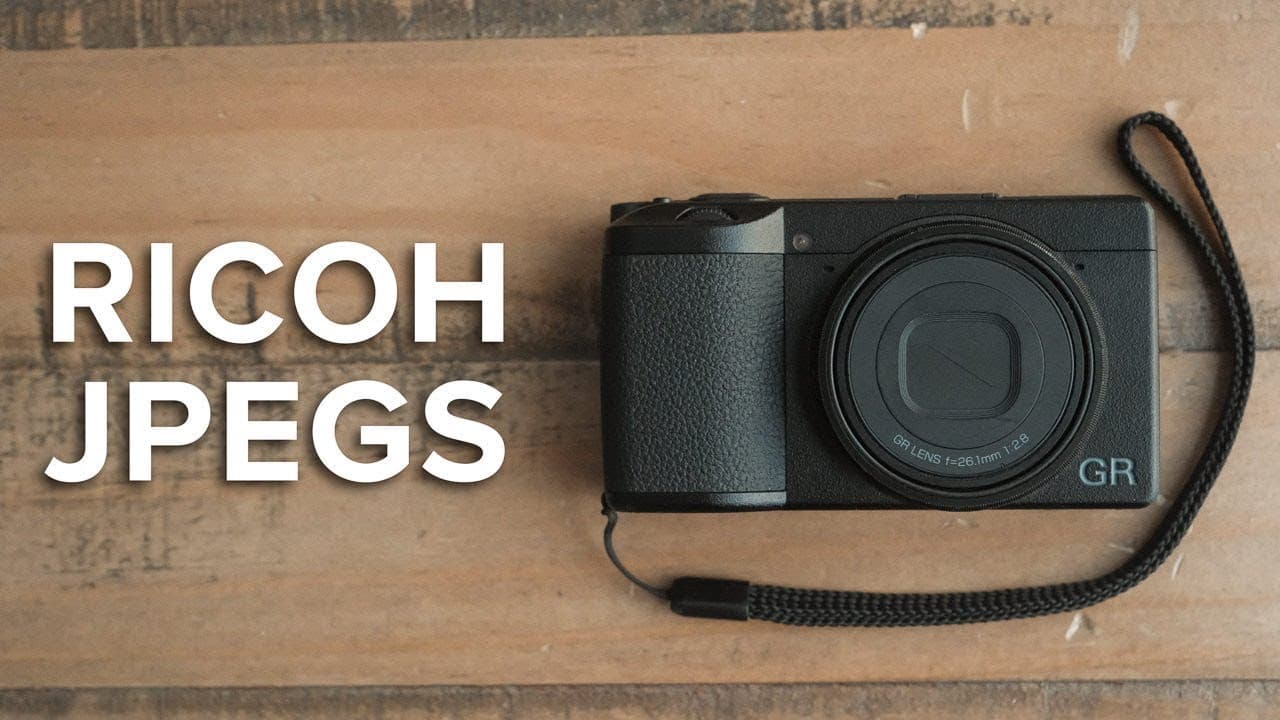
Reggie shares a black-and-white film simulation recipe for Ricoh cameras, enhancing high-contrast photography.
Transcript
(upbeat music) - If you've been searching for a black-and-white film simulation recipe for your Ricoh, look no further than Reggie's Monotone Standard. (upbeat music) This film simulation recipe started out as an attempt for me to recreate the look of my popular Fujifilm recipe, Reggie's HP5, but for the Ricoh GR III and and GR IIIx. And while it d... Read More
Key Insights
- 🖤 Reggie's Monotone Standard is specifically designed for the Ricoh GR III and GR IIIx to achieve high-contrast black-and-white imagery, inspired by a Fujifilm film recipe.
- 💁 The tutorial stresses the importance of using RAW formats alongside JPEGs for archival purposes and future edit flexibility.
- 😒 Adjustments such as contrast settings, highlight and shadow corrections, and filter use significantly influence the final look of the images captured with this simulation.
- 🙂 Reggie's approach highlights the psychological aspects of black-and-white photography, fostering a deeper connection with light and composition.
- 👀 Emphasizing sharpness and controlled grain adds to the film-like aesthetic desired by photographers aiming for classic looks.
- 💦 The integration of modern website tools, like Squarespace, is suggested for photographers hoping to establish or enhance their online presence to showcase their work effectively.
- 🌠 Reggie’s method enables quick access to distinct film simulation settings, streamlining the shooting process for photographers wanting to switch between styles effortlessly.
Install to Summarize YouTube Videos and Get Transcripts
Explore YouTube Video Summarizer or Get YouTube Transcript Extractor
Questions & Answers
Q: What is the purpose of Reggie's Monotone Standard recipe?
Reggie's Monotone Standard recipe aims to replicate a Fujifilm black-and-white film simulation for Ricoh GR III and GR IIIx cameras. It is tailored specifically for high-contrast scenes, allowing photographers to achieve a film-like monochrome aesthetic that enhances the overall impact of their images.
Q: Why does Reggie recommend shooting in RAW+JPEG format?
Reggie advocates for shooting in RAW+JPEG format to maintain versatility in photography. The JPEG files can be used for immediate posting and editing, while RAW files serve as archives for high-quality edits in the future. This ensures that photographers can adapt their images later, whether they prefer color or alternative edits.
Q: What adjustment does Reggie suggest for contrast in high-contrast scenes?
For high-contrast scenes, Reggie sets the contrast level to +2 in the camera settings. This adjustment enhances the differences between light and dark areas, allowing for a more dynamic image that highlights textures and shapes in the composition, which is crucial for achieving the desired film simulation effect.
Q: How does Reggie use filters to enhance his black-and-white photography?
Reggie sets the filter effect to 3 (red filter) to increase contrast and slightly darken skies in his black-and-white images. The red filter is essential in his recipe, as it aligns with his preferences in other formats and yields a more dramatic rendition of tones, enhancing the overall visual appeal.
Q: What role does the dynamic range correction play in Reggie's settings?
Reggie sets dynamic range correction to auto for highlights and medium for shadow correction to maintain a balanced look in images. This ensures a strong contrast while retaining enough detail in shadows, which is vital for capturing the essence of high-contrasty scenes without sacrificing essential details.
Q: What is the benefit of observing in black and white while shooting?
Observing in black and white while shooting allows photographers to focus solely on light and shadow without color distraction. This practice enhances their ability to notice shapes, lines, and emotional interactions within the scene, ultimately improving compositional skills and image quality.
Summary & Key Takeaways
-
Reggie's Monotone Standard mimics a Fujifilm recipe for black-and-white photography, designed specifically for Ricoh GR III and GR IIIx cameras, helping users capture high-contrast images effectively.
-
The video tutorial provides detailed settings for customizing the camera's monochrome capabilities, including file formats, aspect ratios, and various image adjustments to achieve the desired look.
-
Reggie emphasizes the advantages of shooting in black-and-white, like enhanced perception of light, shadow, and texture, while also praising shooting in RAW for future editing flexibility.
Read in Other Languages (beta)
Share This Summary 📚
Summarize YouTube Videos and Get Video Transcripts with 1-Click
Try YouTube Summary with ChatGPT & Claude or YouTube Transcript Generator
Explore More Summaries from Reggie Ballesteros 📚
Summarize YouTube Videos and Get Video Transcripts with 1-Click
Try YouTube Summary with ChatGPT & Claude or YouTube Transcript Generator