Dark Mode UI Course 1
TL;DR
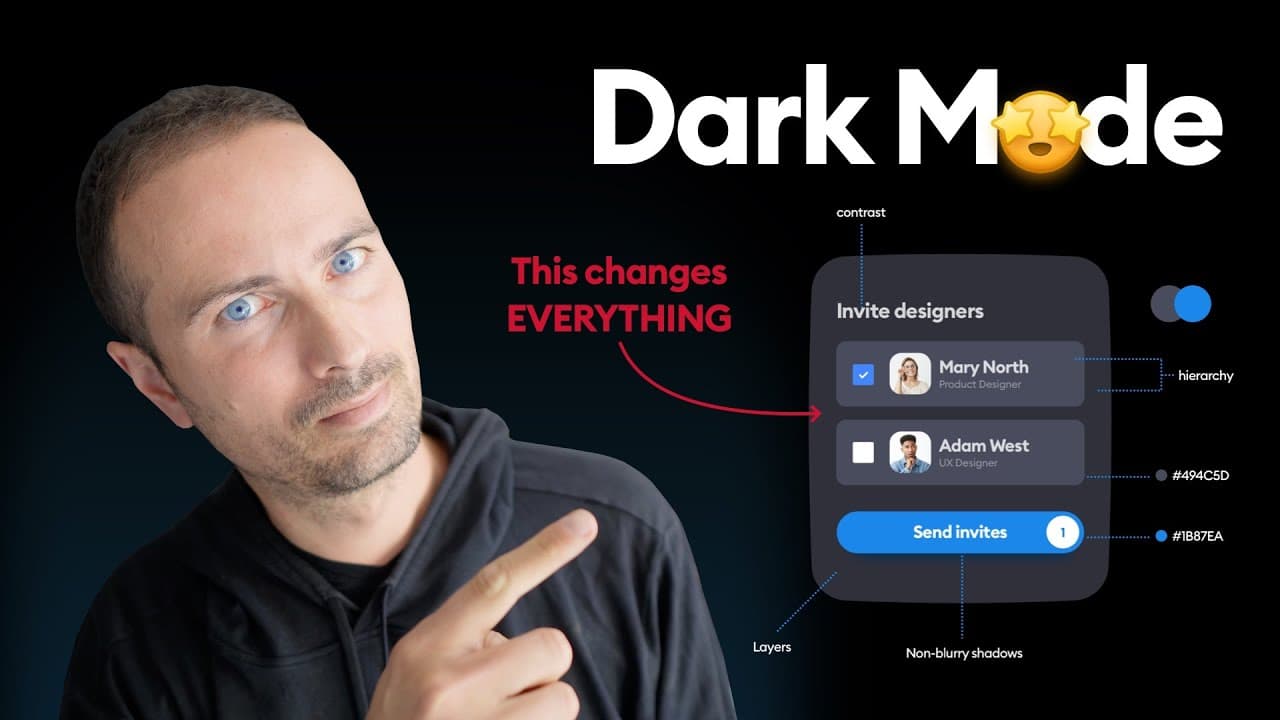
Learn how to enhance your dark mode design by adjusting colors, creating consistent themes, and utilizing shadows effectively.
Transcript
when it comes to digital interfaces we humans are pretty odd creatures hey friends in this short video i'm gonna help you bring your dark mode to the next level we're gonna talk light shadows and colors and we're gonna solve most of the problems that designers make while attempting dark mode but before we get to this let's answer the fundamental qu... Read More
Key Insights
- 👁️ Dark mode is popular and users now expect it in digital interfaces, so it's important for products to provide a dark mode option.
- 🔥 Adjusting the saturation of colors in dark mode can make them more friendly and visible. High saturation and dark mode don't match well.
- 🎨 Having a consistent theme of dark shades and including hints of accent colors in grays can improve the perception of design.
- ✨ Layer brightness and color gradation are important for creating a sense of depth in both light and dark modes.
- 🌑 Shadows are not necessary in dark mode, but if used, they should be added to larger and more important elements like cards and buttons.
- 🔮 Blur should only be used in the background, not in shadows or lower edges.
- ⚙️ Proper hierarchy is important in user interfaces, and there are videos available for learning more about it.
- 👍 If users want more videos on topics like dark mode and proper hierarchy, they can leave a comment.
Install to Summarize YouTube Videos and Get Transcripts
Explore YouTube Video Summarizer or Get YouTube Transcript Extractor
Questions & Answers
Q: Why is dark mode so popular and why should products offer it?
Dark mode has gained popularity because people find it visually appealing and it reduces eye strain in some cases. Additionally, users now expect dark mode as a standard feature in products, making it important for companies to offer it.
Q: How can adjusting color saturations enhance the dark mode design?
When transitioning to dark mode, high saturation colors can be overwhelming. By reducing the saturation by 20-30%, the colors become more pleasant and visible, creating a better user experience.
Q: Why is consistency in dark shades important in dark mode design?
Consistency in dark shades helps maintain a unified visual theme and creates a sense of coherence throughout the interface. Adding a hint of accent colors to grays can enhance consistency and make the design more visually appealing.
Q: Are shadows necessary in dark mode design?
Shadows are not always necessary in dark mode design. The layer brightness can successfully show depth without the need for shadows. However, if used, they should be added to larger and important elements, such as cards and buttons, with a touch of blue cast for a cool effect.
Q: What is the recommended angle for holding phones to optimize dark mode visibility?
The recommended angle for holding phones to optimize dark mode visibility is approximately 45 degrees. This angle helps reduce glare from the lighting source, making it easier to view the dark interface on the screen without distractions.
Q: How can adjusting brightness levels help create proper layering in dark mode design?
Adjusting the brightness levels of layers is crucial for creating depth and visual hierarchy in dark mode design. Starting with a brightness range of 10, 20, 30, and 40 (assuming the background has a brightness between 0 and 5) helps maintain a smooth and natural color gradation for a more visually pleasing experience.
Q: Why should shadows be avoided on very dark surfaces in dark mode design?
Shadows should be avoided on very dark surfaces in dark mode design because they can make the bottom edge look blurry. Since darker surfaces already provide a sense of depth, adding shadows can create an unpleasant visual effect.
Q: Should shadows be applied to all elements in dark mode design?
Shadows should not be applied to all elements in dark mode design. It is best to add shadows to the largest elements, such as cards, and the most important ones, like buttons, to create a sense of depth and highlight their importance. Applying shadows selectively ensures a balanced and visually appealing design.
Summary & Key Takeaways
-
Dark mode is popular and expected by users, so it's important to provide it as an option in your product.
-
Adjusting the saturation of colors in dark mode can make them more visually appealing and friendly.
-
Consistency in dark shades and strategic use of shadows can greatly enhance the design and user experience in dark mode.
Read in Other Languages (beta)
Share This Summary 📚
Summarize YouTube Videos and Get Video Transcripts with 1-Click
Try YouTube Summary with ChatGPT & Claude or YouTube Transcript Generator
Explore More Summaries from Malewicz 📚






Summarize YouTube Videos and Get Video Transcripts with 1-Click
Try YouTube Summary with ChatGPT & Claude or YouTube Transcript Generator