Build a web-app to serve a deep learning model for skin cancer detection
TL;DR
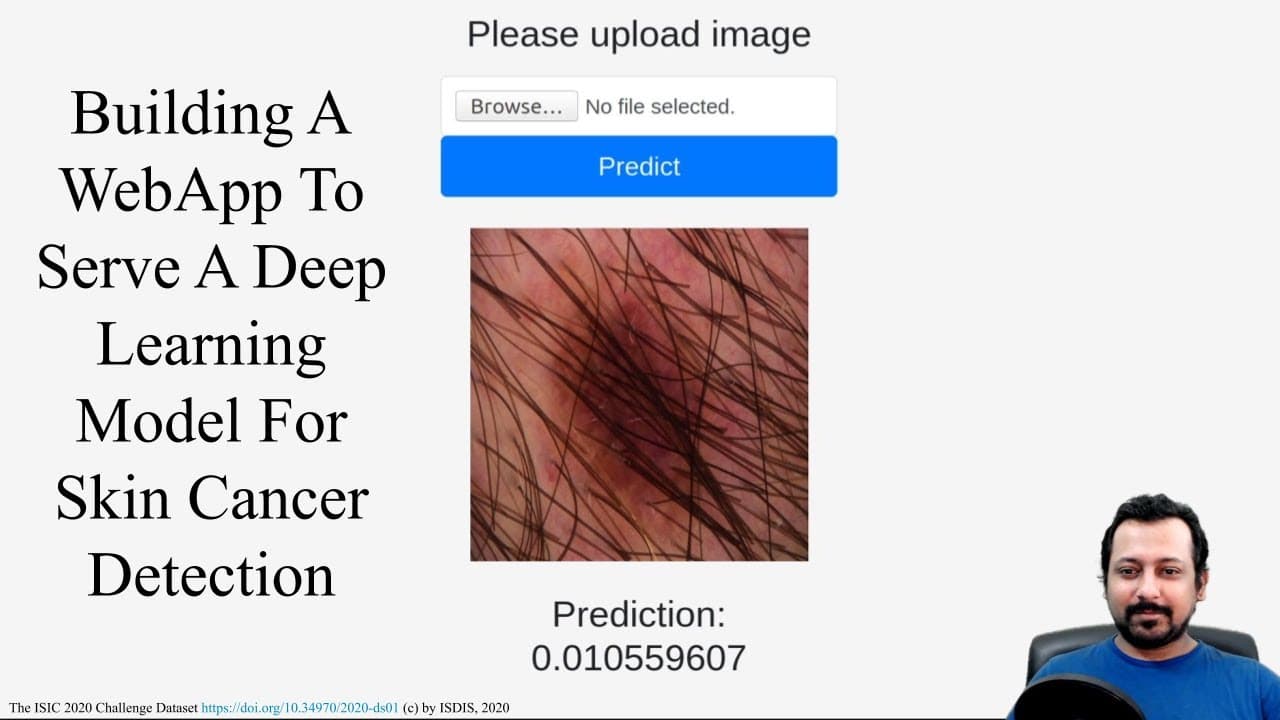
This video tutorial demonstrates how to build a web application for skin cancer detection using Flask, allowing users to upload an image, generate predictions, and display the results.
Transcript
hello everyone and welcome back and in one of the previous videos I showed you how to build a deep learning model for skin cancer detection from skin images using transfer learning we used if I remember correctly we used Sierra's next fifty and we built a model we trained the model we had a documentation said we try to improve on the model results ... Read More
Key Insights
- 🕸️ Building a web application for a deep learning model helps make the model accessible to a wider audience.
- 🕸️ Flask is a popular framework for building web applications in Python.
- 💁 Image uploads can be handled in Flask by using HTML forms and the Flask request module.
- ♋ The deep learning model for skin cancer detection can be integrated into the Flask application to generate predictions.
- 👤 Using external libraries and frameworks, such as Bootstrap, can help improve the appearance and user experience of the web application.
- 👻 Flask allows for easy routing and endpoint creation within the application.
- 🕸️ The process of creating a skin cancer detection web application involves multiple steps, including image uploads, saving the files, predicting using the model, and displaying the results.
Install to Summarize YouTube Videos and Get Transcripts
Explore YouTube Video Summarizer or Get YouTube Transcript Extractor
Questions & Answers
Q: What is the purpose of building a web application for a deep learning model?
Building a web application allows users who are not familiar with technical aspects to utilize the deep learning model for skin cancer detection. It provides a platform to showcase the project and make it accessible to a wider audience.
Q: How can image uploads be handled in a Flask application?
In Flask, image uploads can be handled by adding an HTML form with the "multipart/form-data" encoding type and an input field with the type "file". The uploaded image file can then be processed and saved using the Flask request module.
Q: What are the key steps involved in building the skin cancer detection web application?
The key steps include setting up the Flask app, creating routes and endpoints, handling image uploads, saving the image files, using the deep learning model to generate predictions, and displaying the results to the user.
Q: How can the results of the predictions be shown to the user?
The predictions can be displayed to the user by rendering a template with the prediction value and using HTML and CSS to format and style the results. Additionally, the web application can display the uploaded image alongside the prediction.
Summary & Key Takeaways
-
The video builds upon a previous tutorial on building a deep learning model for skin cancer detection using transfer learning.
-
The focus of this video is on creating a Flask application that allows users to upload an image, save it, generate predictions, and display the results.
-
The tutorial covers the necessary steps to set up the Flask app, handle image uploads, save image files, and use the previously trained model to make predictions.
Read in Other Languages (beta)
Share This Summary 📚
Summarize YouTube Videos and Get Video Transcripts with 1-Click
Try YouTube Summary with ChatGPT & Claude or YouTube Transcript Generator
Explore More Summaries from Abhishek Thakur 📚


Summarize YouTube Videos and Get Video Transcripts with 1-Click
Try YouTube Summary with ChatGPT & Claude or YouTube Transcript Generator