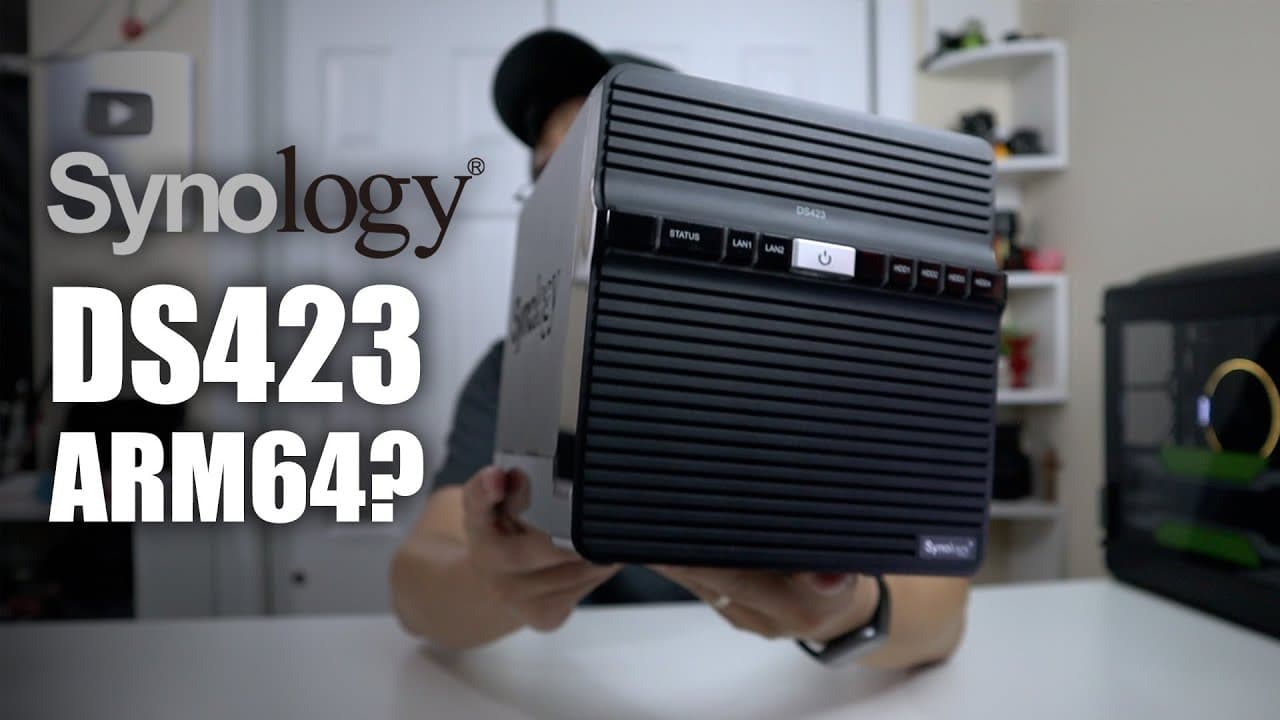
Synology DS423 4 Bay NAS with ARM64 RTD1619B First Impressions
TL;DR
The Synology DS423 is a compact ARM-based NAS ideal for home and small office use.
Transcript
hey guys what is going on it's Don here from Nova Spirit Tech and welcome back to the channel and today we're going to be checking out the Synology ds423 which is Arm based CPU so let's get started now I do want to thank Synology for sending this over to me for review um this is something I particularly ask them for because they are switching over ... Read More
Key Insights
- 🧑💼 The Synology DS423 leverages ARM architecture for efficient, everyday file storage tasks ideal for home or small office settings.
- ⛔ Fixed hardware configurations limit upgradability, but the device compensates by supporting various software applications through Docker.
- ✋ The absence of GPU transcoding makes the DS423 less capable of handling high-quality media streaming compared to higher-end models, posing a challenge for heavy multimedia usage.
- 🪛 Synology’s introduction of proprietary drives alongside their NAS solutions offers flexibility and potentially better optimization for their devices.
- 🤭 With only a simple control panel and a quiet operation, the DS423 is designed to be user-friendly and aesthetically unobtrusive.
- 👤 User experience may vary based on the absence of specific Intel-only software packages, indicating a need for users to evaluate their specific requirements.
- 😘 The arm-based approach emphasizes power efficiency, translating into lower energy costs for casual users not requiring extensive processing capabilities.
Install to Summarize YouTube Videos and Get Transcripts
Explore YouTube Video Summarizer or Get YouTube Transcript Extractor
Questions & Answers
Q: What are the primary use cases for the Synology DS423?
The Synology DS423 is best suited for home users and small offices that primarily need a file-sharing solution. It excels in scenarios that don’t require significant computational power, such as light media streaming or data storage, making it ideal for users with basic storage needs.
Q: How does the hardware performance of the Synology DS423 compare to prior models?
The DS423 features an ARM-based Realtek CPU, which is a shift from previous Intel models. While it cannot match the power of higher-tier NAS units, it is designed for efficient home and small office use, handling basic tasks with lower power consumption and noise levels compared to its predecessors.
Q: Is the Synology DS423 capable of running Docker and other containers?
Yes, the DS423 can run Docker containers through Portainer, which allows users to install various applications like Plex and Jellyfin easily. This functionality enhances the versatility of the NAS for users looking to manage multiple services without requiring high computational resources.
Q: What are the limitations of the Synology DS423 regarding media streaming?
The DS423 lacks GPU transcoding capabilities, which means it struggles with high-bitrate video transcoding, leading to CPU utilization spikes during such tasks. This typically restricts its use to single-user streaming, making it less suitable for households or offices needing to support multiple simultaneous streams.
Q: How is the Synology DS423's build quality and design?
The DS423 features a compact design with a straightforward assembly process, using only four thumb screws for access to internal drives. Its smaller size and quiet fan operation make it less intrusive in home or office environments, aligning with the needs of casual users.
Q: What is the significance of Synology’s transition to ARM CPUs?
Synology's move to ARM CPUs like the one in the DS423 reflects a focus on energy efficiency and cost-effectiveness for home users and small offices. ARM chips are often less power-hungry compared to their Intel counterparts, which can reduce operational costs for less demanding tasks.
Q: Can users expect to expand their storage with the Synology DS423?
Users can expand storage by adding compatible hard drives, although the DS423 does not support NVMe drives or RAM upgrades. By using Synology’s own drives or third-party options, users can configure suitable RAID setups to meet their storage needs without significant internal upgrades.
Q: What kind of software options are limited on the DS423 compared to Intel models?
While most core Synology applications are supported, the ARM architecture limits availability for some advanced services like virtualization stations or certain active backup applications. However, users can still manage a range of utilities that are optimized for the ARM environment through container manager solutions.
Summary & Key Takeaways
-
The Synology DS423 is designed for home users and small offices, focusing on file-sharing needs rather than extensive CPU-intensive tasks.
-
It features a Realtek ARM CPU with fixed RAM, limited upgrade options, but offers flexibility through container management for applications like Plex and Jellyfin.
-
Though it supports various Synology applications, its lack of GPU transcoding and CPU limitations make it less suitable for heavy multimedia streaming.
Read in Other Languages (beta)
Share This Summary 📚
Summarize YouTube Videos and Get Video Transcripts with 1-Click
Try YouTube Summary with ChatGPT & Claude or YouTube Transcript Generator
Explore More Summaries from Novaspirit Tech 📚






Summarize YouTube Videos and Get Video Transcripts with 1-Click
Try YouTube Summary with ChatGPT & Claude or YouTube Transcript Generator