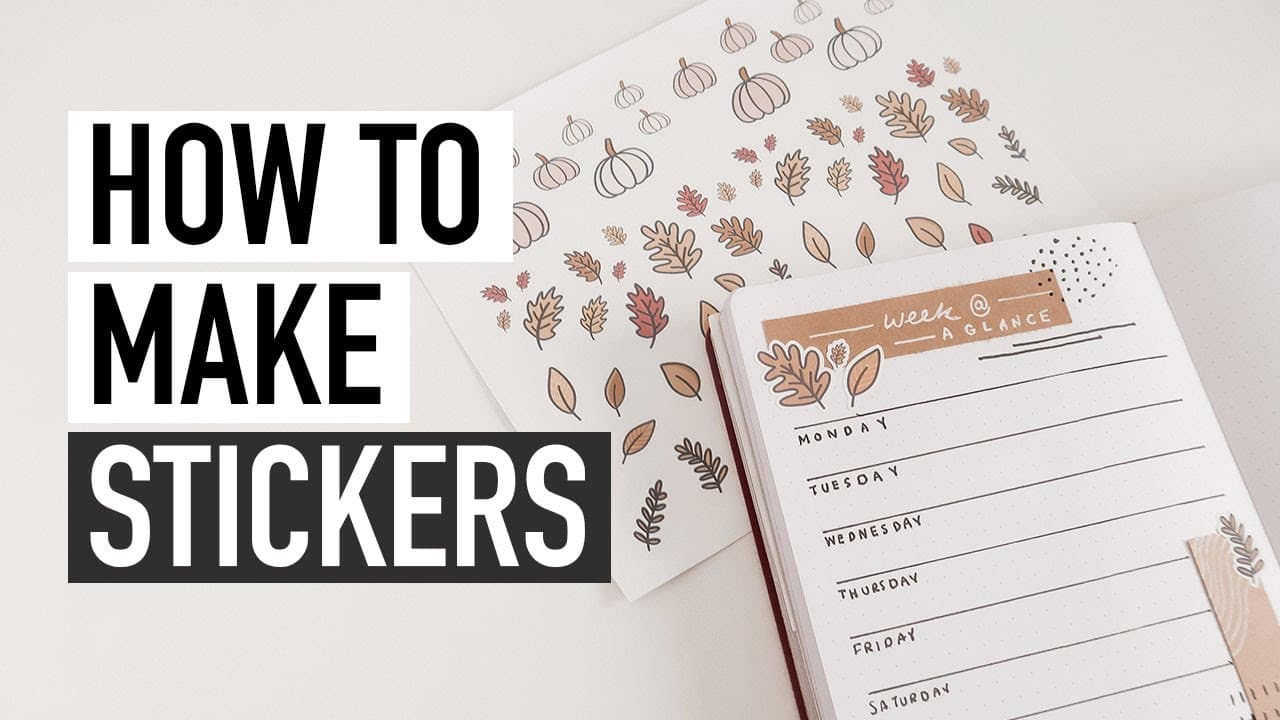
HOW TO MAKE STICKERS | my new cutting machine
TL;DR
Unboxing, testing, and initial thoughts on using a Silhouette Cameo cutting machine for designing stickers and crafting.
Transcript
i'm gonna remove all this stuff got two blades the tool kit this hook tool that i know is good for weeding and a scraper it came with vinyl quite a bit of vinyl actually and more vinyl and the mats that you use to feed your paper into the machine it came with two usually it just comes with one got another hook tool and exclusive designs sketch pens... Read More
Key Insights
- ☄️ The Silhouette Cameo cutting machine comes with various tools and accessories, making it a comprehensive package for crafting.
- 🎰 Designing stickers using the machine involves tracing, adjusting thresholds, and adding offset for a pleasing border effect.
- 🥶 Free programs like Canva can be used to create sticker designs without the need for an iPad or cutting machine.
- 💇 The machine can also be used to cut craft paper accents, providing precise and intricate designs effortlessly.
- 🛃 Vinyl can be used to customize items with personalized handwriting, offering a unique and custom touch to crafts.
- 😑 The content creator expresses satisfaction with the Silhouette Cameo, finding it easier to use than expected and enjoying the range of creative possibilities.
- 🤗 The machine opens up options for DIY card-making, making it a valuable tool for holiday crafts and personalized gifting.
Install to Summarize YouTube Videos and Get Transcripts
Explore YouTube Video Summarizer or Get YouTube Transcript Extractor
Questions & Answers
Q: What tools and accessories are included in the Silhouette Cameo cutting machine package?
The package includes two blades, a hook tool, a scraper, vinyl sheets, mats, sketch pens, and the machine itself.
Q: How does the content creator design stickers using the Silhouette Cameo?
The content creator imports her designs into silhouette studio, traces the images, adjusts the threshold, and adds offset to create a border around the stickers. She then prints the designs on sticker paper and cuts them using the machine.
Q: Can sticker designs be created using free programs like Canva?
Yes, the content creator demonstrates how to create sticker designs in Canva by adding PNG designs to the page, arranging them, tracing, and printing them for cutting.
Q: Besides designing stickers, what other crafting possibilities does the Silhouette Cameo offer?
The Silhouette Cameo can be used to cut craft paper accents, allowing for intricate designs without manual cutting. It can also be used to customize items with vinyl, such as clocks, using personalized handwriting.
Summary & Key Takeaways
-
The content creator unboxes a Silhouette Cameo cutting machine and showcases the different tools and accessories included in the package.
-
She demonstrates how to design stickers using the machine, including tracing and printing the designs.
-
The content creator also explores using free programs like Canva to create sticker designs and shows how to cut craft paper accents.
-
She shares her experience with using vinyl to customize clocks with her own handwriting and expresses her overall satisfaction with the machine.
Read in Other Languages (beta)
Share This Summary 📚
Summarize YouTube Videos and Get Video Transcripts with 1-Click
Try YouTube Summary with ChatGPT & Claude or YouTube Transcript Generator
Explore More Summaries from Caitlin's Corner 📚


Summarize YouTube Videos and Get Video Transcripts with 1-Click
Try YouTube Summary with ChatGPT & Claude or YouTube Transcript Generator