How to Create Engaging YouTube Thumbnails Easily
TL;DR
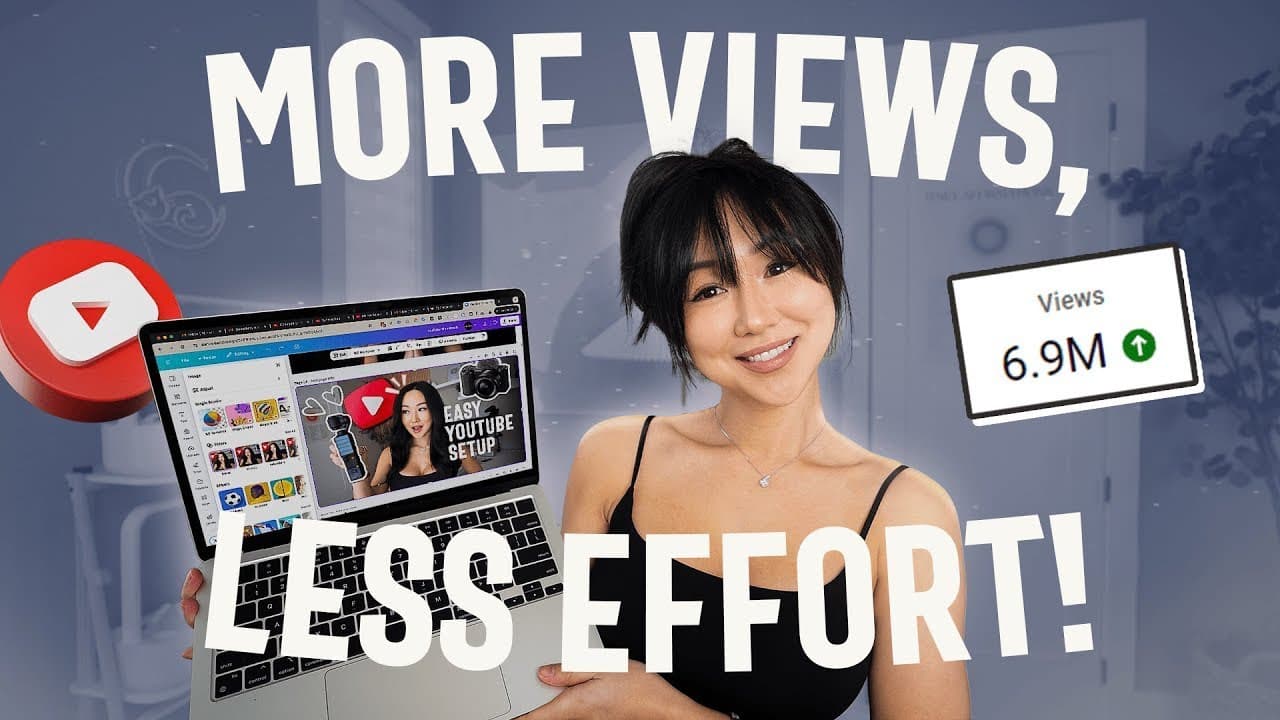
To create engaging YouTube thumbnails, use Canva to find inspiration, capture dynamic poses from your videos, and enhance visuals with tools like saturation adjustments and shadow effects. For those short on time, consider outsourcing thumbnail creation through platforms like Upwork for cost-effective and timely results. A strong thumbnail strategy can significantly improve your video's performance and audience engagement.
Transcript
your YouTube thumbnail can literally make or break your video's performance regardless if you've done it yourself or you Outsource it to someone else luckily for you I am someone who has done both and in this video I'm going to show you my personal process on how I make my thumbnails whether I am doing it myself or Outsourcing it to someone else no... Read More
Key Insights
- Thumbnails are crucial for video performance, whether designed personally or outsourced to a professional service.
- Inspiration for thumbnails can be gathered from YouTube analytics, homepage, and search pages, helping to identify what captures attention.
- Using video poses instead of photos can streamline the thumbnail creation process, making it faster and more efficient.
- Canva's tools like magic grab, saturation adjustments, and shadow features enhance thumbnail quality, making them more engaging.
- Text on thumbnails should be concise and intriguing, with tools like ChatGPT aiding in generating effective text options.
- Outsourcing thumbnails via Upwork can be cost-effective and time-saving, with prices as low as $15 per thumbnail.
- Testing thumbnail effectiveness using mockups and A/B testing can lead to better engagement and viewership.
- Investing in professional thumbnail design can significantly impact a channel's growth, especially when combined with effective strategies.
Install to Summarize YouTube Videos and Get Transcripts
Explore YouTube Video Summarizer or Get YouTube Transcript Extractor
Questions & Answers
Q: Why are thumbnails important for YouTube videos?
Thumbnails are crucial as they serve as the first impression of a video. A compelling thumbnail can significantly increase the chances of a video being clicked, thereby boosting viewership and engagement. A well-designed thumbnail can attract more viewers and potentially lead to higher monetization for the channel.
Q: How can one find inspiration for creating thumbnails?
Inspiration for thumbnails can be gathered by exploring YouTube's homepage, search pages related to the video topic, and the YouTube inspiration tab within analytics. Observing what types of thumbnails capture your attention can also provide valuable insights into effective design elements and strategies.
Q: What are some key features of Canva that aid in thumbnail creation?
Canva offers several features that enhance thumbnail creation, including the magic grab tool for background removal, saturation and brightness adjustments for color enhancement, and shadow features for adding depth. These tools help in creating visually appealing and professional-looking thumbnails that stand out.
Q: How can ChatGPT assist in creating thumbnails?
ChatGPT can be used to generate concise and intriguing text for thumbnails. By providing context about the video, ChatGPT can suggest effective text options that capture viewer interest. It can also offer prompts to refine the text further, ensuring it aligns with the video's theme and goal.
Q: What are the benefits of outsourcing thumbnail creation?
Outsourcing thumbnail creation can save time and ensure professional quality, especially for those lacking design skills. Platforms like Upwork offer affordable services with quick turnaround times. Outsourcing allows creators to focus on content while ensuring their thumbnails are engaging and effective.
Q: How can one test the effectiveness of a thumbnail?
Testing a thumbnail's effectiveness can be done by using mockups to compare it against other thumbnails on the channel. A/B testing, available for free in YouTube Studio or through tools like TubeBuddy, can provide data on which thumbnails perform better, helping refine strategies for higher engagement.
Q: What considerations should be made when choosing a freelancer for thumbnails?
When choosing a freelancer, consider their portfolio to ensure their style matches your aesthetic, check their ratings and reviews, and confirm their delivery times and revision policies. It's important to communicate your vision clearly to ensure the final product aligns with your expectations.
Q: Is investing in professional thumbnail design worth it?
Investing in professional thumbnail design can be highly beneficial, especially if it results in increased views and engagement. A good thumbnail can attract more viewers, ultimately leading to higher revenue. The cost of professional design is often outweighed by the potential growth and monetization benefits.
Summary & Key Takeaways
-
The video emphasizes the importance of thumbnails in determining a video's success, offering a step-by-step guide to creating them using Canva. It covers aspects like finding inspiration, capturing video poses, and using Canva tools to enhance visual appeal.
-
The tutorial also explores outsourcing options for thumbnail creation, recommending platforms like Upwork for affordable and efficient services. It stresses the importance of testing thumbnails to ensure they stand out and attract viewers.
-
Additionally, the video provides tips on using ChatGPT for generating engaging text and discusses the benefits of investing in professional design. It highlights that a good thumbnail strategy is key to growing a YouTube channel.
Read in Other Languages (beta)
Share This Summary 📚
Summarize YouTube Videos and Get Video Transcripts with 1-Click
Try YouTube Summary with ChatGPT & Claude or YouTube Transcript Generator
Explore More Summaries from Vanessa Lau 📚
Summarize YouTube Videos and Get Video Transcripts with 1-Click
Try YouTube Summary with ChatGPT & Claude or YouTube Transcript Generator