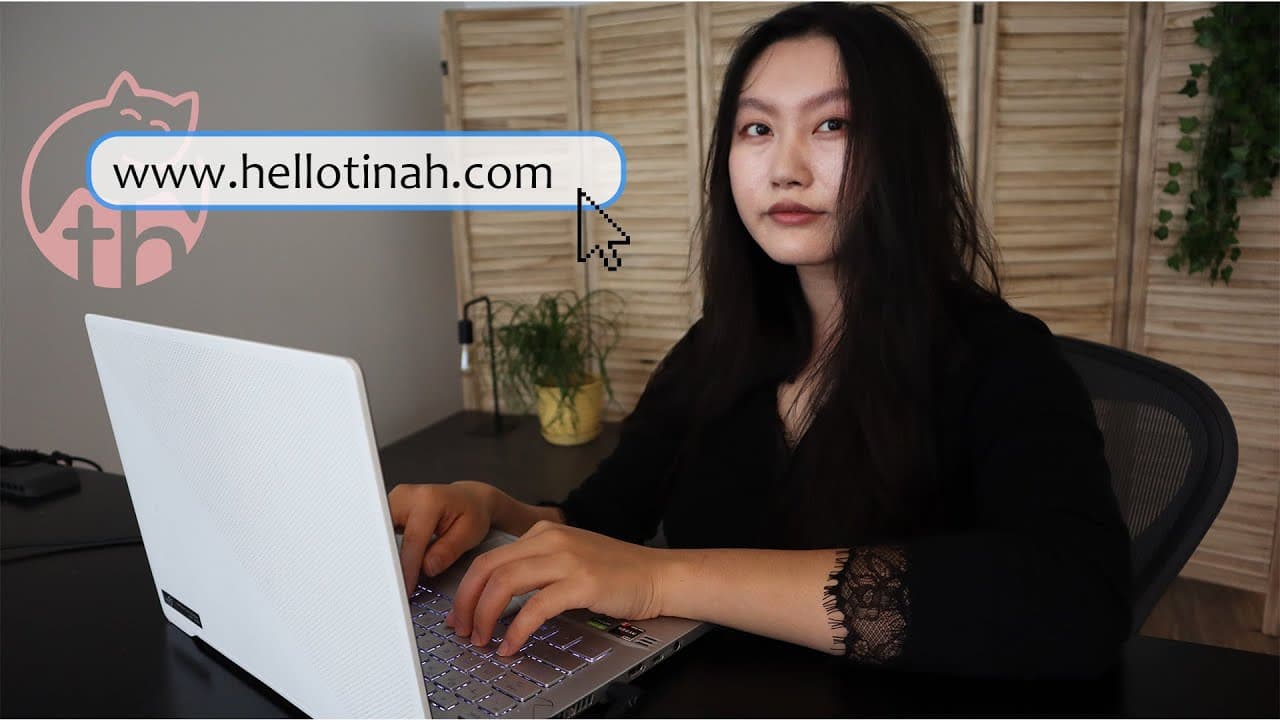
Watch me build my portfolio! | How to create a portfolio website
TL;DR
Learn to build a portfolio website using Wix in 40 minutes.
Transcript
hey friends how's it going so today's video is going to be a tutorial style video where i'll show you guys how i built my portfolio website if you haven't already do check out this video here on why portfolios are useful who benefits the most from having one and what to put in your portfolio website and how to structure it so if you're convinced th... Read More
Key Insights
- The video is a step-by-step guide on creating a portfolio website using Wix, highlighting its user-friendly drag-and-drop editor and customizable templates.
- Wix offers over 500 templates, including dozens specifically designed for portfolios, making it easier for users to create professional-looking websites.
- The video demonstrates the process of selecting a suitable template, customizing the landing page, and adding sections like resume, projects, YouTube videos, and courses.
- Tina emphasizes the importance of personalizing the website with relevant information and aesthetics that reflect one's professional identity.
- The tutorial showcases how to add and organize content such as resume details, project descriptions, and links to YouTube videos.
- Tina highlights the ease of use of Wix, completing her portfolio website in just 40 minutes, even without prior preparation.
- The video encourages viewers to create their own portfolio websites, noting that it's a continuous process of updates and customization.
- Tina acknowledges Wix as the video sponsor, providing viewers with a link to start building their own portfolio websites.
Install to Summarize YouTube Videos and Get Transcripts
Explore YouTube Video Summarizer or Get YouTube Transcript Extractor
Questions & Answers
Q: What is the main purpose of the video?
The main purpose of the video is to provide a tutorial on how to create a portfolio website using Wix. Tina guides viewers through the entire process, from selecting a template to customizing the website with personal information and various sections like resume, projects, and YouTube videos. The video aims to demonstrate the ease of using Wix's drag-and-drop editor and encourage viewers to build their own portfolio websites.
Q: How does Tina describe the process of building the website?
Tina describes the process of building the website as straightforward and efficient, thanks to Wix's user-friendly interface. She highlights the drag-and-drop editor and the availability of customizable templates, which allow users to quickly set up a professional-looking website. Tina completes her portfolio site in just 40 minutes, demonstrating how accessible and manageable the process is, even without prior preparation.
Q: What features of Wix does Tina highlight in the video?
Tina highlights several features of Wix in the video, including its drag-and-drop editor, which makes customization easy and intuitive. She also mentions the wide range of over 500 templates available, with dozens specifically designed for portfolios. These templates are highly customizable, allowing users to tailor their websites to reflect their personal and professional identities effectively.
Q: What sections does Tina include in her portfolio website?
In her portfolio website, Tina includes several key sections such as a landing page, resume, projects, YouTube videos, and courses. Each section is tailored to showcase her professional background, projects she has worked on, and content she has created. She emphasizes the importance of organizing and presenting information clearly to make the website both informative and visually appealing.
Q: Why does Tina recommend having a portfolio website?
Tina recommends having a portfolio website because it serves as a professional platform to showcase one's work, skills, and achievements. A well-structured portfolio website can enhance a person's online presence, making it easier for potential employers, clients, or collaborators to understand their capabilities and experience. It acts as a dynamic resume that can be continuously updated and customized.
Q: How does Tina personalize her portfolio website?
Tina personalizes her portfolio website by selecting a template that suits her aesthetic preferences and professional needs. She customizes the landing page with her name, professional title, and a photo. Tina also adds detailed sections for her resume, projects, and YouTube content, ensuring each part reflects her personal brand and professional identity. She focuses on maintaining a cohesive color scheme and layout throughout the site.
Q: What challenges does Tina face during the website creation process?
Tina does not face significant challenges during the website creation process, thanks to the user-friendly nature of Wix. She mentions her lack of expertise in color choices but resolves this by sticking to the template's default color scheme. The video showcases how easily she navigates through the platform, adding and organizing content without any major difficulties, highlighting the accessibility of Wix for users of all skill levels.
Q: What future plans does Tina have for her portfolio website?
Tina plans to continuously update and customize her portfolio website as time goes on. She views the current version as a starting point (v1) and intends to add more projects, update existing information, and further personalize the site to better reflect her evolving professional journey. This approach ensures that her portfolio remains relevant and accurately represents her skills and achievements.
Summary & Key Takeaways
-
In this tutorial video, Tina demonstrates how to create a portfolio website using Wix. She walks viewers through selecting a template, customizing the landing page, and adding sections for resumes, projects, and YouTube videos. The video emphasizes the ease of use and customization options available with Wix's drag-and-drop editor.
-
Tina explains the importance of having a portfolio website and how it can benefit professionals in showcasing their work. She highlights the variety of templates Wix offers, specifically designed for portfolios, and provides tips on personalizing the website to reflect one's professional identity.
-
The video concludes with Tina completing her portfolio website in 40 minutes, showcasing how quickly and efficiently a professional-looking website can be created with Wix. She encourages viewers to start their own projects and notes the ongoing process of updating and customizing the site.
Read in Other Languages (beta)
Share This Summary 📚
Summarize YouTube Videos and Get Video Transcripts with 1-Click
Try YouTube Summary with ChatGPT & Claude or YouTube Transcript Generator
Explore More Summaries from Tina Huang 📚





Summarize YouTube Videos and Get Video Transcripts with 1-Click
Try YouTube Summary with ChatGPT & Claude or YouTube Transcript Generator