This is the best library for building cli programs
TL;DR
Learn to build a CLI tool using OpenAI and Commander for SQLite database entries.
Transcript
I've been trying to learn more about openai and one of the things that I have been playing around with is building out a CLI tool to basically allow me to add entries to a sqlite database and also ask openai to look over those entries and kind of give me some analytics of like what has happened in the past whatever entries I've added right so you c... Read More
Key Insights
- 👻 Combining OpenAI with a CLI tool allows for advanced analytics and insights, making it a powerful resource for personal data management.
- 😑 The Commander library facilitates command creation by integrating pre-built features that manage command-line arguments and options efficiently.
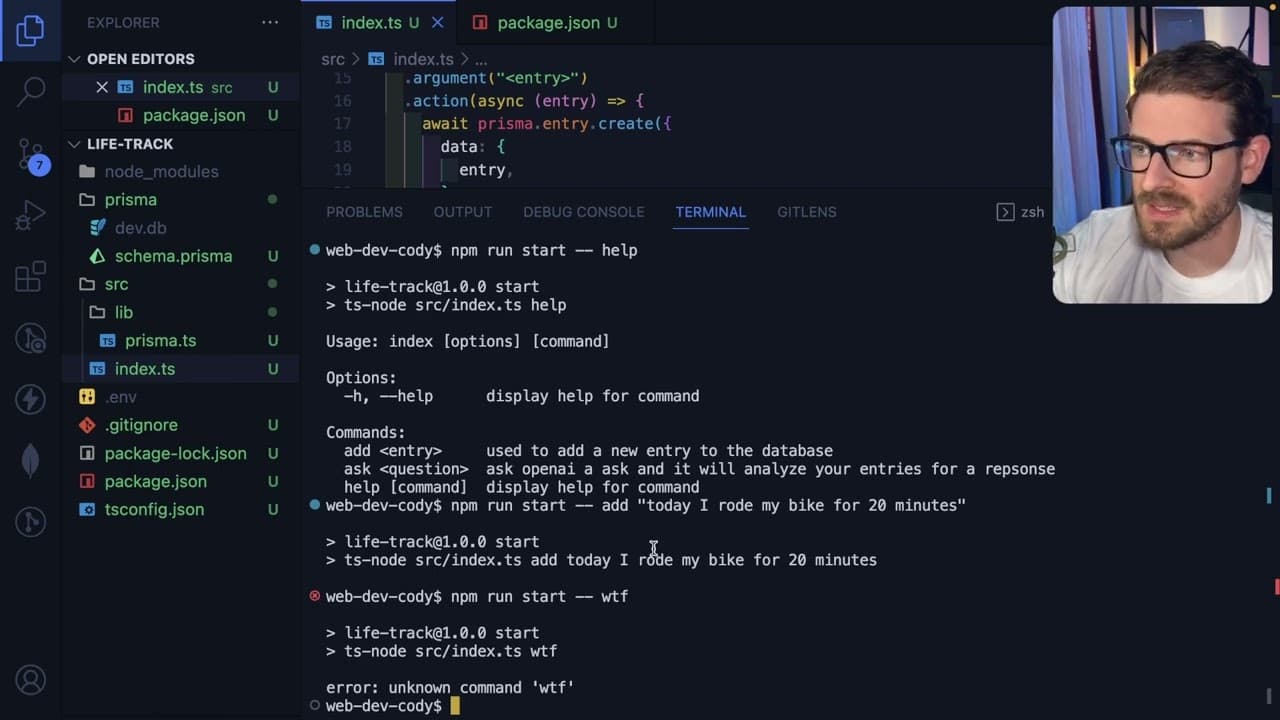
- 👤 Implementing help features for each command enhances usability, enabling users to understand how to interact with the CLI tool without external documentation.
- 👤 Utilizing predefined options in commands can streamline user input, making commands more flexible and adaptable to different use cases.
- 👤 The library's capacity to recognize and handle unknown commands prevents users from becoming frustrated, promoting a smoother interaction with the tool.
- 🫥 Developing with Commander is particularly beneficial for beginners, as it abstracts many complexities involved in command-line parsing and error management.
- 👤 The integration of community tools such as Discord for developer queries fosters collaboration and support among users, enhancing the overall learning experience.
Install to Summarize YouTube Videos and Get Transcripts
Explore YouTube Video Summarizer or Get YouTube Transcript Extractor
Questions & Answers
Q: What is the purpose of the CLI tool discussed in the content?
The CLI tool is designed to add and analyze entries in a SQLite database using OpenAI's capabilities. This tool can serve multiple purposes, such as acting as a diary, workout tracker, or personal journal, offering insights based on past entries, making it a valuable resource for personal tracking and reflection.
Q: How does the Commander library simplify CLI tool development?
Commander streamlines the development process by providing built-in functionality for command and option definitions. Developers can easily set up commands, retrieve user input, and implement help interfaces without writing extensive logic for common tasks, significantly reducing the amount of boilerplate code needed.
Q: Can you explain how to set up a command using Commander?
To set up a command in Commander, you first import the program from the commander package. You then define commands using the 'command' method, specifying descriptions, required arguments, and callback functions for processing user inputs. This approach allows developers to create intuitive commands for their applications effortlessly.
Q: What are some benefits of using error handling in CLI tools?
Incorporating error handling enhances user experience by providing clear feedback on incorrect commands or inputs. It prevents confusion by informing users of mistakes, allowing them to correct inputs easily. This built-in validation improves the overall robustness of the CLI tool and helps maintain a polished user interface.
Summary & Key Takeaways
-
This content details the creation of a Command Line Interface (CLI) tool that integrates OpenAI with a SQLite database, allowing users to log entries and receive analytics.
-
It introduces the Commander library for Node.js, which simplifies the process of setting up commands and options in the CLI, enhancing user experience without extensive coding.
-
The video provides practical examples of how to implement commands for adding entries and retrieving analytics from the database, illustrating the library’s built-in features for error handling and command help.
Read in Other Languages (beta)
Share This Summary 📚
Summarize YouTube Videos and Get Video Transcripts with 1-Click
Try YouTube Summary with ChatGPT & Claude or YouTube Transcript Generator
Explore More Summaries from Web Dev Cody 📚





Summarize YouTube Videos and Get Video Transcripts with 1-Click
Try YouTube Summary with ChatGPT & Claude or YouTube Transcript Generator