Coding Challenge #157: Zoom Annotations with Machine Learning + p5.js
TL;DR
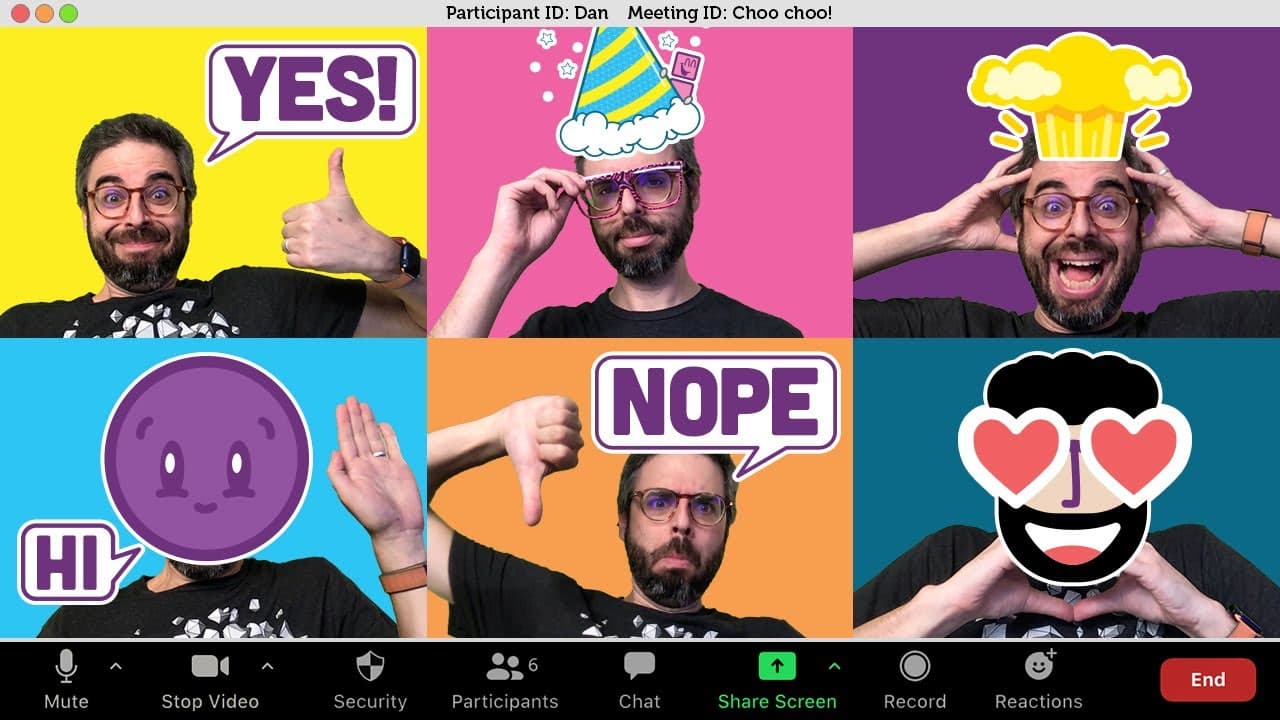
Learn how to create your own overlays for Zoom video calls using p5.js and Teachable Machine to recognize hand gestures and display comic book style messages.
Transcript
Hello, everyone, and welcome to a Coding Challenge. The first one since March of 2020, and what I am going to attempt to do today is make my own version of this project. This is not my idea. This came across my Twitter desk the other day from Cameron Hunter, who created a video lens that uses hand gestures to show comic book style messages instead ... Read More
Key Insights
- 🤙 The author demonstrates the steps to create overlays for Zoom video calls using p5.js, Teachable Machine, and OBS.
- 🤟 The process involves training a machine learning model to recognize gestures and display comic book style messages based on those gestures.
- 🤟 Customization is needed for each user, as the model relies on specific appearance and gestures.
- 🥰 The author encourages users to explore creative ideas beyond just displaying images, such as generative art or augmenting poses with visual effects.
Install to Summarize YouTube Videos and Get Transcripts
Explore YouTube Video Summarizer or Get YouTube Transcript Extractor
Questions & Answers
Q: What tools and technologies are used to create the overlays for Zoom video calls?
The author uses p5.js, ml5.js, Teachable Machine, and Open Broadcast Studio (OBS) to create the overlays. p5.js is used to connect to the camera and display the video feed, ml5.js is used to communicate with the Teachable Machine model, and OBS is used to capture and manipulate the video input.
Q: Can the author's code be reused to create overlays without writing any additional code?
Yes, the author provides their code as an example that can be reused. However, each person will need to train their own Teachable Machine model to recognize their specific gestures.
Q: What is the purpose of using Open Broadcast Studio (OBS) in this project?
OBS is used to capture the video feed from the web browser and replace the default video input during Zoom meetings. It allows for the overlays and gestures to be displayed in real-time.
Q: Are there any limitations to the author's approach?
The author emphasizes that their approach is based on image classification, not gesture recognition. The model they train only works for their specific gestures and appearance, so customization is necessary for each user.
Summary & Key Takeaways
-
The content explains the process of creating overlays for Zoom calls that display comic book style messages based on hand gestures.
-
The author uses p5.js to connect to the camera and display the video feed, and Teachable Machine to train a machine learning model to recognize gestures.
-
The overlays are achieved using Open Broadcast Studio (OBS) and the OBS virtual camera, which replaces the video input during Zoom meetings.
Read in Other Languages (beta)
Share This Summary 📚
Summarize YouTube Videos and Get Video Transcripts with 1-Click
Try YouTube Summary with ChatGPT & Claude or YouTube Transcript Generator
Explore More Summaries from The Coding Train 📚






Summarize YouTube Videos and Get Video Transcripts with 1-Click
Try YouTube Summary with ChatGPT & Claude or YouTube Transcript Generator