Adding Side Navigation to a Rect / Next.js Application | DevTubers Part 3
TL;DR
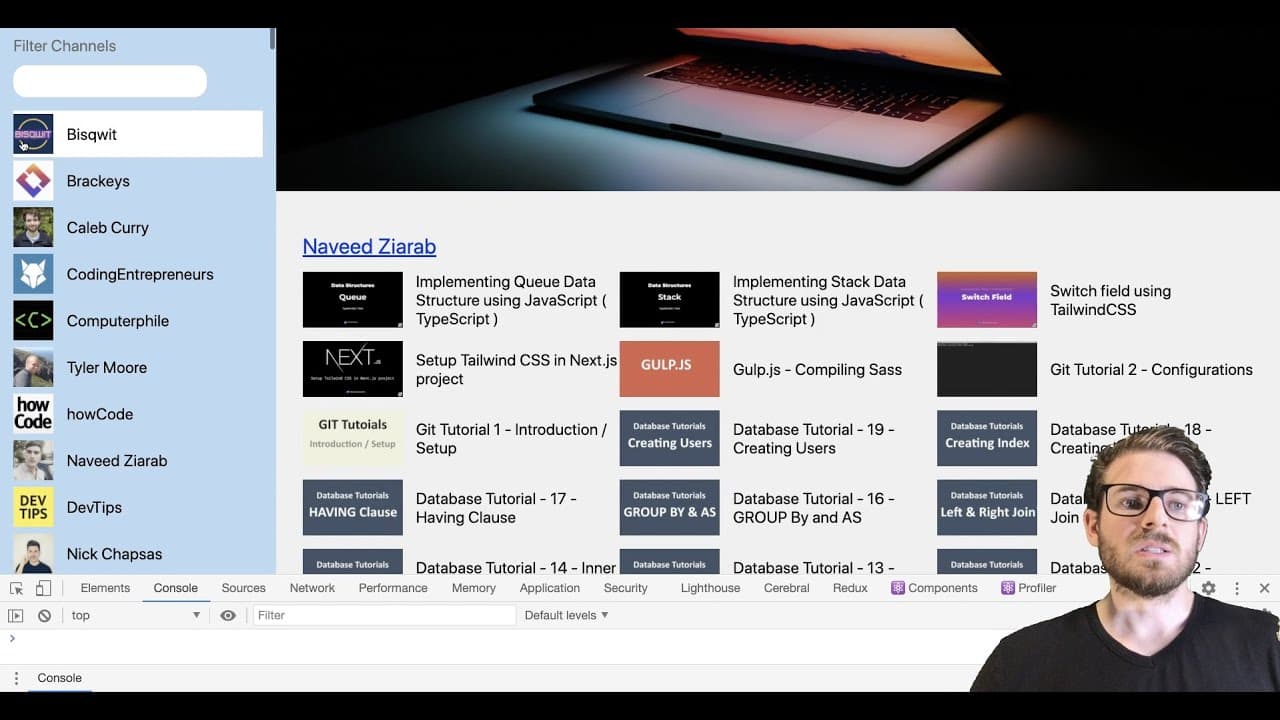
The video demonstrates creating a channel filter for a developer-focused application using Next.js and React.
Transcript
how's it going everyone hope you guys are having a great day welcome back to the web dev junkie video so in this video i'm going to add on to the existing application that we are working on called dev tubers where you can basically quickly search through all the different developer related youtube channels and see what videos they've published rece... Read More
Key Insights
- 👻 React’s useState hook is essential for managing dynamic state in components, allowing for real-time updates based on user interactions.
- 👨🔬 Implementing search functionality can considerably enhance user experience, making applications feel more interactive and responsive.
- 🎮 Styling with tools like flexbox and CSS grids simplifies layout management, enabling better control of how components are displayed relative to one another.
- 🏛️ Next.js facilitates easy routing between pages, making it a powerful choice for building applications that require quick navigation without reloading.
- 👨💻 Thoroughly refactoring code after initial development ensures better performance and maintainability, crucial for long-term project success.
- 🎮 Continuous testing, including inspecting elements and console logging, helps identify issues promptly during development.
- 💬 The video highlights the importance of community feedback and engagement, encouraging viewers to comment and suggest improvements.
Install to Summarize YouTube Videos and Get Transcripts
Explore YouTube Video Summarizer or Get YouTube Transcript Extractor
Questions & Answers
Q: What is the primary focus of the video?
The main focus of the video is to demonstrate how to build a channel filter panel for the "Dev Tubers" application. This panel facilitates searching and filtering through various developer-related YouTube channels, allowing users to easily discover new content and connect with channels of interest.
Q: How is the search functionality implemented in the channel filter?
The search functionality is implemented using React's useState hook, which stores the search input as a state variable. An input change event updates this state, allowing the component to filter the displayed channels dynamically based on the user’s input. The filtering logic matches the author's name against the search query to display relevant channels.
Q: What styling methods are utilized to create the channel filter panel?
The channel filter panel is styled using CSS properties such as flexbox for layout, overflow for scroll behavior, and specific widths and heights for components. The video emphasizes matching the design to a provided mockup while ensuring the layout remains responsive and functional across different screen sizes.
Q: Can you explain the routing logic for navigating to individual channels?
The routing logic is managed using Next.js's Link component. When a user clicks on a channel, the corresponding channel ID is used to navigate them to a new page dedicated to that channel. This enhances user experience by allowing seamless transitions between different channel views without full page reloads.
Summary & Key Takeaways
-
The video introduces viewers to a project called "Dev Tubers," aimed at allowing users to search for developer channels and view their latest videos efficiently.
-
It focuses on developing a channel filter panel that enables users to filter channels by name, enhancing the user interface with functional search capabilities.
-
Throughout the process, best practices in styling with CSS, managing state in React, and using Next.js functionalities are discussed, providing valuable insights for beginners.
Read in Other Languages (beta)
Share This Summary 📚
Summarize YouTube Videos and Get Video Transcripts with 1-Click
Try YouTube Summary with ChatGPT & Claude or YouTube Transcript Generator
Explore More Summaries from Web Dev Cody 📚





Summarize YouTube Videos and Get Video Transcripts with 1-Click
Try YouTube Summary with ChatGPT & Claude or YouTube Transcript Generator