The take home assignment that got me hired 8 years ago - beginner react practice problem
TL;DR
A beginner-friendly guide to creating a quiz application using React.
Transcript
all right so I have another beginner react practice problem you can kind of do um and I will say this is something I was actually given for a take-home interview I had to code this up myself with angular and then submit it to my um current company and they had to review it we got into an interview together we kind of talked about the code I wrote s... Read More
Key Insights
- 🏛️ Proper data modeling is crucial for building interactive applications; defining the structure of questions and answers upfront benefits development.
- 👤 Utilizing React's state effectively allows for seamless user interactions by dynamically updating the interface based on user selections.
- 👨💻 Adhering to best coding practices, such as ensuring unique keys for lists and separating concerns through componentization, can lead to cleaner and more maintainable code.
- 🆘 Debugging is an essential skill, and understanding error messages helps developers resolve issues efficiently, such as out-of-bounds errors in array indexing.
- 👻 Prioritizing logic and functionality over styling can streamline the development process, allowing developers to focus on core features before aesthetics.
- 👤 User experience can be enhanced by adding clear navigation controls and feedback mechanisms within the application.
- 👻 Refactoring allows for the separation of presentation and logic components, promoting reusable code and better structure in larger applications.
Install to Summarize YouTube Videos and Get Transcripts
Explore YouTube Video Summarizer or Get YouTube Transcript Extractor
Questions & Answers
Q: What are the key components required to build a quiz app in React?
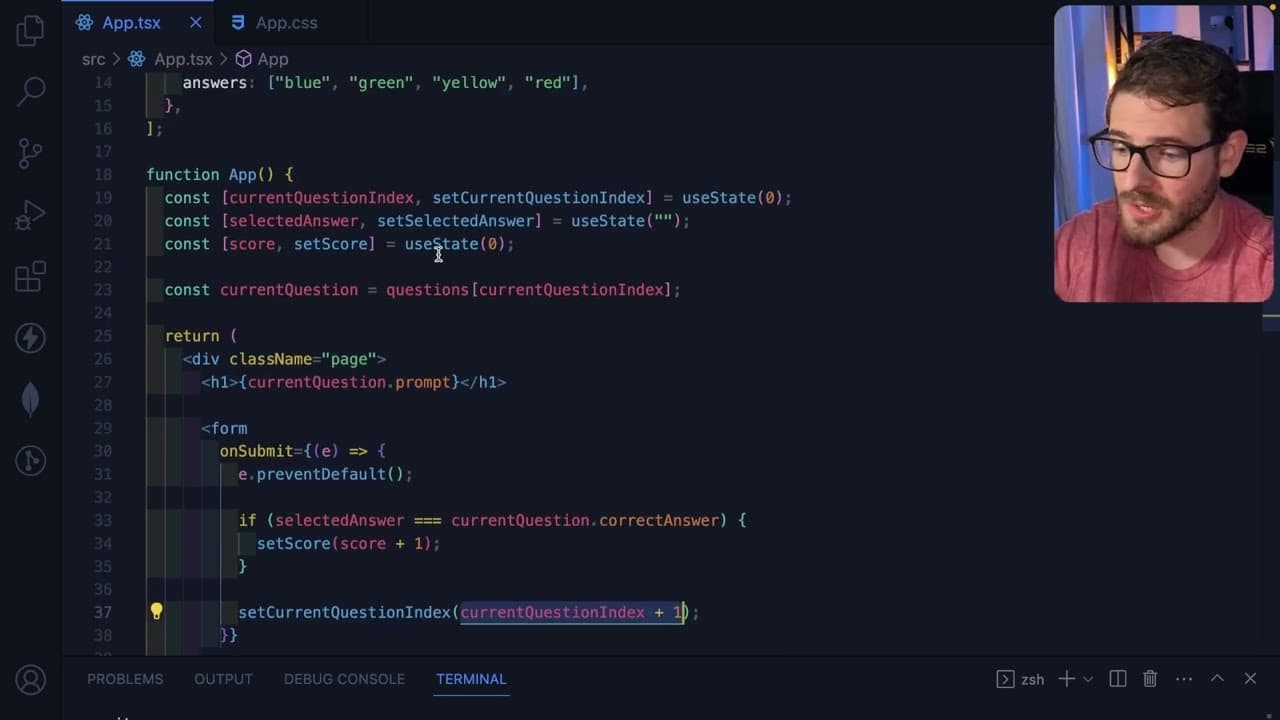
To build a quiz app in React, a few essential components are required: an array of questions with prompts and answers, state management for tracking the current question, user selections, and their scores, and display elements for both the quiz and results. Additionally, form handling for user input and interactions is crucial.
Q: How does the state management work in the quiz app?
State management in the quiz app involves using React's useState hook to keep track of the current question index, the selected answer, and the score. Each time an answer is submitted, the state is updated based on the user's input, allowing for dynamic rendering of questions and results throughout the quiz lifecycle.
Q: Why is it important to handle form submissions properly?
Handling form submissions correctly is vital as it prevents default behaviors that can disrupt the application flow, such as page refreshes that might cause loss of state. Using methods like preventDefault() ensures the app maintains its current state while processing the user's selections seamlessly.
Q: What are some additional features that could enhance the quiz app?
Additional features could include a restart button on the results screen to reset the quiz, randomizing answer order to vary each quiz session, and implementing a timer for added challenge. Also, refining the UI to improve aesthetics would enhance user experience significantly.
Summary & Key Takeaways
-
The content demonstrates how to build a simple quiz app in React, focusing on creating a data model that holds questions and answers.
-
It walks through implementing user interactions, where users select answers and submit them to navigate through the quiz dynamically.
-
The guide emphasizes maintaining clean logic and functionality, with optional suggestions for improving visual styling and code structuring.
Read in Other Languages (beta)
Share This Summary 📚
Summarize YouTube Videos and Get Video Transcripts with 1-Click
Try YouTube Summary with ChatGPT & Claude or YouTube Transcript Generator
Explore More Summaries from Web Dev Cody 📚





Summarize YouTube Videos and Get Video Transcripts with 1-Click
Try YouTube Summary with ChatGPT & Claude or YouTube Transcript Generator