Create an R Shiny App in minutes with ChatGPT
TL;DR
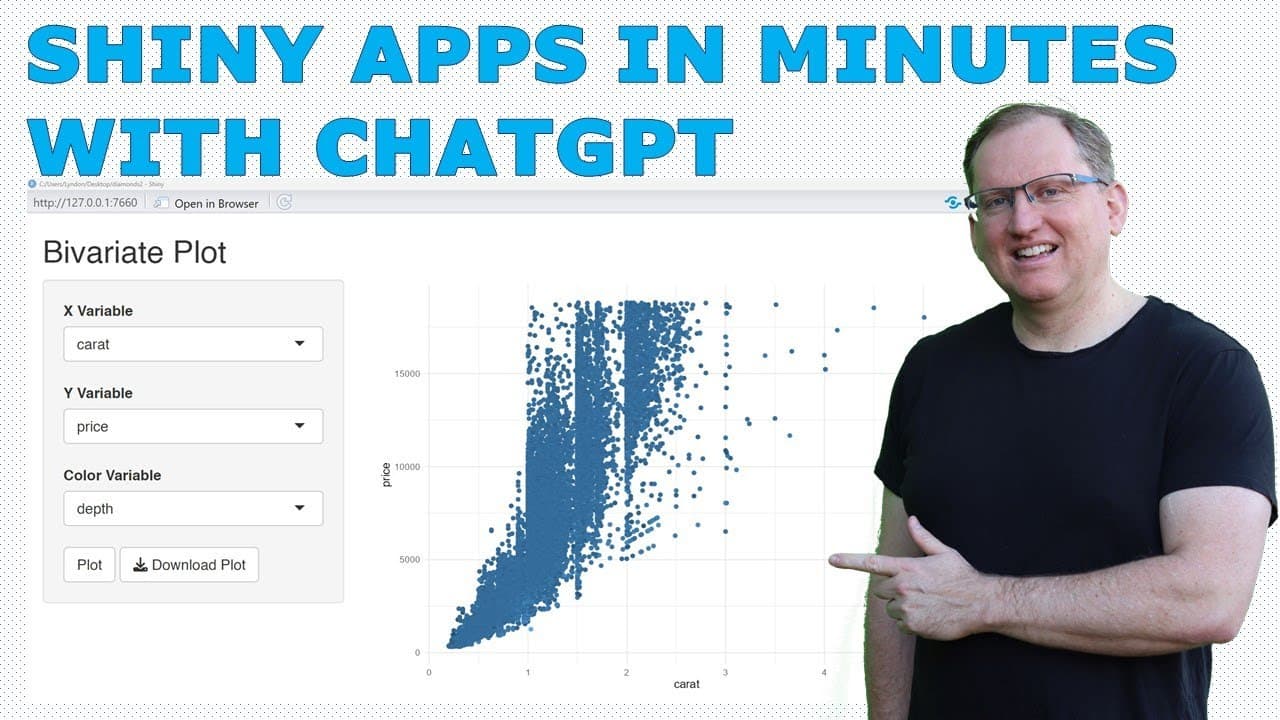
Learn to easily create an R Shiny app using Chat GPT to visualize diamond dataset variables.
Transcript
hi friends welcome back to the channel today I wanted to show you how quick and easy it is to make a shiny app for R using chat GPT so here we are in chat GPT and I've started with this instruction here so create an R shiny app to graph bivaric combinations of numeric variables from the diamonds data set so that has quite a lot of information there... Read More
Key Insights
- 😀 Chat GPT can effectively generate functional R Shiny app code, streamlining the development process for users.
- 🥺 Properly specifying instructions is crucial when using AI tools, as miscommunication can lead to unintended results in generated code.
- 👨💻 The integration of filtering mechanisms in the final code exemplifies how Chat GPT can adapt to user feedback for improved outputs.
- 🪜 Including visual enhancements, like color scaling, in data visualizations adds depth and usability to the resulting plots.
- 👨💻 The experience highlights the benefits of using AI to automate mundane coding tasks, which can significantly increase productivity.
- 👨💻 Users are encouraged to leverage AI tools not just for coding, but also for learning and improving their programming skills.
- 😀 The final app maintained essential functionality while adapting to user specifications, underscoring the flexibility of AI assistance.
Install to Summarize YouTube Videos and Get Transcripts
Explore YouTube Video Summarizer or Get YouTube Transcript Extractor
Questions & Answers
Q: What is the primary purpose of using Chat GPT in this context?
The primary purpose of using Chat GPT is to automate the process of generating R Shiny app code for visualizing data, ultimately making it faster and easier for users to create functional applications without extensive programming knowledge.
Q: What initial issue did the creator encounter with the generated Shiny app code?
The initial issue with the generated Shiny app code was that it included non-numeric variables, such as 'color', in the dropdown menu for variable selection. This limited the app’s utility, as it lacked proper filtering for numeric data only.
Q: How did the creator refine the app after realizing the initial issue?
After identifying the issue with non-numeric variables, the creator returned to Chat GPT to refine the code and added specific instructions to filter for only numeric variables while also including the 'color' feature for visualization, resulting in a more tailored output.
Q: In what ways did the final app improve upon the initial version?
The final version of the app improved by successfully filtering the dropdown to show only numeric variables and incorporating the 'color' variable to enhance visual representation. This added a third dimension to the scatter plots, allowing users to visualize data more effectively.
Q: What insights did the creator gain from the use of Chat GPT in coding?
The creator learned that clear instruction is paramount when using AI tools like Chat GPT, as different interpretations of terms can lead to unexpected outcomes. Moreover, iterative refinements based on AI suggestions can yield improvements that exceed initial expectations.
Q: Why does the creator encourage R users to experiment with Chat GPT?
The creator encourages R users to experiment with Chat GPT because it simplifies many coding tasks by quickly generating code snippets, thereby reducing the time spent on routine programming and allowing users to focus on analysis and visualization.
Summary & Key Takeaways
-
The content demonstrates how to use Chat GPT to quickly generate code for creating a Shiny app in R, using the diamonds dataset as an example.
-
The initial code generated had some issues, such as including non-numeric variables, but subsequent prompts allowed for refinements and improved functionality.
-
The end result showcased how Chat GPT not only streamlined the coding process but also enhanced the output by integrating features like color scaling in plots.
Read in Other Languages (beta)
Share This Summary 📚
Summarize YouTube Videos and Get Video Transcripts with 1-Click
Try YouTube Summary with ChatGPT & Claude or YouTube Transcript Generator
Explore More Summaries from Dr Lyndon Walker 📚






Summarize YouTube Videos and Get Video Transcripts with 1-Click
Try YouTube Summary with ChatGPT & Claude or YouTube Transcript Generator