How to Effectively Take Notes in Obsidian
TL;DR
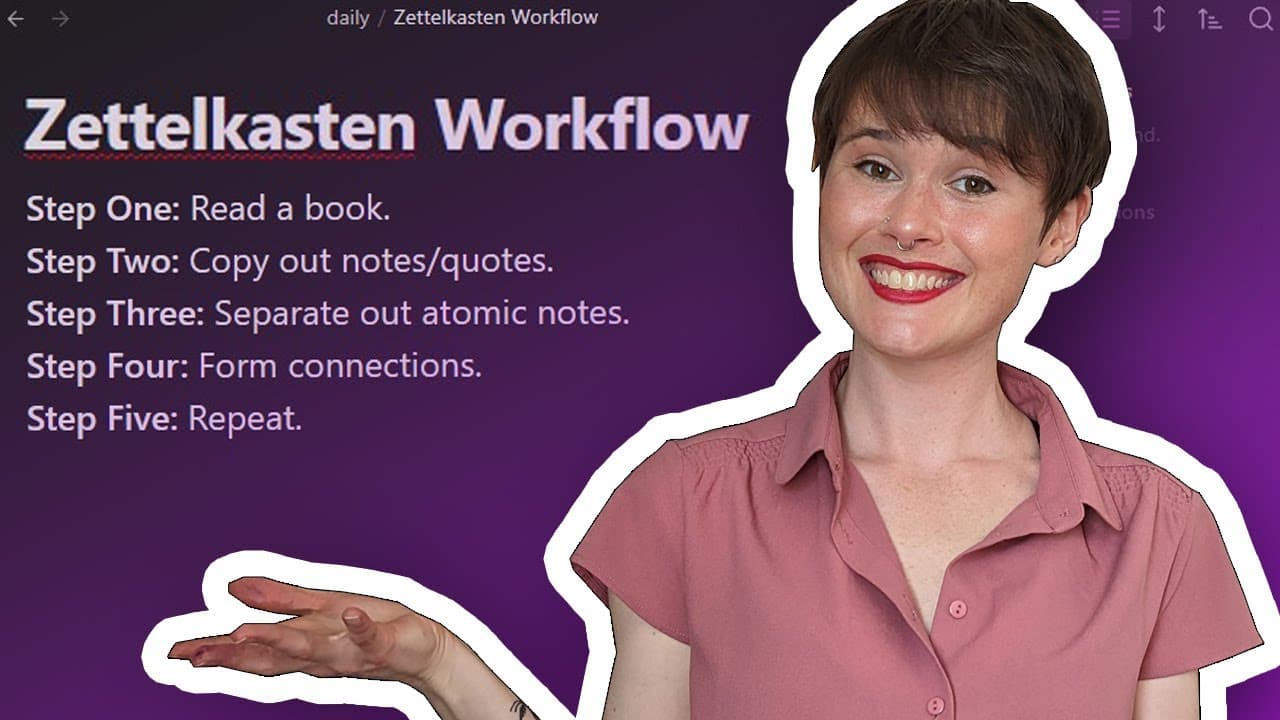
Maximise your note-taking efficiency in Obsidian by using the Tuttlecast technique to build connections between ideas and sources. This session highlights a real-life example of note-taking for PhD research, showcasing the process of creating and linking notes to develop a comprehensive knowledge management system.
Transcript
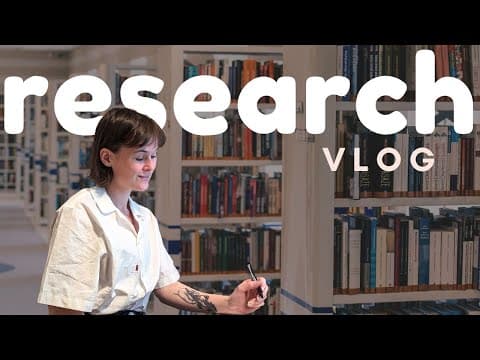
welcome back to my channel my name is Morgan and on this channel I talk about Reading Writing Knowledge Management and productivity more generally I've told you a bit about my philosophy of note-taking and Knowledge Management I've shown you how to use the tools that I use in Knowledge Management I've even ruminated on the joy of the note-taking pr... Read More
Key Insights
- 🧠 Note-taking techniques: The content provides insight into the speaker's philosophy, tools, and joy of note-taking, emphasizing the importance of a personalized approach and the use of the "tuttlecast" technique.
- 📚 Knowledge Management: The speaker highlights the broad application of the "tuttlecast" methodology, noting that it can be used in various fields and disciplines, such as biology, fiction writing, or theater and performance studies.
- 💡 PhD research: The speaker shares her experience as a PhD candidate in theater and performance studies and how her note-taking process supports her research on the relationships between humans and non-humans in the act of juggling.
- 🔗 Building connections: The speaker discusses the process of building connections and forming ideas within her knowledge management system, which involves linking different ideas, notes, and sources to create a comprehensive network.
- 🕐 Time optimization: The speaker acknowledges that note-taking sessions can involve periods of staring at the screen or the text, and thus speeds up the recording to make the video more engaging and time-efficient for viewers.
- 💭 Idea exploration: The speaker demonstrates how she starts by copying and pasting relevant quotes and notes from sources into a main source note, before delving into specific ideas and creating new notes that expand on those ideas.
- 🌐 Interdisciplinary connections: The content showcases the speaker's ability to connect and contribute to multiple fields of knowledge, such as new materialism, performativity, and anthropology, through her note-taking process and cross-referencing of sources.
- 📝 Workflow optimization: The speaker outlines her workflow for note-taking, which involves creating source notes, linking related ideas, fleshing out quotes with her own words, and constantly revisiting and connecting different notes within her knowledge management system.
Install to Summarize YouTube Videos and Get Transcripts
Explore YouTube Video Summarizer or Get YouTube Transcript Extractor
Questions & Answers
Q: How does the presenter use the Tuttlecast technique in their note-taking session?
In the note-taking session, the presenter starts by creating a source note for a specific text, then copies and pastes relevant quotes and notes. They then create new notes for ideas and concepts, link them to existing notes, and connect ideas within the note-taking system.
Q: What is the purpose of creating aliases for existing notes?
The presenter creates aliases for existing notes to use specific phrasing that matches their thoughts or the sentence they are writing. This allows for better linkages between ideas and improves the organization of the note-taking system.
Q: How does the presenter link different ideas within their note-taking system?
The presenter links different ideas by using backlinks within the notes. They ensure that ideas are heavily interconnected by linking relevant notes to each other, creating a network of connections and facilitating future exploration and understanding of the concepts.
Q: How does the presenter navigate between different book sources in their note-taking session?
The presenter navigates between different book sources by using the source note for each book as a starting point. They look at the backlinks to find the relevant note they need and make links to connect ideas from different sources within their note-taking system.
Q: What is the purpose of the presenter linking to the field of new materialism in their notes?
The presenter links to the field of new materialism to ensure that all the ideas and concepts they are working with are connected to the relevant field. This helps in organizing the notes and understanding the context of the research they are conducting for their PhD in theater and performance studies.
Q: How does the presenter synthesize ideas and create new notes during the note-taking session?
During the note-taking session, the presenter synthesizes ideas by creating new notes for specific concepts or ideas that emerge while reading a text. They copy relevant quotes, add their own notes, link to existing ideas, and ensure that the new notes are connected within the note-taking system.
Q: What is the ultimate goal of the presenter's note-taking process?
The ultimate goal of the presenter's note-taking process is to have a well-organized note-taking system where each idea has its own note, interconnected with other relevant ideas. This allows for easy retrieval and exploration of knowledge within the note-taking system.
Summary & Key Takeaways
-
The video demonstrates a real-life note-taking session using the Tuttlecast technique.
-
The note-taking session focuses on research for a PhD in theater and performance studies.
-
The presenter shows how to create new notes, link them to existing ones, and connect ideas within the note-taking system.
Read in Other Languages (beta)
Share This Summary 📚
Summarize YouTube Videos and Get Video Transcripts with 1-Click
Try YouTube Summary with ChatGPT & Claude or YouTube Transcript Generator
Explore More Summaries from morganeua 📚


Summarize YouTube Videos and Get Video Transcripts with 1-Click
Try YouTube Summary with ChatGPT & Claude or YouTube Transcript Generator