eCommerce Budgeting | Free Template
TL;DR
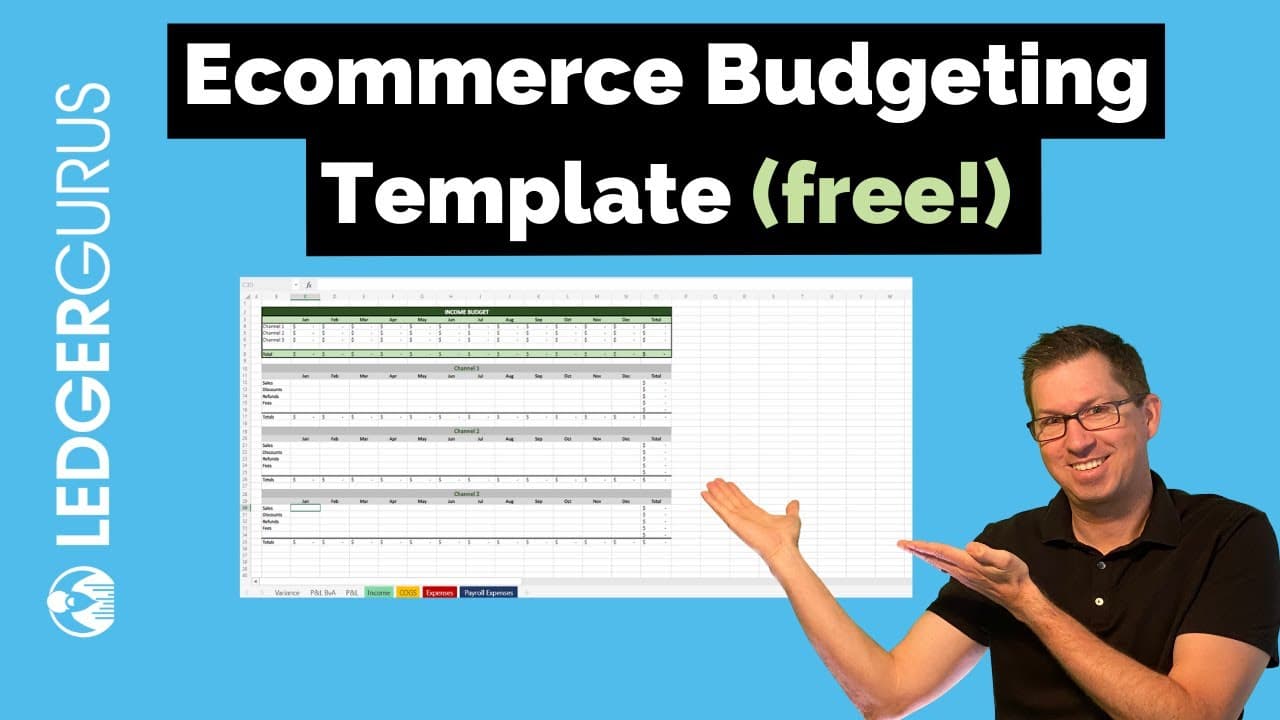
Learn how to create an effective e-commerce budget using a simple budget template that covers income, cost of goods sold, expenses, and more.
Transcript
i'm stephen brown with ledger goose we are the accounting department for your business empowering you to build with better numbers and in this video i'm going to take you through an e-commerce budget template that we've created and show you the different sections and how you could use it to get started to create a budget for your business if you wo... Read More
Key Insights
- 👋 The e-commerce budget template covers various aspects, including income, cost of goods sold, expenses, and more.
- ⚾ Revenue forecasting can be simplified by using a wholesale uplift based on previous year's numbers, but more granular projections are possible.
- 🇨🇷 Carefully considering cost of goods sold, including product costs, fulfillment costs, and merchant fees, is crucial for budget accuracy.
- 🧑🏭 Payroll expenses and advertising costs are significant factors to consider in an e-commerce budget and may require separate worksheets for accuracy.
- 👻 Tracking variances between budgeted and actual income and expenses allows for adjustments and optimization of profitability.
- 🪐 Gross margin percentage and net profit margin are essential metrics to monitor and adjust the budget accordingly.
- 👨💼 The e-commerce budget template serves as a valuable tool for achieving profitability and success in your business.
Install to Summarize YouTube Videos and Get Transcripts
Explore YouTube Video Summarizer or Get YouTube Transcript Extractor
Questions & Answers
Q: How can I use the e-commerce budget template to create a budget for my business?
Start by inputting your income from various selling channels and projecting revenue growth. Then, break down your cost of goods sold and calculate expenses based on past trends and future plans. Finally, track actual income and expenses using the template and make adjustments as needed.
Q: Why is it essential to break down cost of goods sold into different categories?
Breaking down cost of goods sold helps you analyze expenses more accurately. By considering product costs, fulfillment costs, and merchant fees separately, you can make informed decisions, optimize profitability, and identify areas for improvement.
Q: How can I handle payroll expenses in the budget template?
The template provides a separate worksheet for payroll expenses, allowing you to model salaries, benefits, and taxes accurately. You can also consider factors like employee hours and seasonality to create a more detailed payroll budget.
Q: How can the e-commerce budget template help me track actual income and expenses?
The template includes sections to input your actual income and expenses, which helps you compare them against your budgeted figures. You can then view variances and make necessary adjustments to ensure profitability.
Summary & Key Takeaways
-
The e-commerce budget template consists of seven default worksheets, including income, cost of goods sold, expenses, and more.
-
Start by building the income worksheet, considering multiple selling channels and projecting revenue growth based on previous year's numbers.
-
Break down cost of goods sold into product costs, fulfillment costs, and merchant fees, considering consistency and granularity.
-
Handle expenses by analyzing past expenditures and adjusting them accordingly, focusing on payroll and advertising costs.
-
Use the template to track actual income and expenses, identify variances, and make necessary adjustments to stay profitable.
Read in Other Languages (beta)
Share This Summary 📚
Summarize YouTube Videos and Get Video Transcripts with 1-Click
Try YouTube Summary with ChatGPT & Claude or YouTube Transcript Generator
Explore More Summaries from LedgerGurus 📚




Summarize YouTube Videos and Get Video Transcripts with 1-Click
Try YouTube Summary with ChatGPT & Claude or YouTube Transcript Generator