Yes, I’m probably wasting my time even building this api framework, but now I can deploy it 😂
TL;DR
A new update allows seamless deployment of APIs to AWS using a single command.
Transcript
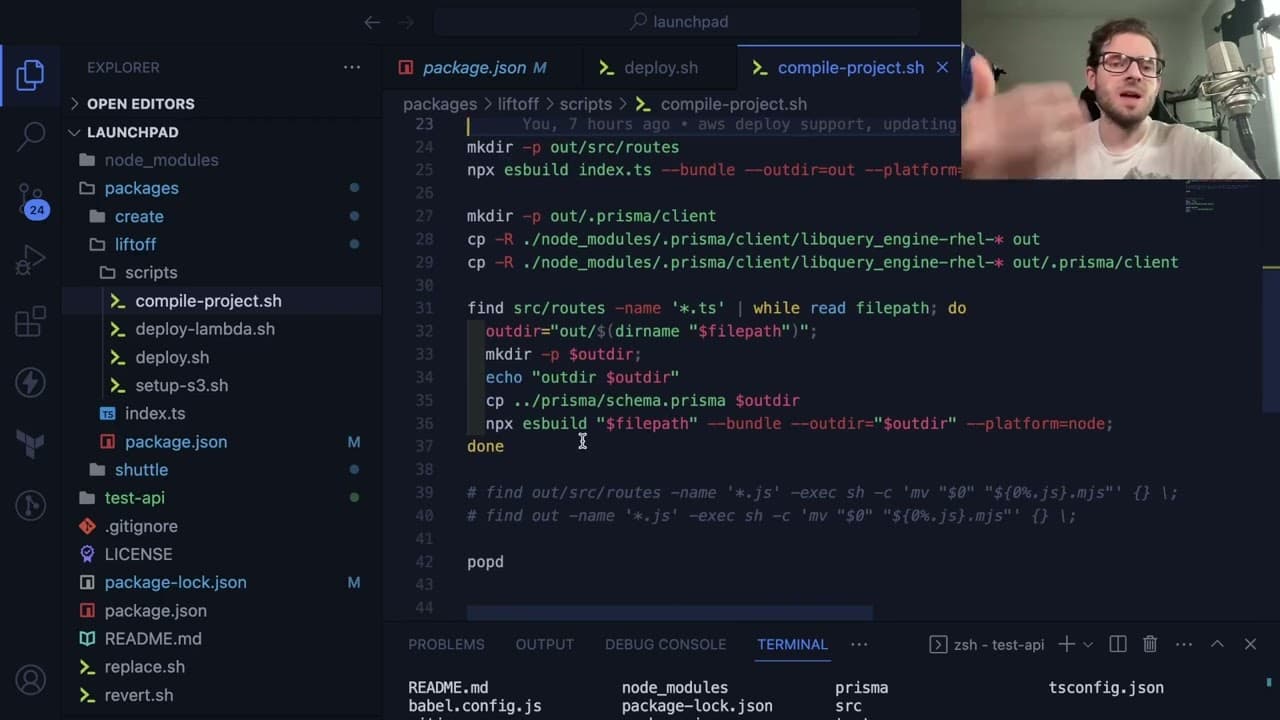
so this is going to be a short video I want to give a little update on the things I have changed on this launch pad API framework I'm kind of playing around with so one of the biggest changes is I added another project in this mono repo called liftoff and the point of this is basically you can run your liftoff command and have it automatically depl... Read More
Key Insights
- 👻 The new "Liftoff" feature dramatically simplifies AWS API deployments by allowing developers to launch their applications with a single command.
- 💦 Initial project setup includes comprehensive configurations, which include necessary scripts to manage dependencies and instantiate a working environment.
- 👨💻 Dynamic module imports pose challenges in maintaining context for Prisma, necessitating specific organizational structuring of the code.
- 🫠 Automation opportunities exist, such as reading environment variables from a file and pushing them to AWS Lambda automatically, increasing efficiency.
- 👻 Testing API requests through local servers and AWS functions allows developers to validate deployments before finalizing their projects.
- 👤 Continuous updates and user feedback on this framework are essential for enhancing usability across different operating systems, particularly tackling issues related to bash script compatibility.
- 💳 Utilizing AI tools like ChatGPT for writing bash scripts streamlines development processes, demonstrating the effectiveness of leveraging modern technologies.
Install to Summarize YouTube Videos and Get Transcripts
Explore YouTube Video Summarizer or Get YouTube Transcript Extractor
Questions & Answers
Q: What is the "Liftoff" project introduced in the video?
The "Liftoff" project is a new component added to the Launchpad API framework, designed to streamline the deployment process of APIs to Amazon Web Services (AWS). By executing a single command, developers can automatically deploy their code to a Lambda function, subsequently hosted behind an API Gateway, significantly simplifying the deployment workflow and enhancing productivity.
Q: How do you start a project with Launchpad?
To start a new project using Launchpad, you create a directory for your API, navigate into it, and execute the command npm create web dev Kodi Launchpad. This command initializes a new project by cloning the essential files, creating a package.json, and pulling the Prisma schema along with other template files, setting the stage for development.
Q: What are the primary features available in the default Launchpad API template?
The default Launchpad API template includes two basic routes for managing to-do items: a GET route to retrieve the list of to-dos and a POST route to create a new to-do item. The template sets up a Prisma database schema and provides a working development server on running the npm run Dev command, allowing users to test API responses easily.
Q: What challenges does the video presenter face when deploying to AWS?
The presenter encounters several challenges when deploying to AWS, particularly with environment variable management and Prisma’s slow initialization due to its reliance on a Rust binary. The solution requires meticulous configuration of AWS settings and ensuring all necessary environment variables are accurately set, highlighting the complexity of serverless deployment with Lambda.
Summary & Key Takeaways
-
The latest update introduces a project named "Liftoff" that simplifies deploying APIs to AWS Lambda using a single command, enhancing user experience.
-
The process begins with creating a Launchpad project that sets up necessary files and configurations, including Prisma schema integration for managing data.
-
Users can test the deployment process via local servers and AWS functionalities, ensuring smooth API operations with minimal configuration steps.
Read in Other Languages (beta)
Share This Summary 📚
Summarize YouTube Videos and Get Video Transcripts with 1-Click
Try YouTube Summary with ChatGPT & Claude or YouTube Transcript Generator
Explore More Summaries from Web Dev Cody 📚





Summarize YouTube Videos and Get Video Transcripts with 1-Click
Try YouTube Summary with ChatGPT & Claude or YouTube Transcript Generator