How to self host a Next.js application (with Dockerfile overview)
TL;DR
A detailed guide on deploying Next.js applications using Docker and Railway.
Transcript
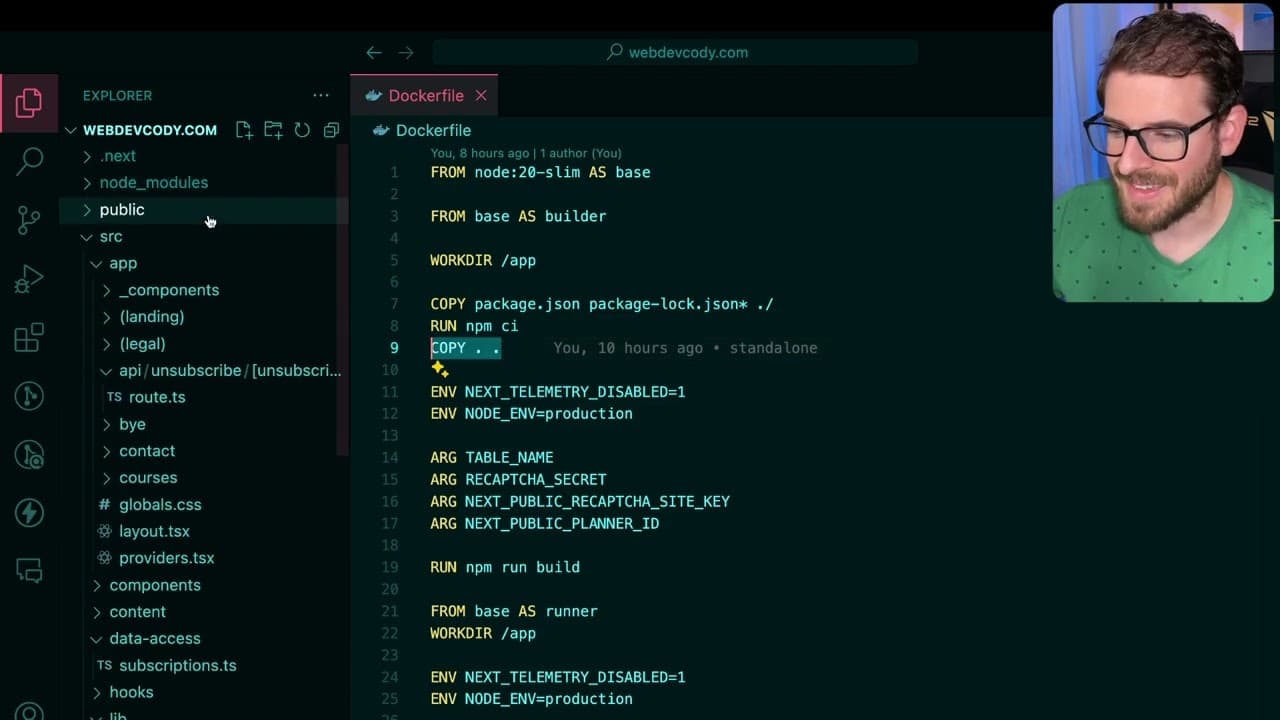
so as you may know I like to self-host my nextjs applications I'm currently using Railway but you can use whatever service or if you have your own VPS you can set up coolify and deploy it there but there are a couple of additional steps you should take to deploy your nextjs application I want to kind of talk through those and also explain Docker a ... Read More
Key Insights
- 👻 Self-hosting Next.js applications requires a good understanding of Docker and its deployment patterns, which can initially appear complex but becomes manageable with practice.
- 💨 Utilizing Docker's multi-stage builds can significantly optimize the deployment process by reducing the final image size, leading to faster deployment and lower resource costs.
- 👻 The Standalone output configuration allows Next.js to intelligently determine required files, which is vital for minimizing server load and deployment time.
- 🏛️ Proper handling of environment variables is crucial to ensure Next.js can access necessary configurations during both build time and runtime in production.
- 📁 Developers are encouraged to implement Docker ignore files to prevent excessive unnecessary files, like .git or local node_modules, from being included in deployments.
- 🔒 Security measures, such as using Cloudflare tunnels, provide an additional layer of protection to self-hosted applications, mitigating DOs risks while maintaining private networking.
- ✋ Addressing memory management issues, particularly when using packages like sharp, is essential to avoid additional costs and runtime problems associated with high memory usage in server environments.
Install to Summarize YouTube Videos and Get Transcripts
Explore YouTube Video Summarizer or Get YouTube Transcript Extractor
Questions & Answers
Q: What is the primary method discussed for deploying Next.js applications?
The primary method discussed for deploying Next.js applications is using Docker in conjunction with services like Railway. Docker allows for the creation of lightweight and efficient containers, facilitating easier deployment across various environments. The video emphasizes that while a basic npm build can work, using Docker provides better optimization and scalability options for applications in production.
Q: Why is using the Standalone flag in Next.js important for deployment?
The Standalone flag in Next.js is crucial for deployment as it enables the framework to create a smaller footprint for the application by tracing and including only the necessary files for production. This results in a significantly reduced container size, reducing deployment time and resource consumption, as only essential files and modules are included rather than everything in the project folder.
Q: How does the multi-stage build process in Docker enhance efficiency?
The multi-stage build process in Docker enhances efficiency by allowing developers to create multiple layers during the image-building process. This means developers can install dependencies in one stage and only copy over the necessary artifacts to a second stage, resulting in smaller, more efficient images that are quicker to deploy. Thus, only the essential files required for running the application get included in the final image.
Q: What precautions are mentioned regarding memory usage when using the sharp package?
When using the sharp package in Linux for self-hosting, memory usage can escalate quickly, prompting users to engage in monitoring and management efforts. The content highlights the need to potentially change the memory allocation method to "J Malik" instead of the default "GBC" to minimize excessive memory consumption issues. Users must be vigilant and may need to periodically restart their applications to control costs.
Q: What role do environment variables play in the deployment process?
Environment variables play a critical role in the deployment process for Next.js applications, particularly during the build stage. They are necessary for compiling static files and ensuring that components can access required configurations such as database credentials. Properly configuring these variables allows the Next.js server to build correctly while using Docker and ensures runtime stability.
Q: Why might developers choose not to use the Alpine base image when creating Docker containers?
Developers might opt against using the Alpine base image despite its benefits of reduced size due to compatibility issues with certain node modules. The content outlines the instance of a SQL adapter failing on Alpine, leading to potential complications. Thus, while Alpine can reduce the overall image size, developers must weigh the trade-offs of reduced compatibility against the advantages of using lighter images.
Summary & Key Takeaways
-
The content provides a step-by-step guide for deploying Next.js applications using Docker, emphasizing the potential complications of this process and offering solutions.
-
It explains the significance of using Docker and how to optimize Dockerfiles for smaller container size through techniques like multi-stage builds.
-
Additional insights include configuring environment variables for Next.js applications, addressing server memory usage issues, and leveraging Cloudflare tunnels for security during deployment.
Read in Other Languages (beta)
Share This Summary 📚
Summarize YouTube Videos and Get Video Transcripts with 1-Click
Try YouTube Summary with ChatGPT & Claude or YouTube Transcript Generator
Explore More Summaries from Web Dev Cody 📚





Summarize YouTube Videos and Get Video Transcripts with 1-Click
Try YouTube Summary with ChatGPT & Claude or YouTube Transcript Generator