One of the most common CSS issues people run into
TL;DR
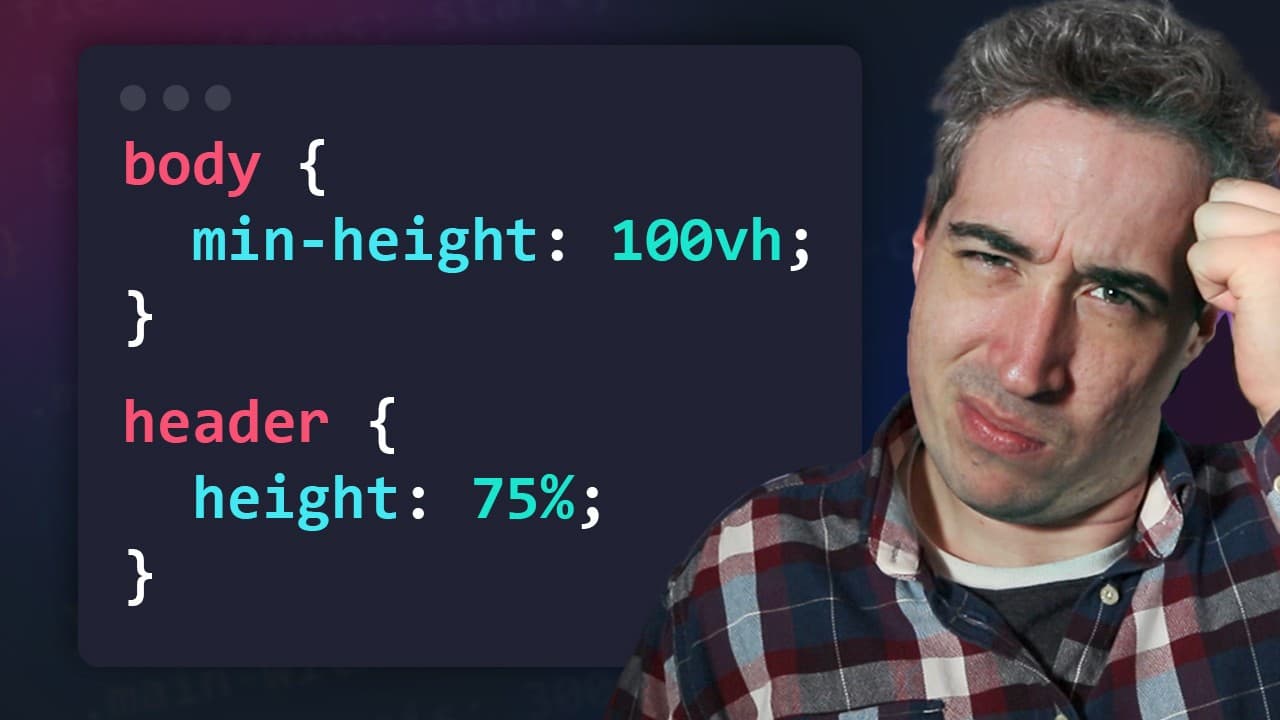
This video explains why setting a child element's height as a percentage doesn't work when the parent has a min-height set, and suggests alternative solutions.
Transcript
hello my front and friends the other day on this CSS subreddit I saw this question come up where someone was asking why a child element with a height as a percentage wasn't working when the Min height of the parent was set to 100 VH and this got me thinking about all the times I've seen this question come up from people asking me in my DMs to on my... Read More
Key Insights
- 📏 If a child element with a percentage height is not working when the min-height of the parent is set to 100vh, it is because the parent's height is undefined, and a percentage height needs a defined height to work.
- 👥 Browsers will not crash when there is a loop of undefined height, instead, they will treat the percentage height as nothing.
- 📏 To make the child element's percentage height work, the parent's height should be defined, such as using a height value instead of min-height.
- ❌ It is not recommended to use both min-height and height with a percentage value, as it can create potential overflow issues.
- 🔀 Grid can introduce complications when trying to make a percentage height work, as the height will be based on the cell it's inside, not the parent element.
- 💡 If a specific height is needed, it is possible to calculate the percentage value based on a known height, either by dividing it by 2 or using custom properties.
- 📏 In general, it is often not necessary to specify heights, and using padding instead can be a simpler solution.
- ❌ Declaring a width of 100% or 100vw without a specific reason can cause more problems than benefits, so it is best to avoid it unless necessary.
Install to Summarize YouTube Videos and Get Transcripts
Explore YouTube Video Summarizer or Get YouTube Transcript Extractor
Questions & Answers
Q: Why doesn't setting a child element's height as a percentage work when the parent has a min-height set?
When the parent element has a min-height set, a loop is created where the child's percentage height cannot be calculated due to the undefined height of the parent.
Q: What is the recommended solution for setting the child element's height as a percentage?
The recommended solution is to give the parent element a definite height, either by setting a specific height or using custom properties, to allow the browser to calculate the percentage height accurately.
Q: Can CSS grid be used to solve the issue of percentage height not working?
CSS grid can be used as an alternative solution, but it can introduce complexity and potential overflow issues, especially when dealing with a single element.
Q: Are there any other issues related to setting widths in CSS?
Yes, setting widths like width: 100% or width: 100vw can also cause problems. It is often best not to declare a width unless absolutely necessary, to allow the elements to adjust naturally and avoid unnecessary complications.
Summary & Key Takeaways
-
When setting a child element's height as a percentage, it won't work if the parent element has a min-height set, creating a loop and causing the browser to ignore the percentage height.
-
Setting a specific height to the parent element solves the issue, as the browser can calculate the percentage based on the defined height.
-
An alternative solution is to use custom properties or CSS grid, but they can introduce potential overflow and complexity.
Read in Other Languages (beta)
Share This Summary 📚
Summarize YouTube Videos and Get Video Transcripts with 1-Click
Try YouTube Summary with ChatGPT & Claude or YouTube Transcript Generator
Explore More Summaries from Kevin Powell 📚






Summarize YouTube Videos and Get Video Transcripts with 1-Click
Try YouTube Summary with ChatGPT & Claude or YouTube Transcript Generator