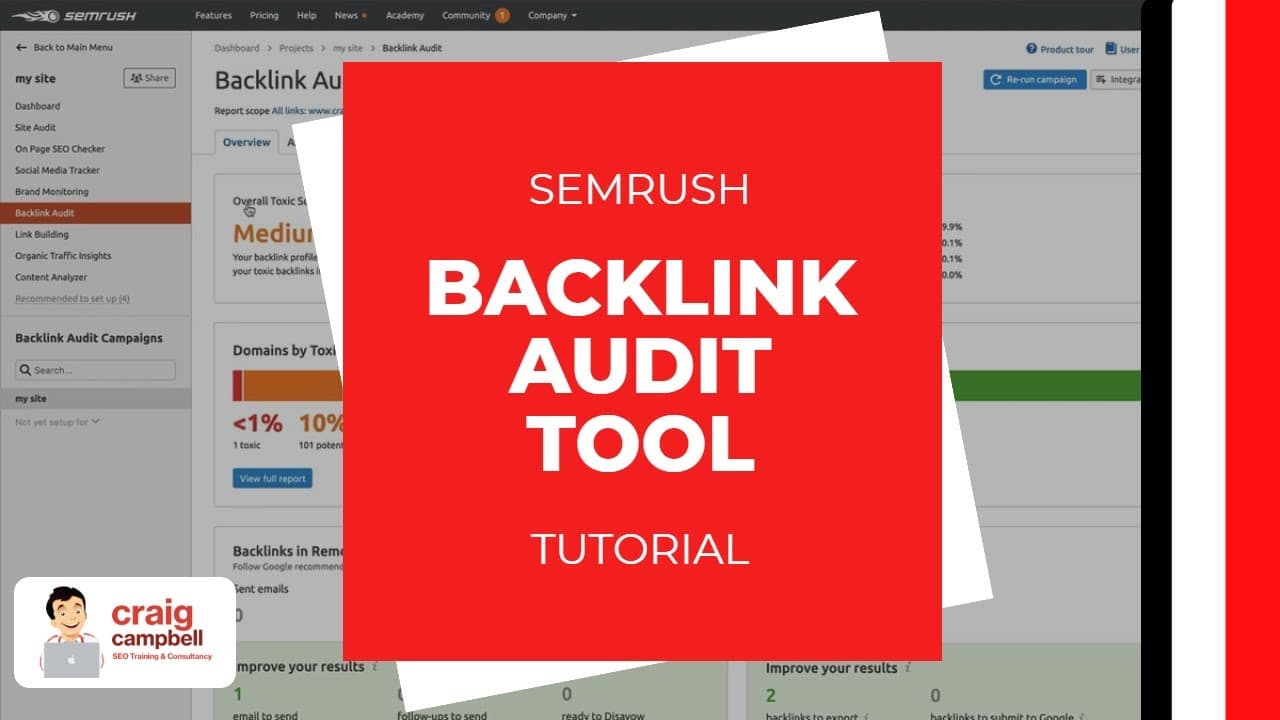
SEMrush Backlink Audit Tool Tutorial, How to use the backlink audit tool.
TL;DR
Learn how to use SEMrush's backlink audit tool effectively.
Transcript
hey guys so a couple of weeks back I done the backlink audit - which was the 14th in a series of the same rush to box webinar so the back like audit - is a guinea - with insane rush where do you think the two first and foremost you would go to the SEO toolkit and if you go to link building you will see the second one down is the batwing audit - and... Read More
Key Insights
- The SEMrush backlink audit tool helps identify and manage backlinks, ensuring they are beneficial and not harmful to your site's SEO.
- Integrating Google Search Console, Google Analytics, and Majestic can enhance the tool's effectiveness by analyzing more backlinks.
- The tool provides a toxicity score for backlinks, helping users identify potentially harmful links that might affect their site's ranking.
- Users can export backlink data as a PDF, which is useful for reporting purposes or sharing insights with stakeholders.
- The tool allows users to categorize links as new, lost, broken, or toxic, facilitating targeted actions to recover or disavow links.
- Through the remove tab, users can reach out to website owners to request link removal, with SEMrush facilitating the email process.
- The disavow feature helps users inform Google about links that should not be considered in ranking, protecting the site from negative SEO.
- Regular use of the tool is recommended for maintaining good SEO health, despite some links being incorrectly flagged as toxic.
Install to Summarize YouTube Videos and Get Transcripts
Explore YouTube Video Summarizer or Get YouTube Transcript Extractor
Questions & Answers
Q: How does the SEMrush backlink audit tool help in managing backlinks?
The SEMrush backlink audit tool helps manage backlinks by providing a comprehensive analysis of your site's links. It offers a toxicity score for each link, identifying potentially harmful links that may affect your site's SEO. Users can categorize links as new, lost, broken, or toxic, and take appropriate actions such as recovering, disavowing, or removing them.
Q: What integrations enhance the SEMrush backlink audit tool's effectiveness?
Integrating Google Search Console, Google Analytics, and Majestic with the SEMrush backlink audit tool enhances its effectiveness. These integrations allow the tool to analyze a broader range of backlinks, providing a more comprehensive view of your site's link profile. This ensures that users can make informed decisions about managing their backlinks.
Q: What is the purpose of the toxicity score in the backlink audit tool?
The toxicity score in the SEMrush backlink audit tool helps users identify potentially harmful backlinks. A higher toxicity score indicates a link that may negatively impact a site's SEO. By assessing these scores, users can decide whether to disavow or remove toxic links, protecting their site from negative SEO consequences and maintaining a healthy backlink profile.
Q: How can users export data from the SEMrush backlink audit tool?
Users can export data from the SEMrush backlink audit tool by generating a PDF report. This feature is useful for sharing insights with stakeholders or keeping records for reporting purposes. The PDF includes detailed information on the site's backlink profile, categorized links, and their toxicity scores, helping users communicate their SEO efforts effectively.
Q: What actions can be taken with toxic links using the SEMrush tool?
With the SEMrush backlink audit tool, users can take several actions regarding toxic links. They can categorize these links and decide to disavow them, informing Google not to consider them in ranking calculations. Additionally, users can use the tool's remove tab to request link removal from website owners, with SEMrush facilitating the email communication process.
Q: How does the remove tab function in the SEMrush backlink audit tool?
The remove tab in the SEMrush backlink audit tool allows users to request the removal of unwanted backlinks. Users can set up a campaign to reach out to website owners, asking them to remove specific links. SEMrush assists by sending emails and providing templates for communication, tracking whether the emails were delivered, read, and if a response was received.
Q: What is the disavow feature in the SEMrush backlink audit tool?
The disavow feature in the SEMrush backlink audit tool enables users to inform Google about links that should not be considered in the site's ranking. By exporting a disavow file and uploading it to Google Search Console, users can protect their site from negative SEO impacts, ensuring that harmful links do not affect their site's search engine rankings.
Q: Why is regular use of the SEMrush backlink audit tool recommended?
Regular use of the SEMrush backlink audit tool is recommended to maintain good SEO health. By consistently auditing backlinks, users can identify and manage toxic links, ensuring their site's link profile remains strong. Despite some links being incorrectly flagged as toxic, the tool provides valuable insights, allowing users to make informed decisions and protect their site's SEO performance.
Summary & Key Takeaways
-
The SEMrush backlink audit tool is designed to help users manage their site's backlinks, ensuring they are beneficial and not harmful. By integrating with Google Search Console, Google Analytics, and Majestic, users can get a comprehensive view of their site's backlinks and take necessary actions.
-
The tool provides a toxicity score for each backlink, allowing users to identify and manage potentially harmful links. Users can export data as a PDF for reporting purposes, and the tool categorizes links as new, lost, broken, or toxic to facilitate targeted actions.
-
Users can use the remove tab to request link removal from website owners, with SEMrush aiding the process by sending emails. The disavow feature lets users inform Google about links to disregard, helping protect against negative SEO. Regular audits are recommended for maintaining SEO health.
Read in Other Languages (beta)
Share This Summary 📚
Summarize YouTube Videos and Get Video Transcripts with 1-Click
Try YouTube Summary with ChatGPT & Claude or YouTube Transcript Generator
Explore More Summaries from Craig Campbell SEO 📚



Summarize YouTube Videos and Get Video Transcripts with 1-Click
Try YouTube Summary with ChatGPT & Claude or YouTube Transcript Generator