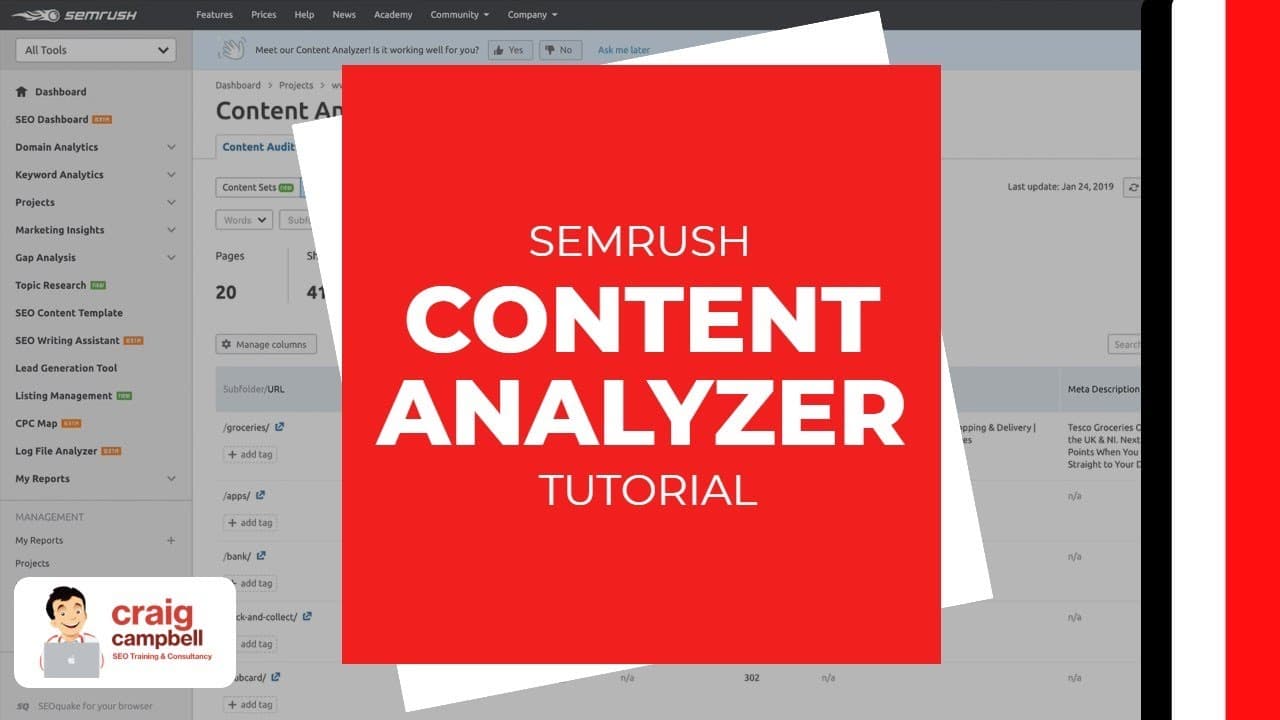
SEMRush Content Analyzer Tutorial
TL;DR
A guide to using SEMRush's content analyzer tool effectively.
Transcript
hi guys so I'm gonna do a video on content analyzer on same rush so I've done a webinar to be worth the same rush but due to people not being able to see the screen size properly we're not gonna be doing a live demo on the webinar itself will be using slides I've also created a video for years will so that you can walk through the video if you pref... Read More
Key Insights
- The SEMRush Content Analyzer helps users manage and improve website content by providing insights into content performance and areas for improvement.
- Users can integrate analytics and search console data with SEMRush for more accurate content analysis.
- The tool allows filtering of content based on word count, shares, backlinks, and other metrics to identify weak content.
- Custom filters can be created to focus on specific content criteria, making it easier to manage large volumes of content.
- Users can add tags and create tasks for content updates, which can be integrated with tools like Trello and Google Calendar.
- Content Analyzer provides data on top search queries and positions for each URL, helping to identify content that needs optimization.
- The tool includes a post tracking feature to analyze content performance on both the user's and competitors' websites.
- Content Analyzer aids in reporting to clients by showcasing the work done on improving content quality and performance.
Install to Summarize YouTube Videos and Get Transcripts
Explore YouTube Video Summarizer or Get YouTube Transcript Extractor
Questions & Answers
Q: What is the primary function of the SEMRush Content Analyzer?
The primary function of the SEMRush Content Analyzer is to help users manage and improve the content on their websites. It provides insights into content performance, identifies weak areas, and suggests improvements. By integrating with analytics and search console data, it offers a comprehensive overview of content effectiveness.
Q: How can users filter content in the Content Analyzer?
Users can filter content in the Content Analyzer using various criteria such as word count, shares, backlinks, and more. Custom filters can be created to focus on specific content attributes, allowing users to quickly identify weak content and prioritize updates. Advanced filters enable further refinement based on sessions, page views, and other metrics.
Q: What are the benefits of integrating analytics and search console data with SEMRush?
Integrating analytics and search console data with SEMRush enhances the accuracy of content analysis. It allows users to access comprehensive data on content performance, including traffic statistics, search queries, and user engagement metrics. This integration provides a more detailed view of content effectiveness and helps in making informed decisions for content optimization.
Q: How does the Content Analyzer assist in task management?
The Content Analyzer allows users to create tasks for content updates, which can be assigned to team members. Tasks can be integrated with tools like Trello and Google Calendar, facilitating better workflow management. Users can add notes, set deadlines, and track the progress of content optimization tasks, ensuring efficient content management.
Q: What is the post tracking feature in the Content Analyzer?
The post tracking feature in the Content Analyzer allows users to analyze the performance of individual blog posts, both on their own and competitors' websites. It provides data on shares, backlinks, estimated reach, and search rankings. This feature helps users understand the impact of their content and identify successful strategies for content promotion.
Q: How can the Content Analyzer aid in client reporting?
The Content Analyzer aids in client reporting by providing detailed insights into content performance and optimization efforts. It allows users to demonstrate the value of their work by showcasing improvements in content quality and performance metrics. This transparency helps build trust with clients and highlights the effectiveness of content strategies.
Q: What are the benefits of using custom filters in the Content Analyzer?
Using custom filters in the Content Analyzer allows users to tailor their analysis to specific content attributes, making it easier to manage large volumes of content. Custom filters enable users to quickly identify weak content based on criteria such as word count, shares, or backlinks, and prioritize updates effectively.
Q: Can the Content Analyzer be used to analyze competitors' content?
Yes, the Content Analyzer can be used to analyze competitors' content. The post tracking feature allows users to input URLs from competitors' websites and gain insights into their content performance, including shares, backlinks, and search rankings. This analysis helps users identify successful strategies and improve their own content.
Summary & Key Takeaways
-
The SEMRush Content Analyzer is a powerful tool for managing website content, allowing users to gain insights into content performance and identify areas for improvement. By integrating analytics and search console data, users can achieve more accurate analysis results.
-
Custom filters and tagging options in the Content Analyzer enable users to focus on specific content attributes, making it easier to handle large volumes of content efficiently. Tasks for content updates can be created and integrated with Trello and Google Calendar for better workflow management.
-
Post tracking features allow users to analyze content performance on their own and competitors' websites, providing valuable insights into shares, backlinks, and search rankings. This tool is beneficial for reporting to clients and demonstrating the value of content optimization efforts.
Read in Other Languages (beta)
Share This Summary 📚
Summarize YouTube Videos and Get Video Transcripts with 1-Click
Try YouTube Summary with ChatGPT & Claude or YouTube Transcript Generator
Explore More Summaries from Craig Campbell SEO 📚

Summarize YouTube Videos and Get Video Transcripts with 1-Click
Try YouTube Summary with ChatGPT & Claude or YouTube Transcript Generator