Dodging and Burning with Graduated Filters in LR
TL;DR
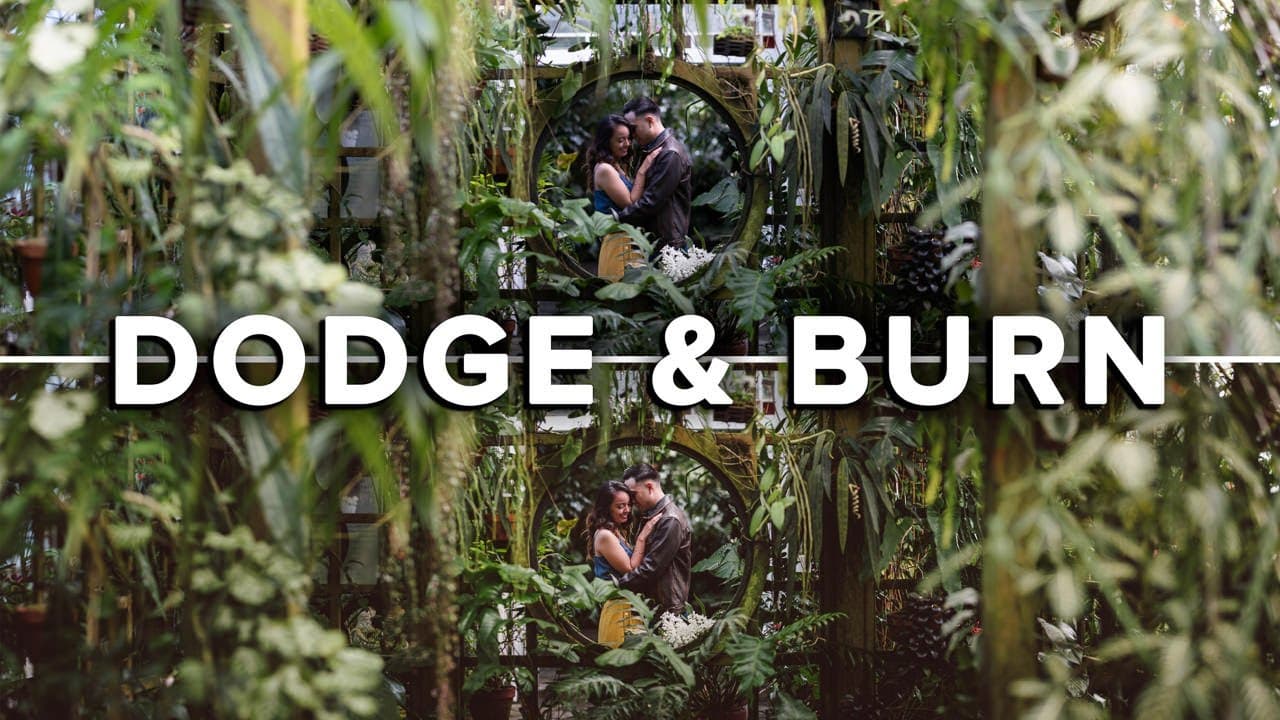
Learn how to effectively use graduated filters in Lightroom for dodging and burning techniques.
Transcript
in this video I'm gonna show you guys how to use graduated filters in Lightroom for dodging and burning so you can turn a photo that looks like this into this what's up guys Reggie we photo here and welcome back to the channel for those of you who are new my name is Reggie Ballesteros and I'm a wedding photographer based in the San Francisco Bay Ar... Read More
Key Insights
- 👻 Graduated filters in Lightroom are a versatile tool for achieving dodging and burning effects, allowing for precise control over exposure.
- 📷 Effective photo editing begins with applying a color preset and adjusting fundamental settings like contrast and highlights before moving on to more complex techniques.
- 🫵 Subtle adjustments in exposure can significantly enhance an image by directing focus towards the main subject, improving viewer engagement.
- 😷 Regular engagement with the audience, such as asking for feedback and topic suggestions, helps build a community around learning and sharing photography techniques.
- 👀 By using graduated filters, photographers can achieve a professional look that prioritizes the subject while managing distracting elements in the background.
- 💦 Lighting adjustments work alongside color corrections, working holistically to enhance the quality of each photograph.
- 🫵 Encouraging viewers to follow on social media platforms can expand reach and enhance community interaction in photography learning.
Install to Summarize YouTube Videos and Get Transcripts
Explore YouTube Video Summarizer or Get YouTube Transcript Extractor
Questions & Answers
Q: What is dodging and burning, and why is it important in photo editing?
Dodging and burning refers to the techniques of selectively lightening (dodging) or darkening (burning) certain areas of a photograph to enhance depth, dimension, and focus. It's vital in photo editing as it allows photographers to guide viewers’ attention to specific elements of the image, creating a more compelling narrative and elevating the overall impact of the photo.
Q: How does Reggie Ballesteros use graduated filters specifically in his editing process?
Reggie prefers graduated filters for dodging and burning because they allow for smooth transitions in exposure adjustments across the image. By incrementally dragging down these filters, he molds the light in a way that highlights the main subject while reducing distractions in brighter areas of the photo, thus improving visual focus and aesthetic appeal.
Q: What initial adjustments does Reggie make before applying graduated filters?
Reggie begins his editing by applying a color preset to establish a base look. He then fine-tunes the tone curve by selecting a suitable color fade and makes several adjustments to exposure, contrast, highlights, shadows, and white balance, making sure the skin tones appear natural while preparing the image for graduated filter modifications.
Q: Why is it crucial to adjust the exposure and contrast in Reggie's editing approach?
Adjusting exposure and contrast is essential as it sets the overall mood and brightness of the image. By carefully manipulating these settings, Reggie ensures that the photograph has a balanced look, enhances the visual appeal, and draws attention to the central subject, ultimately leading to a more polished final product.
Summary & Key Takeaways
-
The video tutorial by Reggie Ballesteros focuses on using graduated filters in Lightroom for enhancing photos through dodging and burning techniques, aiming to direct viewer attention to specific areas.
-
Reggie demonstrates his step-by-step process, highlighting adjustments in exposure, contrast, highlights, and shadows to improve the overall image quality and focus on the main subject.
-
Throughout the video, Reggie encourages viewer engagement by suggesting they comment on future topics and follow him for more photography tips and tutorials.
Read in Other Languages (beta)
Share This Summary 📚
Summarize YouTube Videos and Get Video Transcripts with 1-Click
Try YouTube Summary with ChatGPT & Claude or YouTube Transcript Generator
Explore More Summaries from Reggie Ballesteros 📚
Summarize YouTube Videos and Get Video Transcripts with 1-Click
Try YouTube Summary with ChatGPT & Claude or YouTube Transcript Generator