How to Create Engaging YouTube Videos Effectively
TL;DR
Define the purpose of your videos to create impactful content and avoid wasting time. Use tools like TubeBuddy for keyword research, plan your shots meticulously, and focus on audio quality for enhanced viewer experience. Prioritize editing to convey a compelling story, and optimize your video with effective titles and thumbnails for better performance on YouTube.
Transcript
a good video grabs your attention tells you a compelling story and gives you a new perspective on things at least that's what i aim for in my content hello i'm matthew and cena i've been making videos for a long time from tv commercials to music videos to content here on youtube in this video i'll share my youtube filmmaking process and my favorite... Read More
Key Insights
- 🎥 A clear direction is essential in the video-making process to avoid wasting time, capturing irrelevant footage, and struggling with a convoluted story.
- 🎥 Utilizing tools like TubeBuddy can help creators gauge the viability of their content ideas by identifying popular search terms and optimizing their own ideas to stand out.
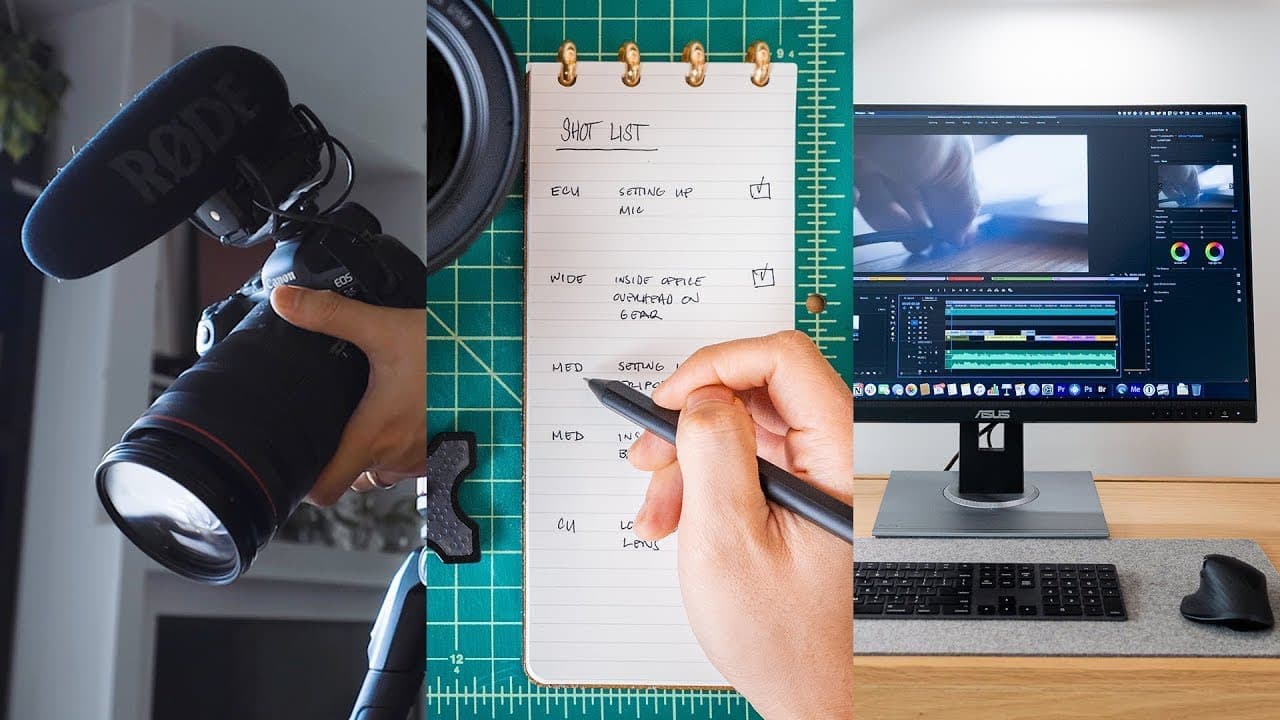
- 🎥 Building a script and shot list provides a starting point, but flexibility is key during the shooting process, as new angles and story developments can emerge.
- 📱 High-quality videos can be produced using a smartphone, demonstrating that gear shouldn't hinder creativity and content creation.
- 🔊 Paying attention to audio is crucial, as it enhances the viewer experience and can be achieved by capturing natural sounds during shooting and utilizing voiceover narration and music during editing.
- 🖥️ The editing process involves lining up footage with narration, making refinements, trimming excess, and focusing on the purpose of each shot to create a cohesive and impactful story.
- 🎨 Color correction and grading, such as overexposure and orange/teal coloring, contribute to the visual appeal of the video, and utilizing a color-accurate monitor, like the ASUS ProArt Display PA278QV, is important for precise editing.
- 📊 Monitoring video performance through analytics, especially comments, views, click-through rate, and retention, allows for ongoing improvement by testing different thumbnails and titles to optimize the video's success.
Install to Summarize YouTube Videos and Get Transcripts
Explore YouTube Video Summarizer or Get YouTube Transcript Extractor
Questions & Answers
Q: How can finding the purpose of your videos save you time and improve your content?
Finding the purpose of your videos is essential as it helps you eliminate wasted time and create content that resonates with your audience. Without a clear direction, you may end up shooting footage that doesn't matter, struggle with a convoluted story, and overwhelm yourself during the editing process. Knowing the point of your videos allows you to capture with intent and focus your creative efforts.
Q: How can keyword research improve the viability of your content ideas?
Conducting keyword research using tools like TubeBuddy helps you determine the popularity of the subject you're covering and align your ideas with popular search terms. By researching different keywords and finding what people are already searching for, you can test the viability of your content and aim to make it better, unique, and different from what's already out there. This way, you can stand out among the noise and ensure your videos are relevant to your target audience.
Q: What are some important elements to consider when shooting footage for your videos?
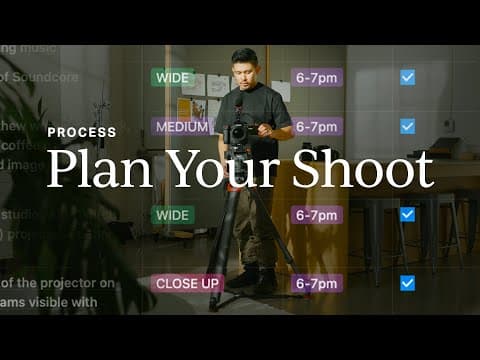
When shooting footage, it's important to have a plan in place with a script and shot list. Aim to capture at least one wide shot to establish the scene, a medium shot to focus on the subject, and three to five close-up detail shots to keep the viewer visually stimulated. Look for elements in the scene that describe its character and put the camera in unexpected places to provide visual surprises. Additionally, ensure you have a wide variety of shots and capture at least 20 seconds per clip to have enough coverage during the editing process.
Q: How can you make the most of your existing camera gear?
While it's nice to have good camera gear, you shouldn't underestimate what you can accomplish with the gear you already possess, such as your smartphone. The footage captured on smartphones can often look just as good as what fancy cameras produce. Therefore, don't let a lack of gear stop you from creating content. Utilize the gear you have and focus on other aspects, like storytelling and capturing compelling visuals, to make your videos stand out.
Summary & Key Takeaways
-
Finding the purpose of your videos is crucial to eliminate wasted time and create content that resonates with your audience.
-
Conduct keyword research using tools like TubeBuddy to align your ideas with popular search terms and make your content stand out.
-
Plan and shoot footage with a script and shot list, capturing wide shots, medium shots, and close-up detail shots to visually engage viewers.
-
Utilize existing gear, including smartphones, for capturing high-quality footage.
-
Pay attention to audio quality by capturing natural sounds and layering them into your videos, using voiceover narrations, and sourcing music from libraries.
-
Edit your footage, focusing on trimming excess, refining story points, and color grading to enhance the visual appeal.
-
Use a color-accurate monitor like ASUS ProArt Display PA278QV for fine-tuning visuals.
-
Optimize your video for publication on YouTube by choosing a search-friendly title, creating an interesting thumbnail, and analyzing performance metrics to make improvements.
Read in Other Languages (beta)
Share This Summary 📚
Summarize YouTube Videos and Get Video Transcripts with 1-Click
Try YouTube Summary with ChatGPT & Claude or YouTube Transcript Generator
Explore More Summaries from Matthew Encina 📚
Summarize YouTube Videos and Get Video Transcripts with 1-Click
Try YouTube Summary with ChatGPT & Claude or YouTube Transcript Generator