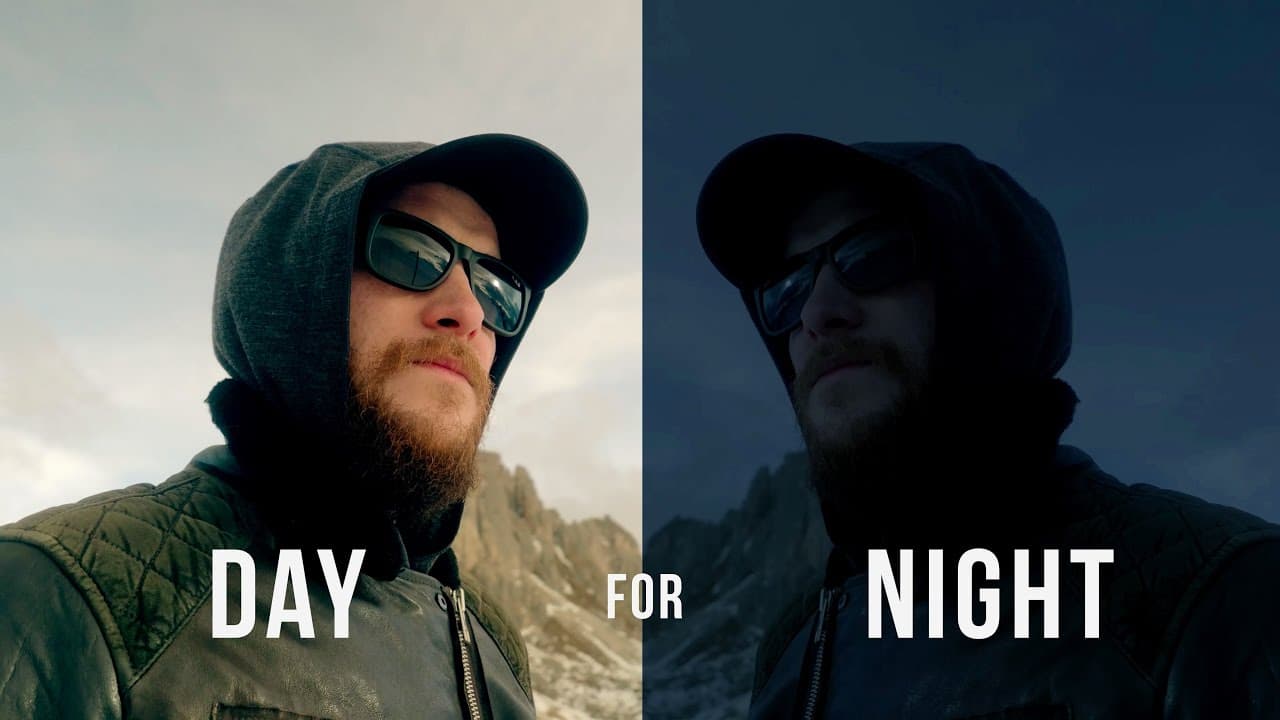
Color Grading DAY for NIGHT in Premiere Pro
TL;DR
Learn how to transform your daytime footage into nighttime scenes using color grading techniques.
Transcript
have you ever wondered how the heck did they get that nighttime shot or why doesn't my nighttime footage look like that well then you're in the right place we're going to take a look at how to make your daytime footage look like nighttime roll intro a lot of the time when you see nighttime shots they're actually filmed during the day and just made ... Read More
Key Insights
- 🥳 Day for night is a common technique in the film industry that allows filmmakers to achieve nighttime scenes without the difficulties of shooting in the dark.
- 🏣 Color grading is an essential part of the post-production process and can drastically alter the visual mood and aesthetic of a video.
- 👀 Experimenting with different settings and adjustments is crucial to achieving the desired nighttime look in daytime footage.
- 🔨 The choice of color grading software is flexible and depends on personal preference and familiarity with the tools.
- 🤑 Applying this technique can save time, money, and equipment needed to shoot nighttime scenes.
- 😘 Nighttime footage tends to have lower levels of saturation and more darkness, replicating the limited visibility of nighttime.
- 🥳 Matching the colors and saturation of the different footage clips in a scene is important for a seamless transition from day to night.
Install to Summarize YouTube Videos and Get Transcripts
Explore YouTube Video Summarizer or Get YouTube Transcript Extractor
Questions & Answers
Q: Why would you film nighttime scenes during the day?
Filming nighttime scenes during the day is easier and requires less lighting equipment. It also allows for flexibility in shooting locations and time constraints.
Q: Can this technique be applied to any video editing software?
Yes, the principles discussed in the video can be applied to any software with color correction and grading capabilities, such as Adobe Premiere Pro, by using tools like the Lumetri panel or three-way color corrector.
Q: How do you make daytime footage look like nighttime?
To make daytime footage look like nighttime, you can start by reducing the exposure and crushing the blacks to create a darker, more realistic night look. Adding a blue tint to the highlights and desaturating the colors can also contribute to the nighttime aesthetic.
Q: Does this technique work for drone footage?
Yes, this technique can be applied to drone footage as well. It may require additional adjustments to match the lighting and color temperature of the other footage in the scene.
Summary & Key Takeaways
-
Nighttime shots in movies are often filmed during the day and then edited to look like night in post-production.
-
Filming during the day is easier and requires less lighting equipment compared to filming at night.
-
This video demonstrates how to make daytime footage look like nighttime using color grading techniques, specifically using Colorista.
Read in Other Languages (beta)
Share This Summary 📚
Summarize YouTube Videos and Get Video Transcripts with 1-Click
Try YouTube Summary with ChatGPT & Claude or YouTube Transcript Generator
Explore More Summaries from Matti Haapoja 📚
Summarize YouTube Videos and Get Video Transcripts with 1-Click
Try YouTube Summary with ChatGPT & Claude or YouTube Transcript Generator