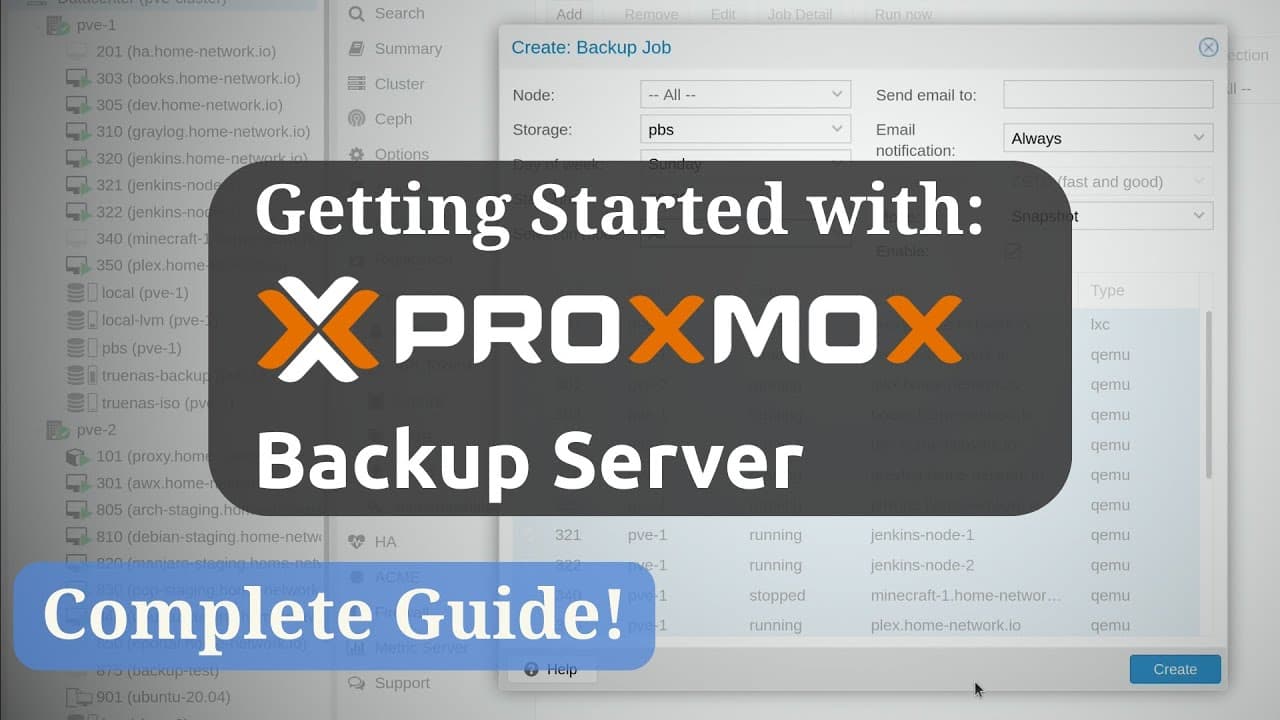
Proxmox Backup Server: Full Getting Started Guide!
TL;DR
Comprehensive guide on setting up and using Proxmox Backup Server.
Transcript
hello again everyone and welcome back now that i'm doing a full tutorial series on proxmox virtual environment i figured that it's time to also check out the proxmox backup server as well which is exactly what i'll be doing in this video as we go through today's video i'm going to give you a full overview of ... Read More
Key Insights
- Proxmox Backup Server is an enterprise-level backup solution that integrates seamlessly with Proxmox Virtual Environment but can also operate independently for non-VM backups.
- The installation requires a 64-bit CPU, at least 2GB of memory, and 8GB of storage, with SSD recommended for better performance.
- Proxmox Backup Server features a user-friendly web console for easy server configuration and management of backups.
- It supports data integrity, encryption, and deduplication, ensuring secure and efficient backup management.
- The backup client can create file-level backups from Debian or Ubuntu servers, even if they aren't part of a Proxmox Virtual Environment.
- Users can set up automated backup jobs within Proxmox Virtual Environment to streamline the backup process.
- Proxmox Backup Server allows for file-level restores, enabling selective recovery of files from backups.
- The server supports mounting backups to the local filesystem for easy access and retrieval of backup data.
Install to Summarize YouTube Videos and Get Transcripts
Explore YouTube Video Summarizer or Get YouTube Transcript Extractor
Questions & Answers
Q: What is Proxmox Backup Server?
Proxmox Backup Server is an enterprise-level backup solution designed to provide reliable and efficient backup services. It integrates seamlessly with Proxmox Virtual Environment but can also function independently for non-VM backups. It offers features like encryption, deduplication, and a user-friendly web interface for managing backups.
Q: What are the system requirements for installing Proxmox Backup Server?
The minimum system requirements for Proxmox Backup Server include a 64-bit CPU, at least 2GB of memory, 8GB of storage, and a network interface card. For optimal performance, it is recommended to use a system with 4 or more CPU cores, 4GB or more of memory, and 32GB or more of storage, preferably SSD.
Q: How does Proxmox Backup Server integrate with Proxmox Virtual Environment?
Proxmox Backup Server integrates with Proxmox Virtual Environment by allowing users to add it as a backup storage option. This integration enables seamless backup and restore operations for virtual machines and containers managed within the Proxmox Virtual Environment, providing a centralized backup solution.
Q: Can Proxmox Backup Server be used for non-VM backups?
Yes, Proxmox Backup Server can be used for non-VM backups. It supports file-level backups from Debian or Ubuntu servers, allowing users to back up data from physical servers or virtual machines not managed by Proxmox Virtual Environment. This flexibility makes it a versatile backup solution.
Q: What are the key features of Proxmox Backup Server?
Key features of Proxmox Backup Server include data encryption, deduplication, and integrity checks to ensure secure and efficient backup management. It offers a user-friendly web console for configuration and monitoring, supports automated backup jobs, and allows for file-level restores and mounting of backups to the local filesystem.
Q: How can users automate backup jobs in Proxmox Backup Server?
Users can automate backup jobs in Proxmox Backup Server by configuring backup schedules within the Proxmox Virtual Environment. This involves setting up backup jobs to run at specified times, selecting the storage destination, and choosing the virtual machines or containers to be backed up, streamlining the backup process.
Q: What is the role of the backup client in Proxmox Backup Server?
The backup client in Proxmox Backup Server is used to create file-level backups from Debian or Ubuntu systems. It can be installed on both virtual machines and physical servers, enabling users to send backups to the Proxmox Backup Server. The client supports encrypted backups and can simplify backup commands through environment variables.
Q: How does Proxmox Backup Server handle file-level restores?
Proxmox Backup Server handles file-level restores by allowing users to browse and recover individual files from backups. This feature is accessible through the web console, where users can navigate the backup's file system, select specific files, and download them for restoration, providing flexibility in data recovery.
Summary & Key Takeaways
-
Proxmox Backup Server is a dedicated Linux distribution designed to provide comprehensive backup solutions for enterprise environments. It can integrate with Proxmox Virtual Environment or operate independently, offering flexibility in backup management.
-
Installation of Proxmox Backup Server involves setting up a server with specific hardware requirements. The web console offers a straightforward interface for configuring backups, monitoring server health, and managing storage.
-
The tutorial covers installing the backup client on Debian or Ubuntu systems, creating encrypted backups, and managing backup jobs through Proxmox Virtual Environment. The server supports advanced features like data deduplication and file-level restores.
Read in Other Languages (beta)
Share This Summary 📚
Summarize YouTube Videos and Get Video Transcripts with 1-Click
Try YouTube Summary with ChatGPT & Claude or YouTube Transcript Generator
Explore More Summaries from Learn Linux TV 📚




Summarize YouTube Videos and Get Video Transcripts with 1-Click
Try YouTube Summary with ChatGPT & Claude or YouTube Transcript Generator