Discover The Secret Excel Shortcut: Tab Option Insert Unleashed!
TL;DR
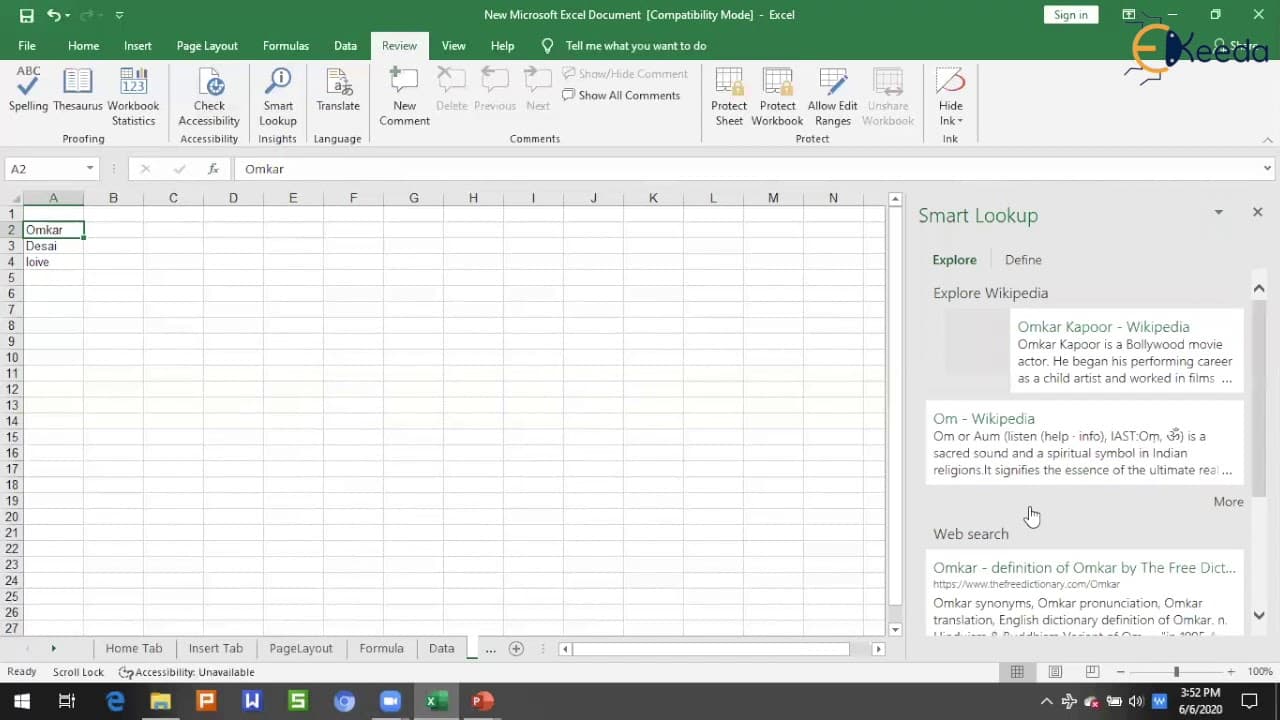
This video covers the review tab options in Excel, including spell checking, workbook status, proofing, accessibility, insights, comments, and protection.
Transcript
hello all welcome to the video in this video we are going to learn about review tab option in Excel hello welcome back to Microsoft Excel training session 7 myself um car they say and I knit until now we have covered different tabs in Excel like Home tab page layout tab formulas tab insert the data tab in this particular section we are going to cov... Read More
Key Insights
- 💬 The review tab in Excel provides several useful features, such as spell checking, workbook status, proofing, accessibility, insights, comments, and protection.
- 💦 The spell checking feature helps users identify and correct spelling errors in their text, improving accuracy in their work.
- 👤 The workbook status feature gives users an overview of the content and structure of their workbook, including the number of cells with data, tables, and formulas present.
- 👻 The accessibility feature allows users to perform smart lookups on selected cells, providing relevant search results from the internet.
- 💬 Comments can be added to cells to provide additional information or context about the data, making it easier to understand and collaborate with others.
- 👻 The protection feature in Excel allows users to password-protect worksheets or workbooks, preventing unauthorized changes or access to sensitive data.
- 👻 The allow edit range option allows users to control which cells can be edited in a table, ensuring data integrity.
Install to Summarize YouTube Videos and Get Transcripts
Explore YouTube Video Summarizer or Get YouTube Transcript Extractor
Questions & Answers
Q: How does the spell checking feature in Excel work?
Excel's spell checking feature checks for spelling errors in the text and provides suggestions for misspelled words. It also allows users to ignore or add words to the dictionary, ensuring correct spelling in future instances.
Q: What information does the workbook status feature provide?
The workbook status feature provides information about the current sheet in the workbook, including the end of the sheet, cells with data, tables, and formulas present. It helps users understand the content and structure of their workbook.
Q: What is the purpose of the accessibility feature in Excel?
The accessibility feature in Excel (available in newer versions) allows users to perform a smart lookup on selected cells, providing search results from the internet. It can assist users in finding relevant information or definitions related to their data.
Q: How can users add comments to cells in Excel?
Users can add comments to cells in Excel by either right-clicking on the cell and selecting "Insert Comment" or by clicking on the "New Comment" button in the Review tab. Comments can be used to provide additional information or context about the data in a cell.
Summary & Key Takeaways
-
The video covers various options available in the review tab of Excel, including spell checking, workbook status, proofing, accessibility, insights, comments, and protection.
-
The spell checking feature allows users to check the spelling of their text and provides suggestions for misspelled words.
-
The workbook status feature provides information about the current sheet, end of sheet, cells with data, tables, and formulas in the workbook.
Read in Other Languages (beta)
Share This Summary 📚
Summarize YouTube Videos and Get Video Transcripts with 1-Click
Try YouTube Summary with ChatGPT & Claude or YouTube Transcript Generator
Explore More Summaries from Ekeeda 📚





Summarize YouTube Videos and Get Video Transcripts with 1-Click
Try YouTube Summary with ChatGPT & Claude or YouTube Transcript Generator