How Do Computers Use Binary to Represent Data?
TL;DR
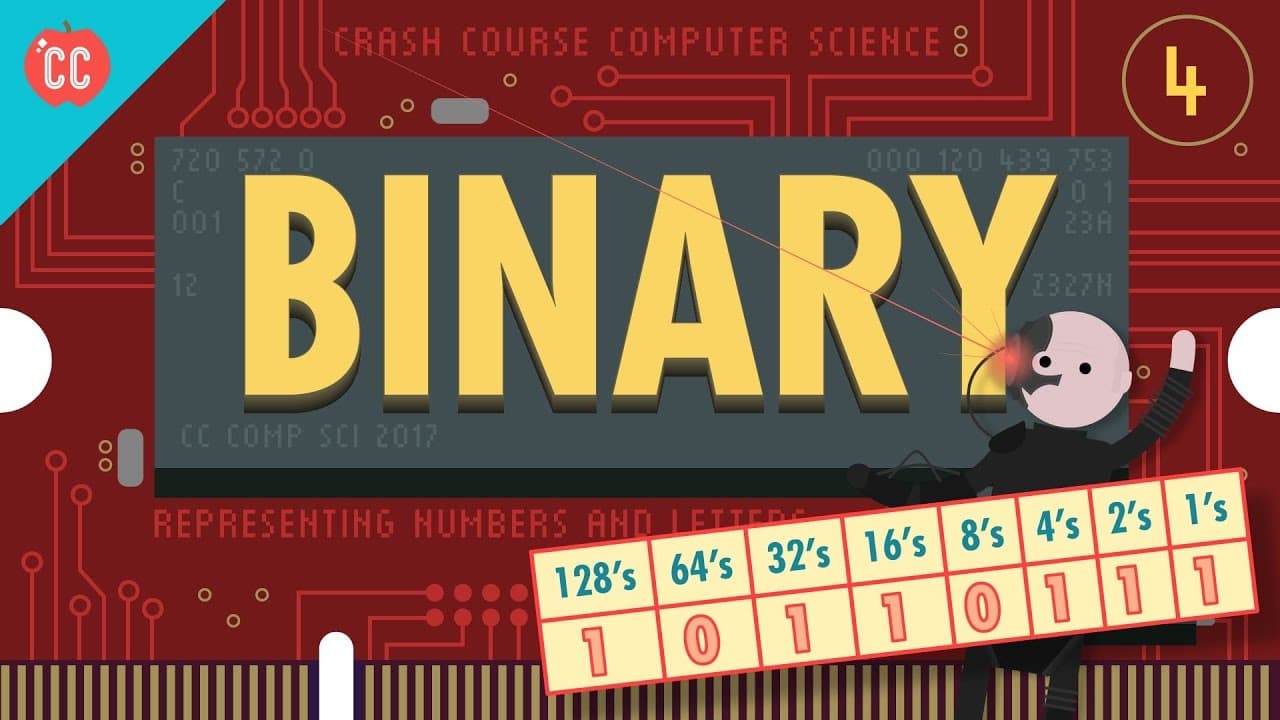
Computers use binary digits (0s and 1s) to represent all types of data, including numbers and text. Each binary digit is a bit, and larger numbers require more bits, such as 8-bit bytes or 64-bit structures. Text representation is achieved through standards like ASCII and Unicode, allowing for the encoding of every character in various languages.
Transcript
Hi I’m Carrie Anne, this is Crash Course Computer Science and today we’re going to talk about how computers store and represent numerical data. Which means we’ve got to talk about Math! But don’t worry. Every single one of you already knows exactly what you need to know to follow along. So, last episode we talked about how transistors can be used t... Read More
Key Insights
- 🔢 Computers use base-2 binary numbers to store and represent numerical data, which operate in the same way as base-10 decimal numbers.
- 📊 Binary numbers consist of "bits," with each bit representing a 1 or 0, and larger numbers can be represented by adding more binary digits.
- 🖥️ Computers typically operate with 8-bit numbers, known as bytes, which can represent 256 different values.
- 💾 Memory capacity in computers is measured in bytes, with common prefixes denoting different scales of data, such as kilobytes (1,000 bytes) and gigabytes (1 billion bytes).
- 🔀 A kilobyte in binary consists of 2^10 bytes, or 1,024, which deviates from the decimal definition but reflects the binary nature of computing.
- 🖥️ Computers can operate with different bit sizes, such as 32-bit or 64-bit, which affects the range of numbers they can represent.
- 🔢 Computers use floating-point representation to handle non-whole numbers, with the IEEE 754 standard being the most common method for storing decimal values.
- 🔤 Computers represent text by assigning numbers to each character, with older systems using codes like ASCII (American Standard Code for Information Interchange) and modern systems using Unicode, which can encode characters from multiple languages and scripts.
Install to Summarize YouTube Videos and Get Transcripts
Explore YouTube Video Summarizer or Get YouTube Transcript Extractor
Questions & Answers
Q: How do computers represent larger numbers using binary digits?
Computers represent larger numbers by adding more binary digits, similar to how decimal numbers add more digits to represent larger values. Each binary digit has a multiplier associated with it, and by adding them together, the computer can represent larger numbers.
Q: What is the significance of different sizes of binary numbers, such as 8-bit and 64-bit?
Different sizes of binary numbers determine their range and precision. Smaller sizes, like 8-bit numbers, have a more limited range and can represent fewer values, while larger sizes, like 64-bit numbers, have a much larger range and can represent a greater number of values with higher precision.
Q: What is the difference between ASCII and Unicode?
ASCII is a 7-bit code that was primarily designed for English, while Unicode is a more universal encoding scheme that uses 16 bits and can represent characters from all languages and scripts. Unicode has a much larger range and can accommodate a greater number of characters compared to ASCII.
Q: How do computers represent text using numbers?
Computers represent text using numbers by assigning numerical codes to different characters. ASCII and Unicode are widely used standards that define the mapping of characters to numerical codes. By using these numerical codes, computers can store and manipulate text data.
Summary & Key Takeaways
-
Binary digits (1s and 0s) are used by computers to represent numerical data.
-
Different sizes of binary numbers, such as 8-bit and 64-bit, determine their range and precision.
-
Computers use numbers to represent text, with ASCII and Unicode being widely used standards.
Read in Other Languages (beta)
Share This Summary 📚
Summarize YouTube Videos and Get Video Transcripts with 1-Click
Try YouTube Summary with ChatGPT & Claude or YouTube Transcript Generator
Explore More Summaries from CrashCourse 📚




Summarize YouTube Videos and Get Video Transcripts with 1-Click
Try YouTube Summary with ChatGPT & Claude or YouTube Transcript Generator