Stanford CS105: Introduction to Computers | 2021 | Lecture 11.2 Webpage Layout: Grid-Based Layout
TL;DR
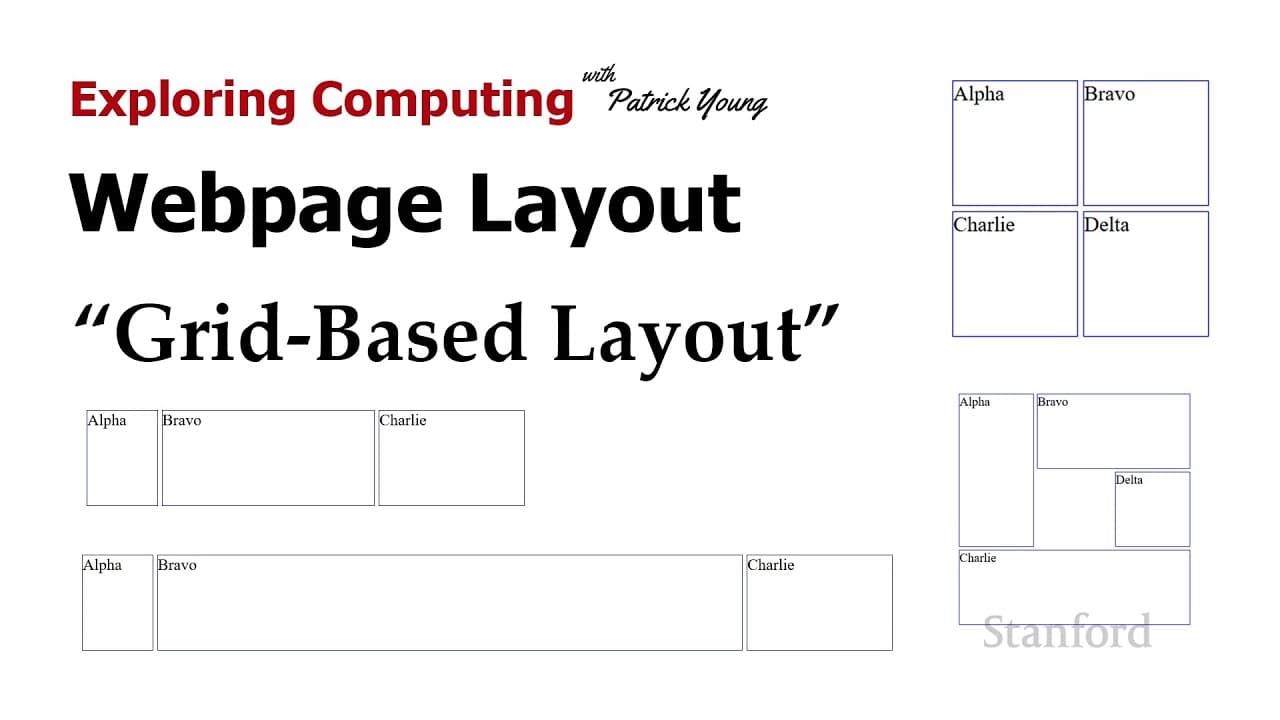
Learn how to create web page layouts using grid-based layout, which provides flexibility and ease of design.
Transcript
welcome to exploring computing today's video is web page layout grid based layout as i suggested in the last video i think the technique you should be using to layout your web pages is the grid based layout you can go ahead and use flexbox for individual sections of your website but the overall layout of your website should be done with the grid-ba... Read More
Key Insights
- 😄 Grid-based layout is recommended for web page layouts due to its flexibility and ease of design.
- 🤨 The grid can be defined using the body element as the parent, specifying the number of columns and rows.
- 🤨 Elements can be placed on the grid using grid column start and grid row start properties.
- 🥶 Different measurement types such as percentages, inches, centimeters, millimeters, and fr can be used in grid layout.
- 🔚 Elements can span across multiple rows or columns by specifying the start and end values.
- 🍵 The auto value or explicit height setting can be used to handle variable or fixed heights.
- ❓ The overflow property can be used to determine how text that exceeds a fixed height is displayed.
Install to Summarize YouTube Videos and Get Transcripts
Explore YouTube Video Summarizer or Get YouTube Transcript Extractor
Questions & Answers
Q: What is the recommended layout technique for web pages?
Grid-based layout is suggested for the overall layout of web pages, providing flexibility and ease of design.
Q: What is the parent element used to define the grid?
The body element can be used as the parent element to define the grid.
Q: How can elements be placed on the grid?
Elements can be placed using grid column start and grid row start properties, specifying the position within the grid.
Q: Can different measurement types be used in grid layout?
Yes, various measurement types such as percentages, inches, centimeters, millimeters, and fr (fractional) can be used in grid-based layout.
Q: What does the fr measurement type represent?
Fr stands for fractional and provides a fraction of the remaining space after the fixed measurements are used in the grid.
Q: How can elements span across multiple rows or columns?
By specifying both the start and end values for grid column and grid row, elements can span across multiple rows or columns.
Q: What is the purpose of using the auto value for height in grid layout?
The auto value allows rows to adjust their height based on the content, ensuring that the text fits within the cells.
Q: How can text that exceeds a fixed height be handled?
By setting the overflow property to hidden, the text that exceeds the height will be cut off or hidden.
Summary & Key Takeaways
-
Grid-based layout is recommended for the overall layout of web pages, while flexbox can be used for individual sections.
-
To define the grid, use the body element as the parent and specify the number of columns and rows using grid template columns and grid template rows.
-
Elements can be placed on the grid using grid column start and grid row start properties.
Read in Other Languages (beta)
Share This Summary 📚
Summarize YouTube Videos and Get Video Transcripts with 1-Click
Try YouTube Summary with ChatGPT & Claude or YouTube Transcript Generator
Explore More Summaries from Stanford Online 📚



Summarize YouTube Videos and Get Video Transcripts with 1-Click
Try YouTube Summary with ChatGPT & Claude or YouTube Transcript Generator