How Do Explicit Intents Work in Android Development?
TL;DR
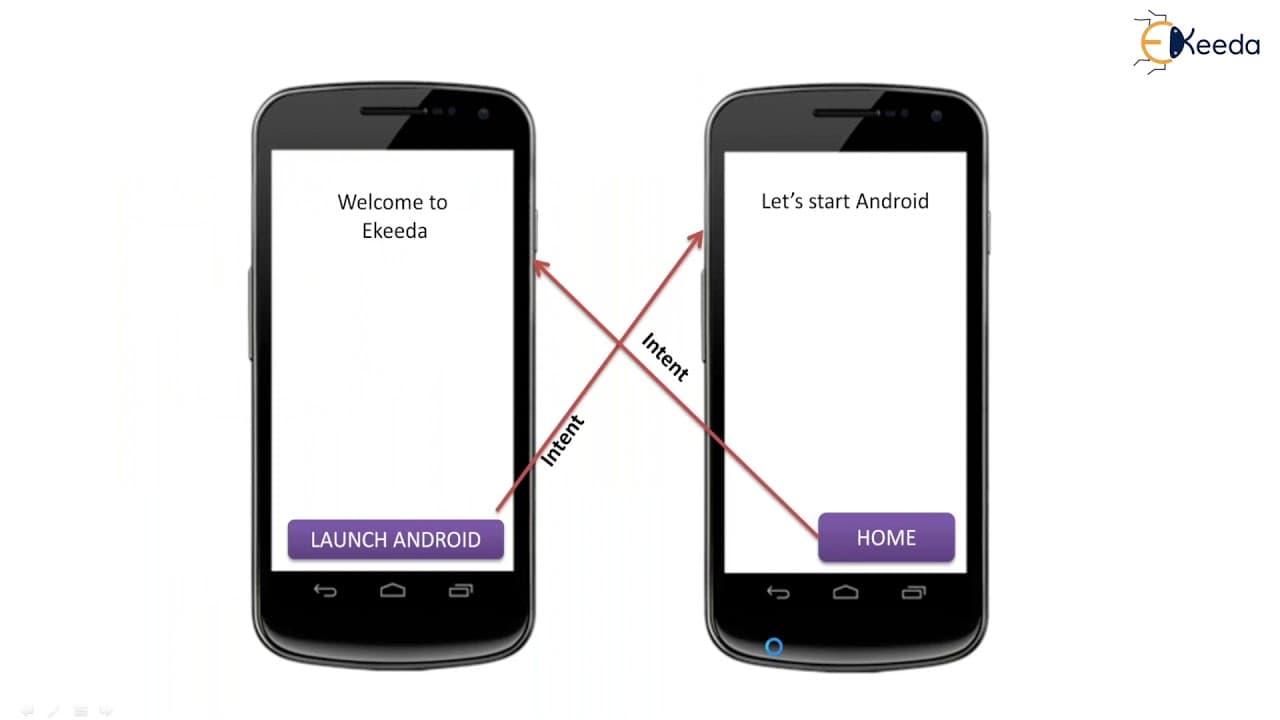
Explicit intents in Android are used to start new activities within the same application by specifying the target activity's class name in the intent constructor. To pass data between activities, the putExtra() method can be employed. This allows seamless navigation and communication between different parts of the application.
Transcript
hello viewers welcome back in this session we are going to discuss about explicit intents in android which is one of the intent types or intent resolution now we'll see what is an explicit intent how to create multiple activities in an application how to create an intent with the constructor and passing values from one activity to another activity ... Read More
Key Insights
- 🈸 Explicit intents are used for internal application messaging and starting activities within the same application.
- 🏛️ The intent constructor is used to create an intent object, providing the context and target class.
- 🧭 Values can be passed between activities using the putExtra() method.
Install to Summarize YouTube Videos and Get Transcripts
Explore YouTube Video Summarizer or Get YouTube Transcript Extractor
Questions & Answers
Q: What are explicit intents in Android?
Explicit intents are used for internal application messaging, specifically for calling an activity within the same application.
Q: What is the purpose of the intent constructor in Android?
The intent constructor is used to create an intent object, which includes the context (this or current activity) and the target class (activity name) to start a new activity.
Q: How can you pass values from one activity to another using explicit intents?
Values can be passed between activities using the putExtra() method, which allows you to add key-value pairs to the intent object. The receiving activity can then retrieve these values using the getIntent().getXXXExtra() methods.
Q: How can you start an activity and get a result using explicit intents?
To start an activity and receive a result, the startActivityForResult() method is used instead of startActivity(). The result can then be captured in the calling activity's onActivityResult() method.
Summary & Key Takeaways
-
Explicit intents are used for internal application messaging and calling an activity of the same class within an Android application.
-
To start a new activity, the designated target component (activity name) is provided in the intent constructor.
-
A sample program is created to demonstrate the use of explicit intents, including creating multiple activities and passing values between them.
Read in Other Languages (beta)
Share This Summary 📚
Summarize YouTube Videos and Get Video Transcripts with 1-Click
Try YouTube Summary with ChatGPT & Claude or YouTube Transcript Generator
Explore More Summaries from Ekeeda 📚






Summarize YouTube Videos and Get Video Transcripts with 1-Click
Try YouTube Summary with ChatGPT & Claude or YouTube Transcript Generator