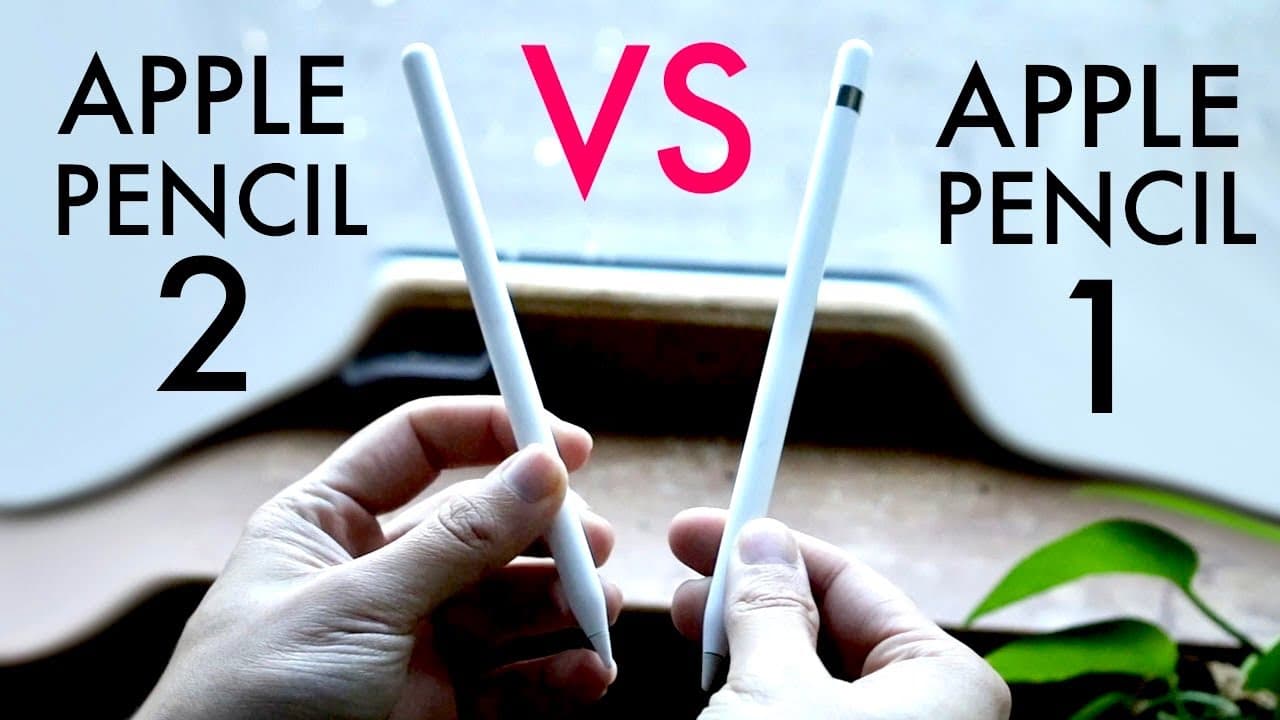
Apple Pencil 1 Vs Apple Pencil 2! (Comparison) (Review)
TL;DR
Understanding the key differences between Apple Pencil 1 and 2 for iPad compatibility.
Transcript
well everyone it's time for us to go ahead and take a look at the differences between an apple pencil one and an apple pencil 2. now hopefully by the end of this video you understand what these Apple pencils are what they do and the main difference is behind them but I will tell you you don't really have a choice if you have it and you know if you'... Read More
Key Insights
- 🥶 The Apple Pencil 1 is primarily for older iPads, while the Apple Pencil 2 is designed for modern, flat iPads.
- 👤 Wireless charging and magnetic attachment for the Apple Pencil 2 enhances user experience and convenience.
- 👻 The double-tap feature on the Apple Pencil 2 allows for quick access to different functions, improving workflow.
- 🧑🎨 Pressure sensitivity is a common feature in both models, benefiting artists and note-takers alike.
- 👤 Apple Pencil 1 offers a more straightforward design, making it suitable for basic users who do not require advanced features.
- 👤 Upgrading to an iPad that supports Apple Pencil 2 is recommended for frequent users aiming to maximize their productivity with added functionalities.
- 👤 Users should always check iPad compatibility before purchasing either Apple Pencil to ensure optimal performance.
Install to Summarize YouTube Videos and Get Transcripts
Explore YouTube Video Summarizer or Get YouTube Transcript Extractor
Questions & Answers
Q: What are the main compatibility concerns when choosing between Apple Pencil 1 and 2?
Compatibility is crucial; the Apple Pencil 1 is only supported by certain iPads including the 9th and 10th generation models, whereas the Apple Pencil 2 is compatible with newer models like iPad Pro and other latest iPads with flat designs. Users need to ensure their iPad supports the pencil they intend to purchase to avoid disappointment.
Q: What specific features make the Apple Pencil 2 superior to the Apple Pencil 1?
The Apple Pencil 2 features magnetic attachment that allows it to connect to the side of an iPad, enabling wireless charging. It also includes customizable double-tap controls for switching between functions, improving workflow efficiency. In contrast, the Apple Pencil 1 relies on a lightning port for charging and lacks these advanced options.
Q: How does the charging process differ between the two Apple Pencil models?
The Apple Pencil 1 requires a physical connection to an iPad via its lightning port for charging, which can be cumbersome. In contrast, the Apple Pencil 2 offers a seamless experience by charging wirelessly when attached magnetically to the side of a compatible iPad, enhancing convenience for users.
Q: Are there any specific use cases where Apple Pencil 1 is preferred over Apple Pencil 2?
The Apple Pencil 1 may still be preferred for users who own older iPads that do not support the Apple Pencil 2. Additionally, for budget-conscious consumers, the Apple Pencil 1 offers a cheaper alternative while still providing essential functionalities for note-taking and drawing, making it suitable for basic usage.
Summary & Key Takeaways
-
The main difference between the Apple Pencil 1 and 2 lies in their compatibility with iPads; certain models only support one type, influencing user choice.
-
The Apple Pencil 2 offers enhanced features such as magnetic attachment to iPads, wireless charging, and customizable double-tap controls, making it a superior option.
-
While the Apple Pencil 1 remains a solid option for supported models, the 2 is recommended for users seeking advanced functionality and better overall experience.
Read in Other Languages (beta)
Share This Summary 📚
Summarize YouTube Videos and Get Video Transcripts with 1-Click
Try YouTube Summary with ChatGPT & Claude or YouTube Transcript Generator
Explore More Summaries from Simple Alpaca 📚






Summarize YouTube Videos and Get Video Transcripts with 1-Click
Try YouTube Summary with ChatGPT & Claude or YouTube Transcript Generator