Products
Features
YouTube Video Summarizer
Summarize YouTube videos
Web & PDF Highlighter
Highlight web pages & PDFs
Chat with PDF
Ask any PDF questions with AI
Ask AI Clone
Chat with your highlights & memories
Audio Transcriber
Transcribe audio files to text
Glasp Reader
Read and highlight articles
Kindle Highlight Export
Export your Kindle highlights
Idea Hatch
Hatch ideas from your highlights
Integrations
Obsidian Plugin
Notion Integration
Pocket Integration
Instapaper Integration
Medium Integration
Readwise Integration
Snipd Integration
Hypothesis Integration
Apps & Extensions
Chrome Extension
Safari Extension
Edge Add-ons
Firefox Add-ons
iOS App
Android App
Discover
Discover
Ideas
Discover new ideas and insights
Articles
Curated articles and insights
Books
Book recommendations by great minds
Posts
Essays and notes from readers
Quotes
Inspiring quotes collection
Videos
Curated videos and summaries
Explore Glasp
Glasp Newsletter
Weekly insights and updates
Glasp Talk
Interview series with great minds
Glasp Blog
Latest news and articles
Glasp Use Cases
Learn how others use Glasp
Build & Support
Glasp API
Access Glasp's API for developers
MCP Connector
Connect Glasp to Claude & ChatGPT
Community
Glasp Reddit Community
Students
Student discount and benefits
FAQs
Frequently Asked Questions
AboutPricing
DashboardLog inSign up

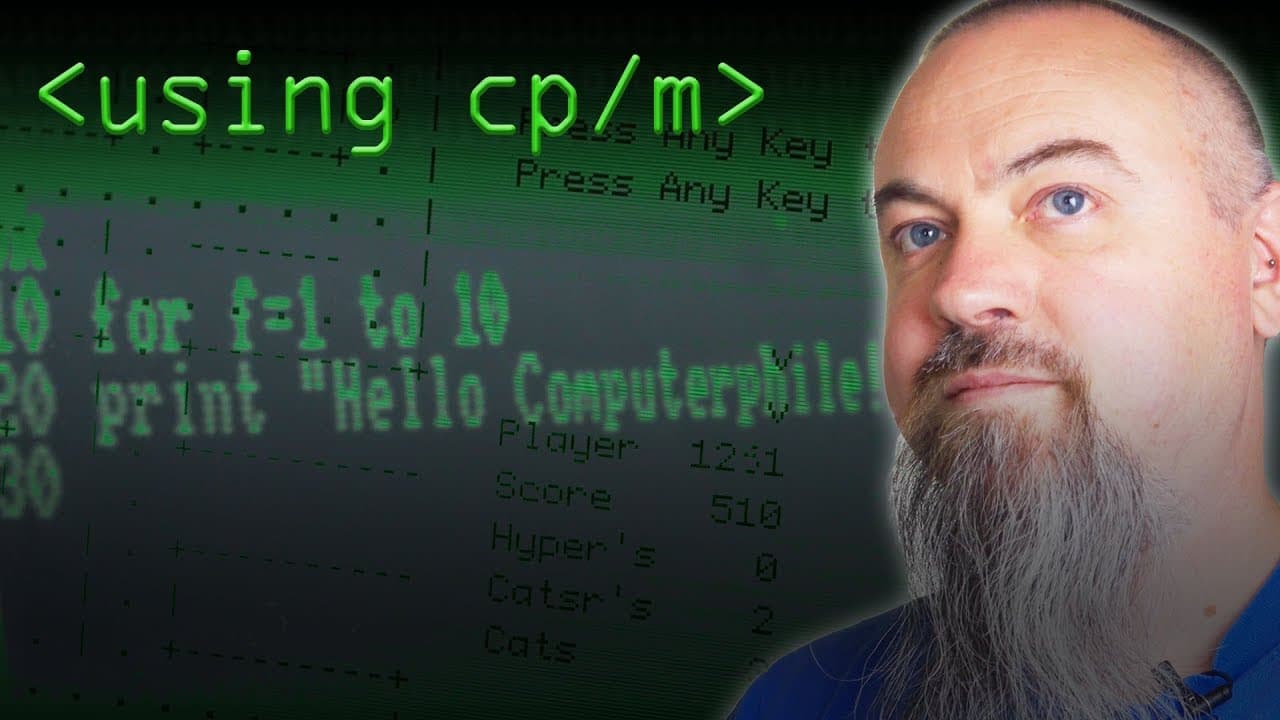
Using CP/M - Computerphile
August 3, 2018
by
Computerphile
YouTube video player
Using CP/M - Computerphile

TL;DR

A walkthrough of the CP/M operating system, its capabilities, and its historical significance.

Transcript

What we're looking at here is actually a year's NIT based code blue computer kit original CP/M was written for the 8080 The said 80s is an extension of the 8080. So it runs all of the 8080 code So this is actually running one of the original versions of CP/M exactly as it would have done back in the day, right? So Initially, there's a small little ... Read More

Key Insights

  • 🧡 CP/M was a significant operating system for early 80s computers and offered a wide range of software options.
  • 👨‍💻 Users could write their own programs in CP/M using assembly code and the built-in assembler.
  • 🤶 CP/M's popularity and familiarity influenced the design of MS-DOS.
  • 🤶 CP/M could be run on different computer systems, including the Illustrated PCW 1512.
  • 💦 CP/M did not natively support graphics but could work with a suitable graphics card and BIOS.
  • 🤶 CP/M had a syntax similar to MS-DOS, making it easy for DOS users to transition to MS-DOS.
  • 🤶 Users often made backup copies of their CP/M floppies to prevent data loss.

Install to Summarize YouTube Videos and Get Transcripts

Explore YouTube Video Summarizer or Get YouTube Transcript Extractor

Questions & Answers

Q: What was the main advantage of using CP/M for business applications?

CP/M provided a wealth of software, including business-specific applications like WordStar and database programs, making it an ideal choice for businesses to handle their accounts and other tasks.

Q: Can CP/M run games?

Yes, CP/M featured a variety of games, including adventure games like Zork, that users could play on their machines. There are also CP/M emulators available to run CP/M on modern computers.

Q: Which computer systems can run CP/M?

CP/M was originally written for the 8080 but was subsequently ported to other systems, including the 68000 and 8086 IBM PC infrastructure.

Q: Does CP/M support graphics?

CP/M itself is not capable of graphics, but with a suitable graphics card and BIOS, it can provide good graphics capabilities.

Summary & Key Takeaways

  • CP/M is an operating system written for the 8080 and 80s computers, allowing them to run original versions of CP/M.

  • CP/M offered a wide range of software, including business applications like WordStar and database programs, as well as games and utility programs.

  • It was fairly easy to write custom programs in CP/M using assembly code, thanks to built-in tools like the assembler.


Read in Other Languages (beta)

English

Share This Summary 📚

Summarize YouTube Videos and Get Video Transcripts with 1-Click

Download browser extensions on:

Try YouTube Summary with ChatGPT & Claude or YouTube Transcript Generator

Explore More Summaries from Computerphile 📚
SLAM Robot Mapping - Computerphile thumbnail
SLAM Robot Mapping - Computerphile
Computerphile
Transport Layer Security (TLS) - Computerphile thumbnail
Transport Layer Security (TLS) - Computerphile
Computerphile
Error Detection and Flipping the Bits - Computerphile thumbnail
Error Detection and Flipping the Bits - Computerphile
Computerphile
Man in the Middle Attacks & Superfish - Computerphile thumbnail
Man in the Middle Attacks & Superfish - Computerphile
Computerphile
The Problem with Time & Timezones - Computerphile thumbnail
The Problem with Time & Timezones - Computerphile
Computerphile
Mainframes and the Unix Revolution - Computerphile thumbnail
Mainframes and the Unix Revolution - Computerphile
Computerphile

Summarize YouTube Videos and Get Video Transcripts with 1-Click

Download browser extensions on:

Try YouTube Summary with ChatGPT & Claude or YouTube Transcript Generator

Apps & Extensions

  • Chrome Extension
  • Safari Extension
  • Edge Add-ons
  • Firefox Add-ons
  • iOS App
  • Android App

Key Features

  • YouTube Video Summarizer
  • Web & PDF Summarizer
  • Web & PDF Highlighter
  • Chat with PDF
  • Ask AI Clone
  • Audio Transcriber
  • Glasp Reader
  • Kindle Highlight Export
  • Idea Hatch

Integrations

  • Obsidian Plugin
  • Notion Integration
  • Pocket Integration
  • Instapaper Integration
  • Medium Integration
  • Readwise Integration
  • Snipd Integration
  • Hypothesis Integration

More Features

  • APIs
  • MCP Connector
  • Blog & Post
  • Embed Links
  • Image Highlight
  • Personality Test
  • Quote Shots

Company

  • About us
  • Blog
  • Community
  • FAQs
  • Job Board
  • Newsletter
  • Pricing
Terms

•

Privacy

•

Guidelines

© 2026 Glasp Inc. All rights reserved.