Google Camera App (GCam) Vs iOS Camera App! (Comparison) (Review)
TL;DR
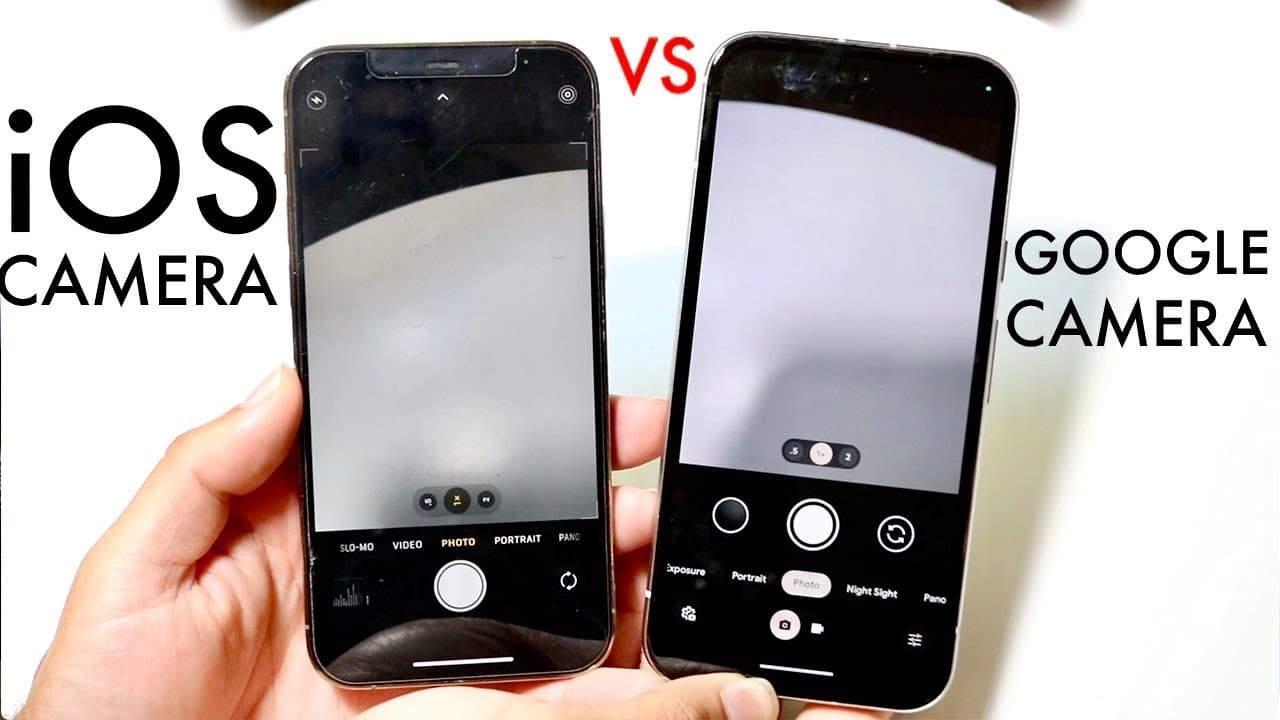
Google Camera and iOS Camera have similarities and differences in features and user experience.
Transcript
most of you know Google camera and the iOS application camera are probably some of the most popular camera apps that people use on an everyday basis and I wanted to kind of showcase the differences between these two applications because one there's a lot of similarity but there's also some differences as well now we're not going to be taking a look... Read More
Key Insights
- 🎥 Both Google Camera and iOS Camera offer comprehensive photography features, supporting various modes for all types of functions.
- 👤 The user interfaces of both applications display a high degree of similarity, yet subtle differences contribute to varying user preferences.
- 🥶 The iOS Camera provides a smoother, more fluid user experience than Google Camera, even on older models.
- 🍃 Google Camera excels in providing easier access to settings without leaving the camera mode, enhancing usability for photographers.
- 🎥 Usability for one-handed filming is significantly better in the iOS Camera, which allows for more efficient video capturing.
- 📳 The reviewer recognizes certain frustrations with toggles and layout arrangements in Google Camera that hinders quick mode transitions.
- 😒 Overall, while the reviewer prefers the iOS Camera for daily use, they acknowledge the strengths present in the Google Camera that could enhance usability if improved.
Install to Summarize YouTube Videos and Get Transcripts
Explore YouTube Video Summarizer or Get YouTube Transcript Extractor
Questions & Answers
Q: What are the key similarities between Google Camera and iOS Camera?
Both Google Camera and iOS Camera share fundamental features like photo mode, video mode, and various shooting modes such as night and panorama. Despite these similarities, their user interface designs and operational efficiencies set them apart, influencing user experience and ease of access to features.
Q: Why does the reviewer prefer the iOS Camera over the Google Camera despite using a budget-friendly Google Pixel?
The reviewer finds the iOS Camera to deliver a significantly smoother experience than the Google Camera, even on an older iPhone. This smoother performance, along with the ease of navigating camera modes and settings, make the iOS Camera a more appealing option for everyday use compared to the Google Pixel.
Q: What specific features of Google Camera does the reviewer appreciate?
The reviewer appreciates the built-in access to camera settings in the Google Camera, which allows for direct navigation to various options. This feature enables users to modify settings without exiting the camera app, a functionality the reviewer feels is lacking in the stock iOS camera application.
Q: In what situations does the reviewer find the Google Camera less user-friendly compared to the iOS Camera?
The reviewer mentions that navigating video mode on the Google Camera can be cumbersome, requiring more extensive movement for zooming and switching settings. This is contrasted with the iOS Camera's design, which allows for easier one-handed use, making it more practical during quick shoots or when multitasking.
Q: Are there any drawbacks to the iOS Camera mentioned in the review?
Yes, the reviewer points out a significant drawback for the iOS Camera's lack of easy access to camera settings compared to Google Camera. Users cannot seamlessly jump into camera settings from the camera interface, which can be inconvenient when trying to adjust settings on the fly.
Summary & Key Takeaways
-
Both the Google Camera and iOS Camera offer similar features, including photo and video modes, but their layouts and user experiences differ significantly.
-
The iOS Camera provides a smoother experience, even on older devices, while the Google Camera often requires more navigation to access certain functions.
-
User accessibility features, such as one-handed operation and built-in settings navigation, highlight distinct advantages for iPhone users over Google Pixel users.
Read in Other Languages (beta)
Share This Summary 📚
Summarize YouTube Videos and Get Video Transcripts with 1-Click
Try YouTube Summary with ChatGPT & Claude or YouTube Transcript Generator
Explore More Summaries from Simple Alpaca 📚






Summarize YouTube Videos and Get Video Transcripts with 1-Click
Try YouTube Summary with ChatGPT & Claude or YouTube Transcript Generator