How To Use Your iPad 9th Generation! (Complete Beginners Guide)
TL;DR
A comprehensive guide to understanding features and functionalities of the iPad 9th generation.
Transcript
welcome back everyone the ipad 9th generation just came out so here's a little tutorial guide basically a how-to guide of everything that you could probably know of the ipad 9th generation at a bird's high level it's not going to be every single detail but for the most part you'll have a good understanding of how to use your ipad 9th generation now... Read More
Key Insights
- 🎥 The iPad 9th Generation includes an ultrawide front-facing camera, enhancing video calls and selfies.
- 👨🔬 Users can quickly search for settings or apps by utilizing the spotlight search feature, reducing the time spent navigating menus.
- 🤟 The introduction of gesture-based navigation aligns the iPad with newer Apple devices, encouraging a modern interaction style.
- 👤 A detailed multitasking feature allows simultaneous use of applications, boosting efficiency for users who multitask frequently.
- 🈸 Users can manage apps through the App Library, enabling them to hide applications from the home screen while keeping them accessible.
- 💻 Screen recording can be conveniently accessed and managed through the control center, making it easy for users to capture and share their screens.
- 👥 The device's ease of setup and user interface is geared towards newcomers, making it approachable for all age groups and tech-savvy levels.
Install to Summarize YouTube Videos and Get Transcripts
Explore YouTube Video Summarizer or Get YouTube Transcript Extractor
Questions & Answers
Q: What are the main physical features of the iPad 9th Generation?
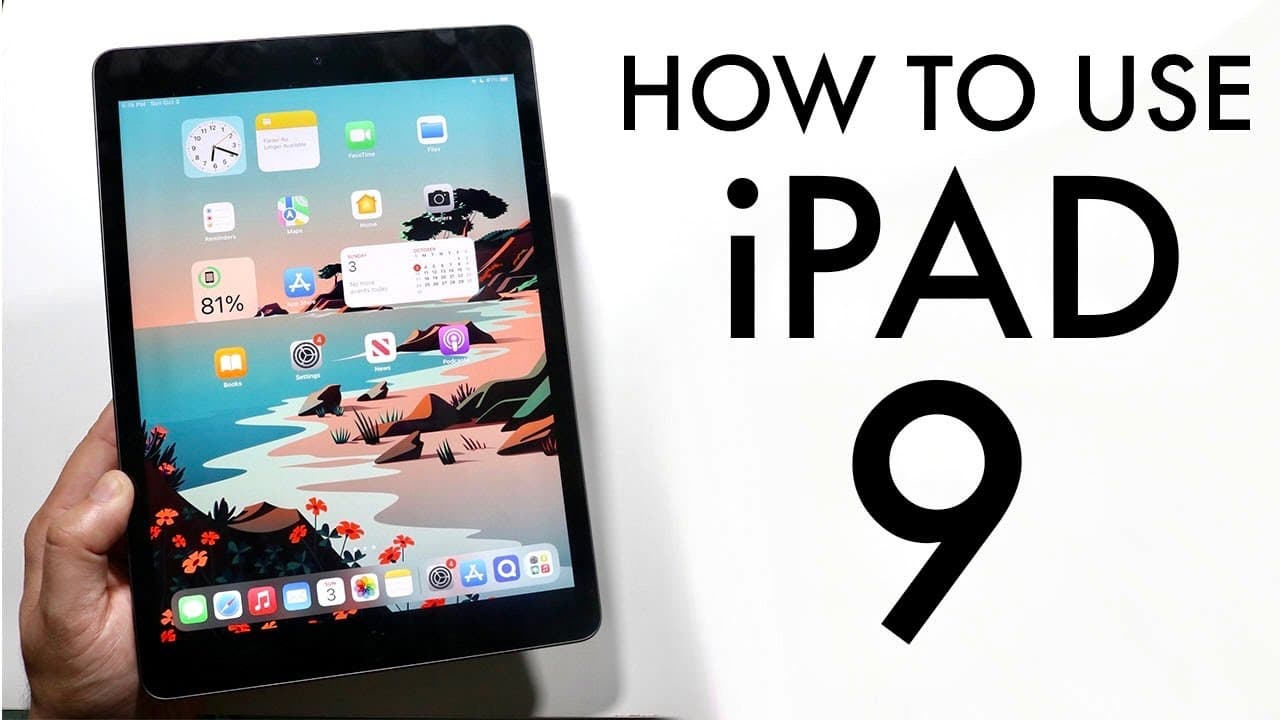
The iPad 9th Generation boasts a 10.2-inch display, a home button situated at the bottom with an integrated fingerprint sensor, and a front-facing ultrawide camera. On the top side, you’ll find the power button and a headphone jack, while the charging port and speakers are located at the bottom. These features provide a balance of functionality and aesthetics in the device design.
Q: How do you navigate the home screen and multitasking functions on the iPad 9th Generation?
Navigation involves either using the home button or swipe gestures. To access multitasking, users can swipe up from the bottom to see all open applications, letting them switch between apps effortlessly. Additionally, users can engage split-screen multitasking to operate two apps simultaneously by dragging one app alongside another, enhancing productivity during usage.
Q: How can users take screenshots and screen records on the iPad 9th Generation?
To take a screenshot, press the home button and the power button simultaneously until the screenshot is captured. For screen recording, access the control center, add the screen recording toggle, and press it. This feature counts down, allowing you to record any activity on the screen, and the recordings are saved in the Photos app for easy sharing.
Q: What customization options are available for the home screen and widgets?
Users can customize their home screen by dragging and organizing their apps and widgets easily. The iPad 9th Generation running on iPad OS 15 allows users to add or remove widgets by tapping the plus button when editing the home screen, facilitating a personalized layout that suits their preferences.
Summary & Key Takeaways
-
The iPad 9th Generation features a 10.2-inch display, home button, fingerprint sensor, and improved front-facing camera, making it user-friendly and visually appealing.
-
The tutorial covers key functionalities including setting up the device, managing multitasking with gestures, and navigating the home screen, making it easy for new users.
-
Additional features like widget customization, app management, and screen recording are highlighted, showcasing the versatility of the iPad 9th Generation in everyday use.
Read in Other Languages (beta)
Share This Summary 📚
Summarize YouTube Videos and Get Video Transcripts with 1-Click
Try YouTube Summary with ChatGPT & Claude or YouTube Transcript Generator
Explore More Summaries from Simple Alpaca 📚






Summarize YouTube Videos and Get Video Transcripts with 1-Click
Try YouTube Summary with ChatGPT & Claude or YouTube Transcript Generator